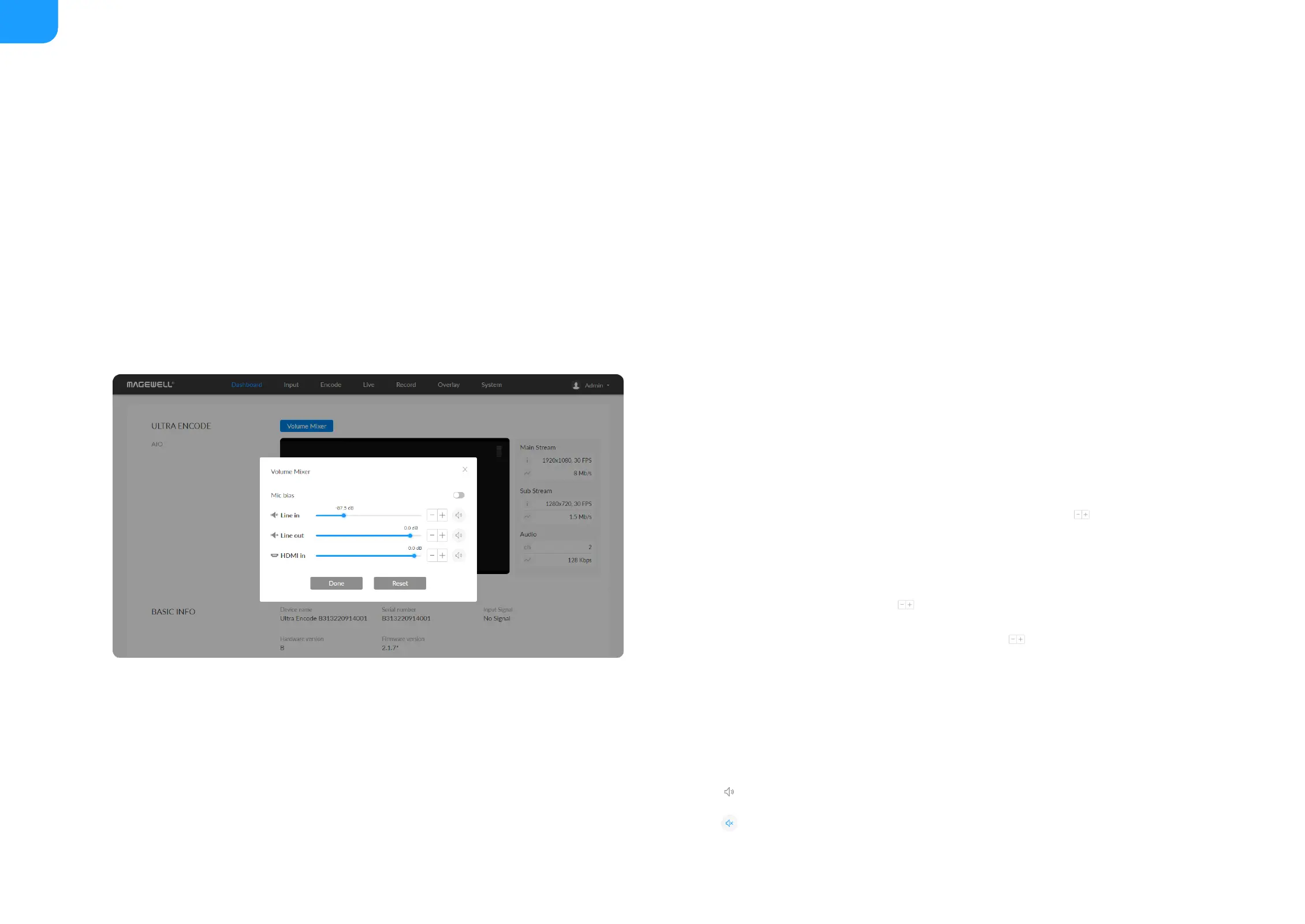
Dashboard
On Dashboard page, you can:
preview the thumbnail of the encoded video
■
check device hardware information
■
check system status
■
set global volume and color
■
check product module at the upper left corner
■
Mic Bias: turn it on when connecting a microphone via line in. It allows
flowing way power (around 2.3V) to the jack which makes the microphone
sound. It is off by default.
■
LINE IN: adjust the audio connected to the LINE IN. Click to fine tone
the volume at 0.1dB.
■
LINE OUT: adjust the LINE OUT audio which remixes audio embedded in
input signal and LINE IN. Click to fine tone the volume at 0.1dB.
■
HDMI/SDI IN: adjust input signal volume. Click to fine tone the volume
at 0.1dB.
■
The audio channel is consistent with the signal selected in the Input >
Source > Mixer > Format. You can set it to follow SDI or HDMI in on the
Input > Source part.
■
: mute current channel
■
: restore current channel to default value
■



 To Next Page