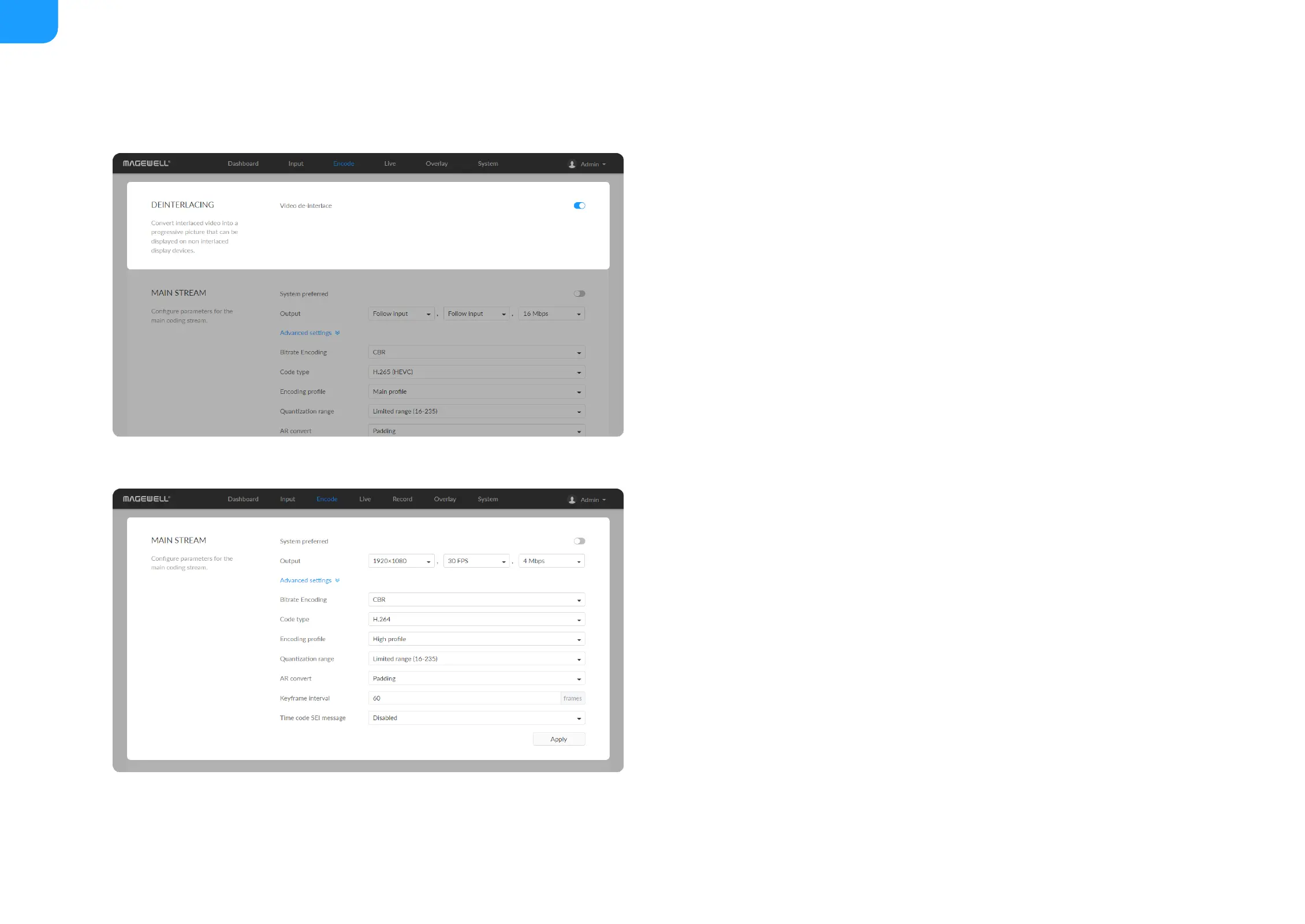
Deinterlacing
For the interlaced signal encoded with HEVC for both streams, only when the
input Source is set to Auto, SDI or HDMI, the de-interlacing function is turned
off, and the HEVC stream encoded in the interlaced signal mode can be output.
A "Mixer" source does not support the output of interlaced signals.
Video de-interlace: by default, the switch is on. The dual streams must be
HEVC(H.265) for turning off de-interlace. After turning off, only HEVC is
available for the code type of the dual streams.
■
System preferred: by default, it is on, and the output format would be
consistent with the input signal. Turn it off to custom the code fomat. You
can check the format on the right side of the thumbnail of the device status.
System preferred is not available for NDI |HX3.
■
®
Output: by default, it follows input resolution, frame rate, bitrate. Only the
resolution and frame rate can be specified, and the bit rate is determined by
NDI and is filled in automatically for NDI |HX3.
■
® ®
Bitrate Encoding: options are CBR (default) and VBR. Live stream at CBR
(Constant Bitrate) for bandwidth stability. VBR(Variable Bitrate) files vary the
amount of output data per time segment. CBR is the only choice for
NDI |HX3. And you need to set quantization parameters for VBR. The
■
®



 To Next Page