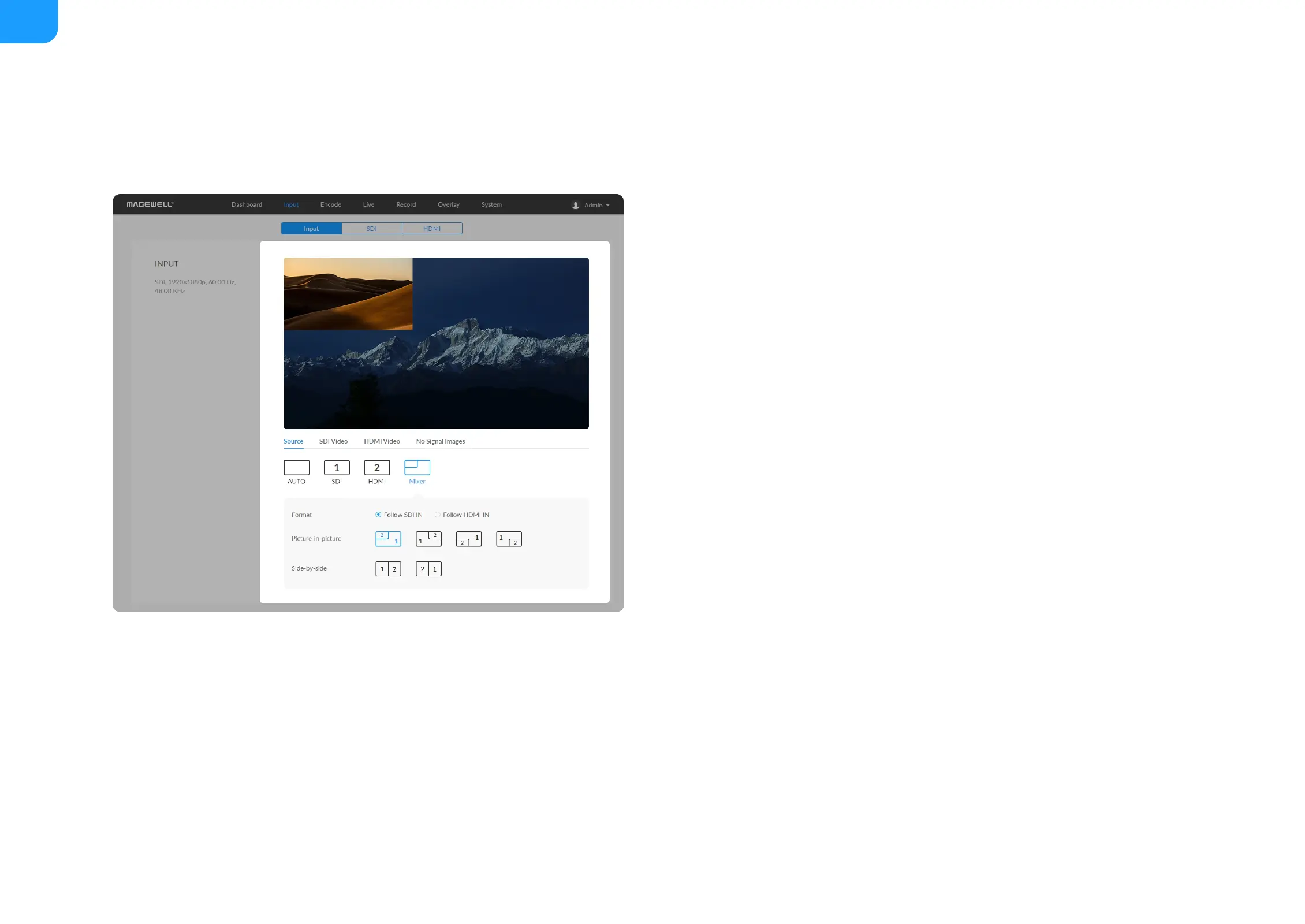
Auto: When selected, the input signal that is locked first is previewed by
default.
■
SDI: click to preview the SDI signal.
■
HDMI: click to preview HDMI signal.
■
Mixer: you can combined the 2 input signals in different ways as follows.
■
Format: Set the resolution and frame rate of the combined signal. It
can be set to "Follow SDI IN" or "Follow HDMI IN". When there is only
SDI input but no HDMI signal, it needs to be manually modified to
"Follow SDI IN". Otherwise, it would be blank.
■
Picture-in-picture: A picture-in-picture effect is when two videos or
images are shown at the same time with one smaller video or image on
top of a larger one.
■
Side-by-side: If the two video images are shown at the same time at the
same size, it is side-by-side effect. You can specify the left/right position
of the videos.
■



 To Next Page