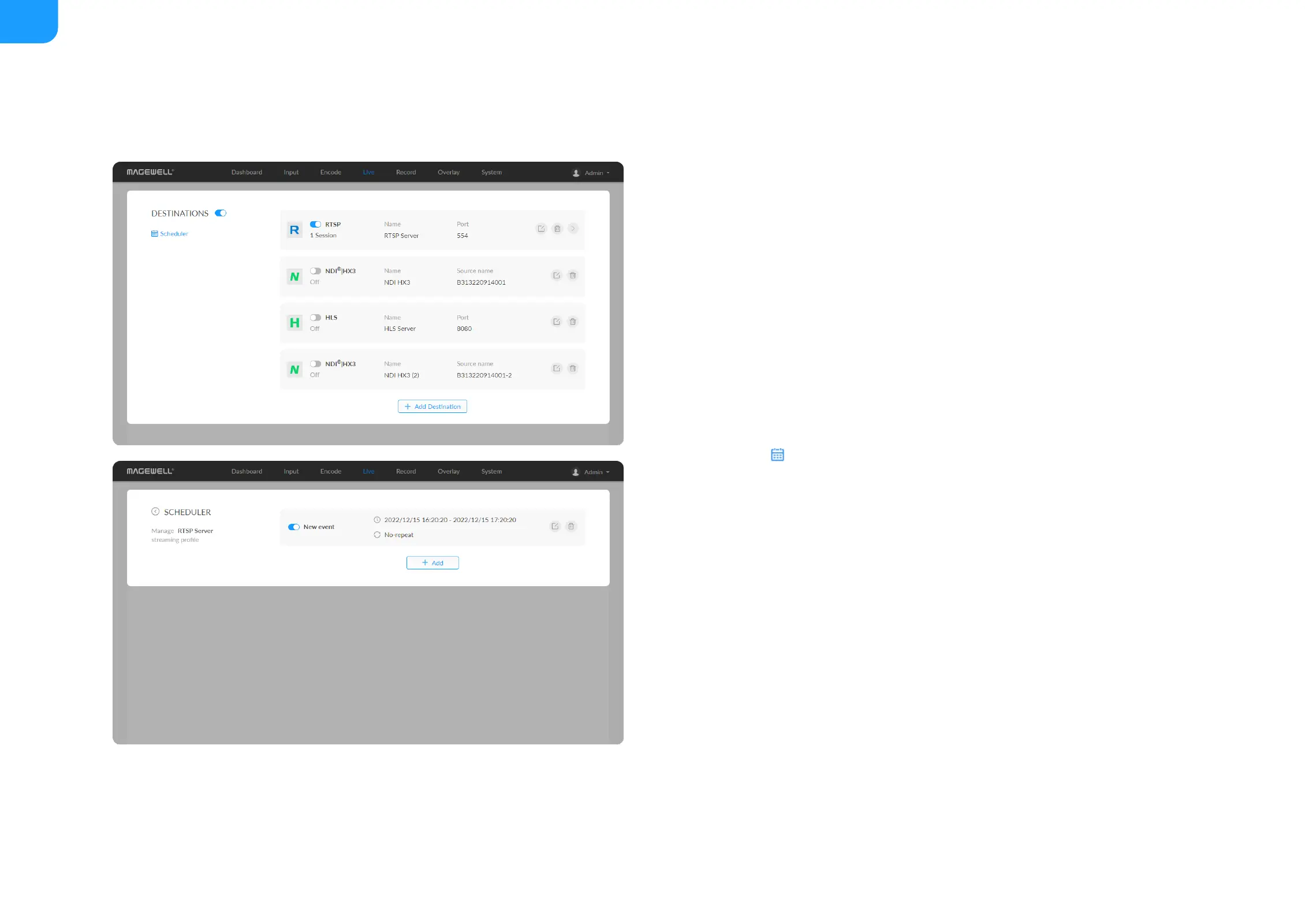
Live Schedule
In everyday terms, a schedule will help you keep on top of other tasks and are
less likely to procrastinate, whilst still being able to stream on a regular basis.
For a streamer, a schedule will also mean that your viewers, followers, and
subscribers will know exactly when you will be live and on which days, which is
possibly the biggest reason for creating a schedule and sticking to it. Imagine
having no clue when the next episode of your favorite TV show airs. By creating
a stream schedule, viewers will know when to expect you and are therefore
more likely to tune in. Scheduling your stream is easy with the scheduler we
provide. Here’s a quick tutorial on how to set it up:
1. Click the schedule icon.
2. Click Add in the window, and specify parameters of the schedule. You can
add up to 8 scheduling schemes.
Description: 1 to 64 characters, including chinese, english, numbers,
and special characters, among which one chinese word occupy three
characters in length.
■
Details: 0 to 64 characters, specifying the scheduling task information
■
Begin: Select the start date and specific time of this live broadcast task,
or check the Full day.
■
End: Select the end date and specific time of this live broadcast task, or
check the Full day.
■
Repeat event: Support no-repeat (default), daily, weekly, monthly,
yearly.
■
Daily: The repeat mode can be repeated every N days, or every



 To Next Page