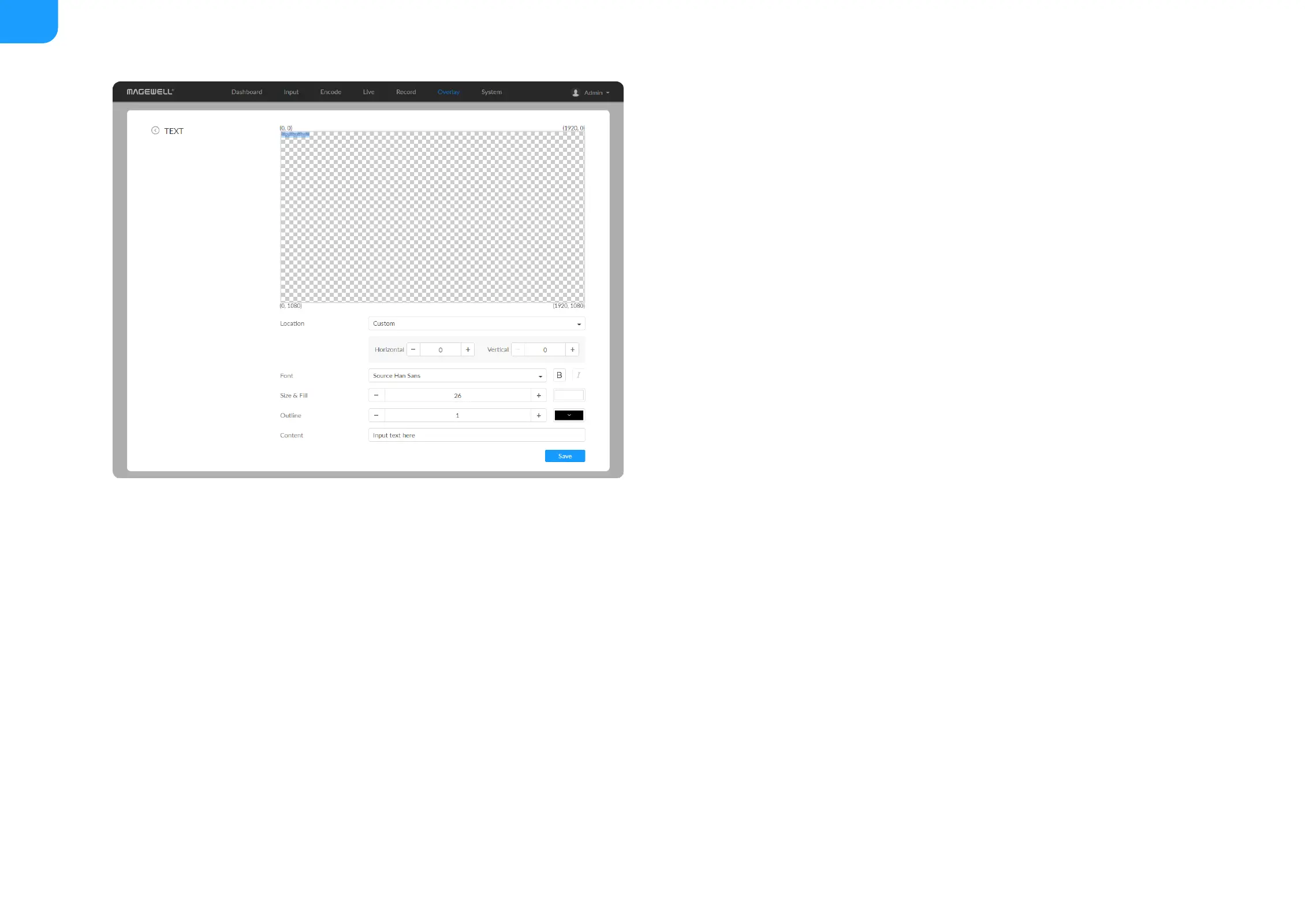
Add Text
Location: options are Custom(default), Top left, Top right, Top center,
Bottom left, Bottom right, Bottom center, and Center. Or just drag the item
on the 1920x1080 canvas and place it at your desired location.
■
Horizontal: specify the horizontal coordinates manually when location is
Custom.
■
Vertical: specify the vertical coordinates manually when location is Custom.
■
Font: options are Source Han Sans (default), and Lato. Bold and Tilt are also
provided.
■
Size & Fill: font size is 26px by default. You can set from 6 to 400px. The
default fill color is rgba(255, 255, 255, 1), and you can click the color-picker
to custom your desired color.
■
Outline: the default width of outline is 1px. You can set from 0 to 100px.
And the default outline color is rgba(0, 0, 0, 1), and you can click the color-
picker to custom your desired color.
■
Content: 1 to 63 characters are supported to display.
■
Save: save current configuration.
■



 To Next Page