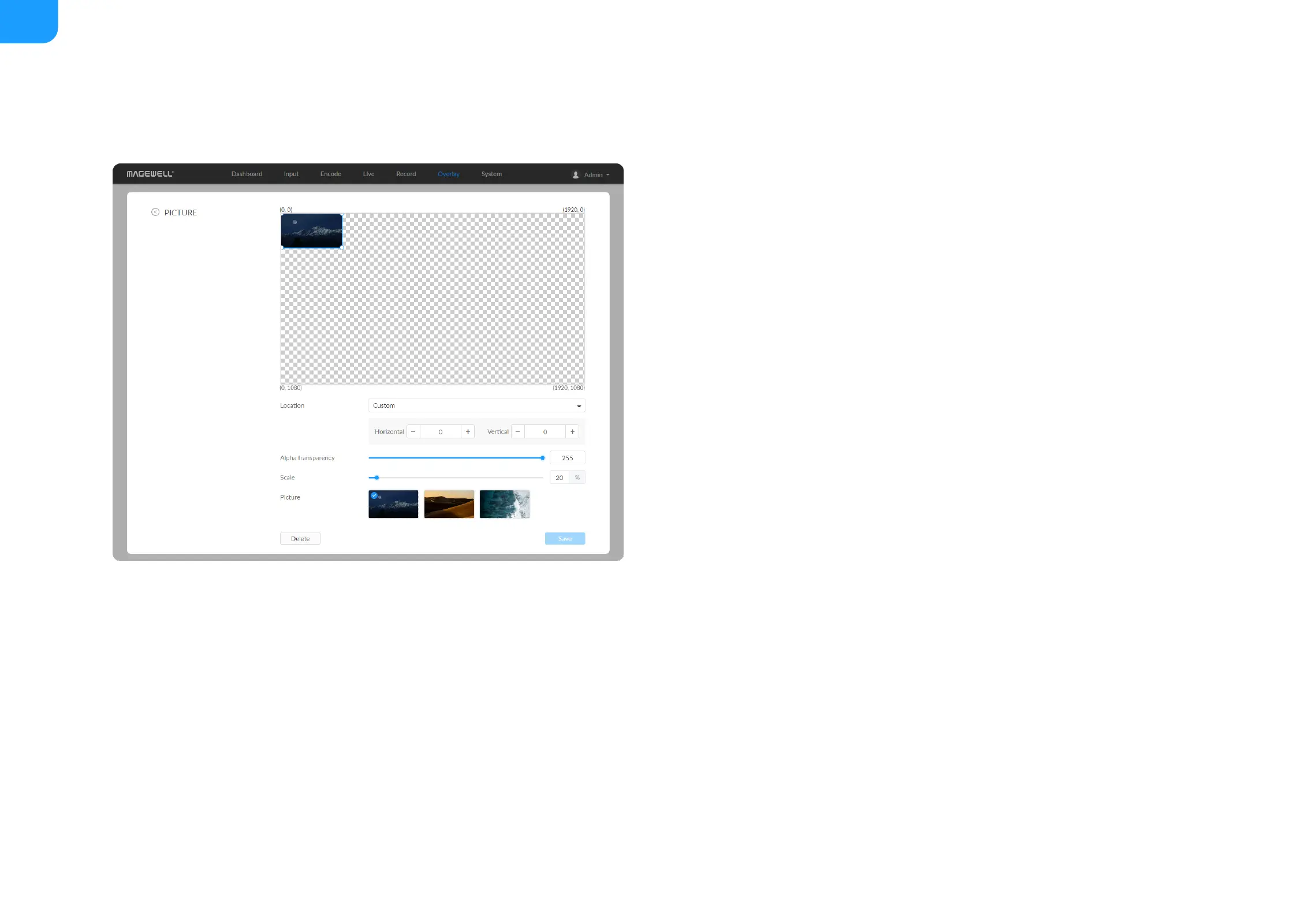
Location: options are Custom(default), Top left, Top right, Top center,
Bottom left, Bottom right, Bottom center, and Center. Or just drag the item
on the 1920x1080 canvas and place it at your desired location.
■
Horizontal: specify the horizontal coordinates manually when location is
Custom.
■
Vertical: specify the vertical coordinates manually when location is Custom.
■
Alpha transparency: it can have a value from 0 (0%) to 255 (100%) in
opacity.
■
Scale: resize your picture between 1% to 400%. By default it is 100%.
■
Picture: choose a picture from Overlay > Gallery. There is no picture by
default.
■
Save: save current configuration.
■



 To Next Page