105EN 105EN
Editing
Function Setup
PlaybackRecording
Basic Setup
ConnectionsIntroduction Others Español
SETUPS
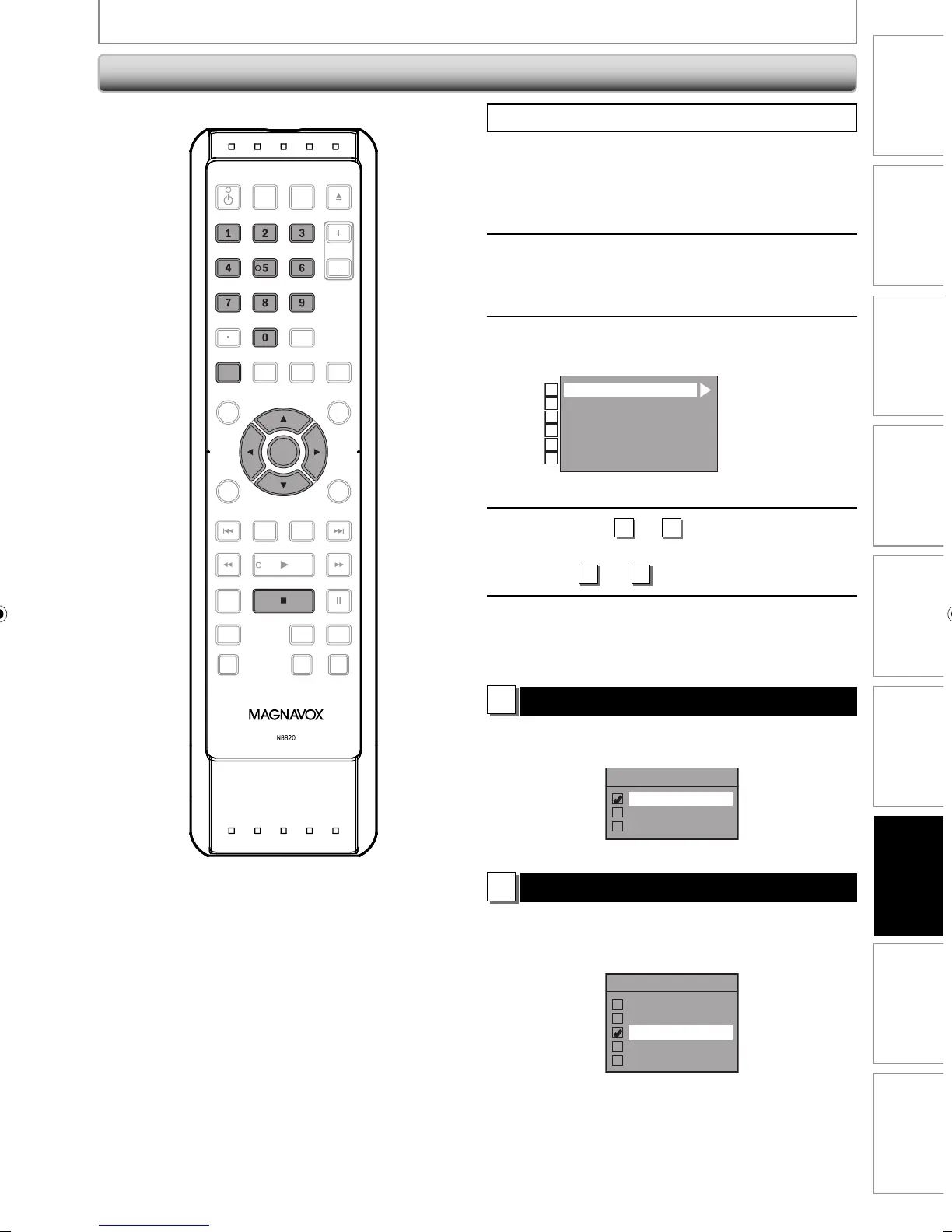
Press [STOP C] if you are playing back a disc.
1
Press [SETUP] and use [K / L] to
select “General Setting”, then press
[OK].
2
Use [K / L] to select “Display”, then
press [OK].
3
Use [K / L] to select a desired item,
then press [OK].
OSD Language
Screen Saver
FL Dimmer
DTV CC
CC Style
V-Chip
1
2
3
4
5
6
Selection menu will appear.
4
Refer to
1
to
6
on pages 105-107
and set the selected item.
• For
4
and
5
refer to pages 36-38.
5
When you finish with setting, press
[SETUP] to exit.
1
OSD Language (Default : English)
Set the language for the on-screen display.
Use [K / L] to select a setting, then press [OK].
OSD Language
English
Français
Español
Your setting will be activated.
2
Screen Saver (Default : 10 minutes)
Set the time to activate the screen saver function on the
TV screen.
Use [K / L] to select a setting, then press [OK].
Screen Saver
OFF
5 minutes
10 minutes
15 minutes
30 minutes
Your setting will be activated.
Display
OPEN/
CLOSE
SOURCE
HDMI
.@/: ABC
GHI
PQRS TUV
SETUP REPEAT
DISPLAY
AUDIO
DISC MENU
RETURN
TITLE
WXYZ
CLEARSPACE
JKL MNO
DEF
OK
DVDHDD
D.DUBBING
V.REPLAY V.SKIP
RAPID PLAY
RECREC MODETIMER
DTV/TVSTANDBY-ON
CHANNEL
OK
SETUP
.@/: ABC
GHI
PQRS TUV WXYZ
SPACE
JKL MNO
DEF
E2M01UD_H2160MW9_EN.indd 105E2M01UD_H2160MW9_EN.indd 105 2008/04/15 19:59:172008/04/15 19:59:17


 To Next Page
 Loading...