81EN 81EN
Playback
Editing
Recording
Basic Setup
ConnectionsIntroduction Function Setup Others Español
EDITING
Deleting a Title
You can delete a title which you do not need anymore.
Please be advised that the title once deleted cannot be
brought back.
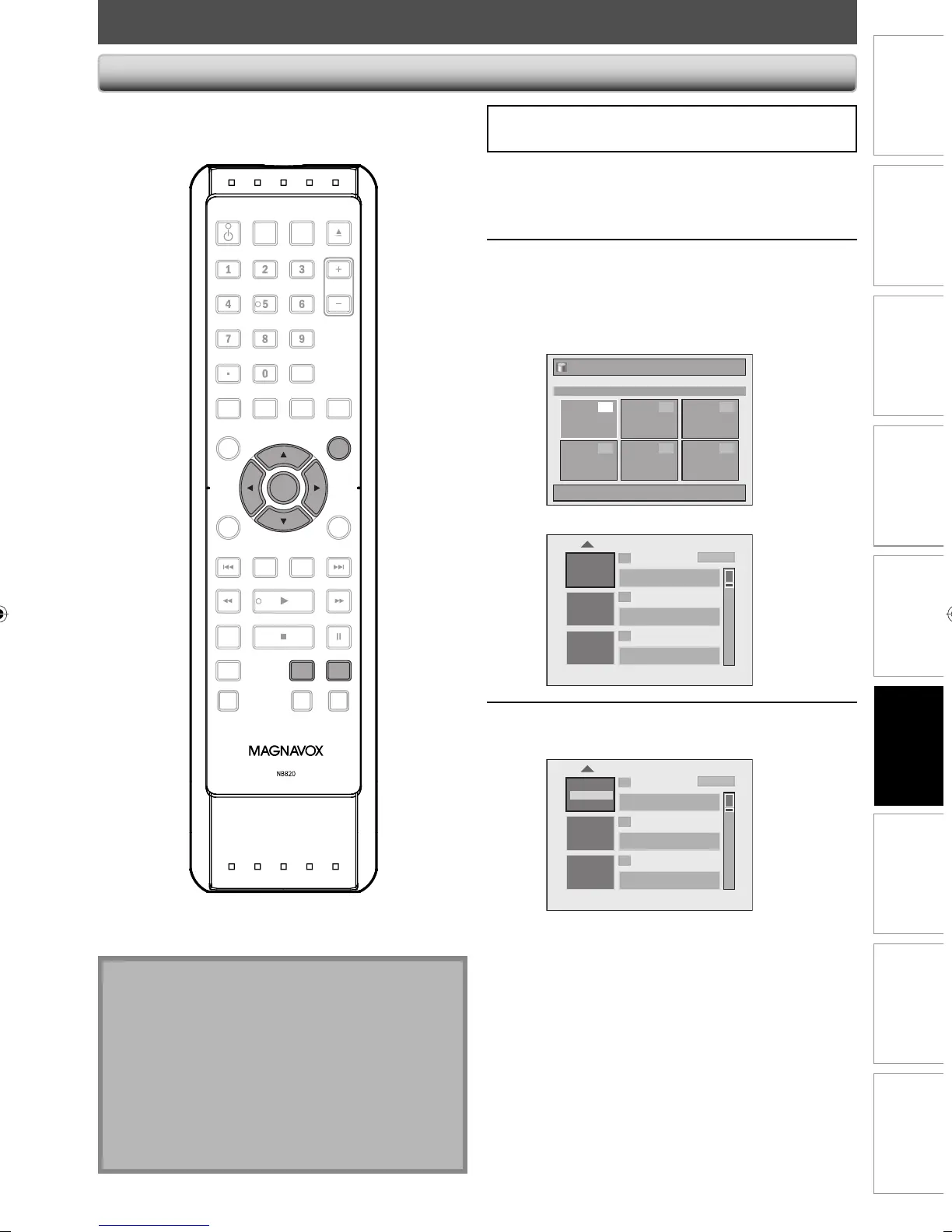
If you are editing the titles on HDD, press [HDD] first.
If you are editing the titles on DVD, press [DVD] first.
1
Press [TITLE].
2
Use [K / L / { / B] to select a desired
title to delete, then press [OK].
If you are editing the titles on HDD, proceed to step 4.
If you are editing the titles on DVD, proceed to step 3.
HDD mode
Title List
1 / 1
Title 1
12:00AM (1:00:00) JAN/ 1/08
CH10 SP
1
4 5 6
2 3
DVD mode
1
2
3
NOV/21/08 11:00
AM
CH12 SP
NOV/21/08 0:20:44
NOV/22/08 11:35
AM
CH13 EP
NOV/22/08 0:10:33
EMPTY TITLE
1:37:52 SP (2Hr)
SP(2Hr)
3
Use [K / L] to select “Edit”, then
press [OK].
1
2
3
NOV/21/08 11:00
AM
CH12 SP
NOV/21/08 0:20:44
Overwrite
NOV/22/08 11:35
AM
CH13 EP
NOV/22/08 0:10:33
EMPTY TITLE
1:37:52 SP (2Hr)
SP(2Hr)
Edit
Play
Note
• For DVD+RW/DVD-RW, the available disc space will
increase only when the last recorded title in the title
list is deleted. For DVD+R/DVD-R, the disc space will
not be affected.
• Deleted part of the titles in the capacity indicator
changes in color.
• As for DVD+RW/DVD-RW if you delete the title, deleted
title will be displayed as “EMPTY TITLE”.
• For DVD, it may take a while to write the data to the
disc after you press [OK] at step 5.
Instructions continue on the next page.
OPEN/
CLOSE
SOURCE
HDMI
.@/: ABC
GHI
PQRS TUV
SETUP REPEAT
DISPLAY
AUDIO
DISC MENU
RETURN
TITLE
WXYZ
CLEARSPACE
JKL MNO
DEF
OK
DVDHDD
D.DUBBING
V.REPLAY V.SKIP
RAPID PLAY
RECREC MODETIMER
DTV/TVSTANDBY-ON
CHANNEL
OK
DVDHDD
TITLE
E2M01UD_H2160MW9_EN.indd 81E2M01UD_H2160MW9_EN.indd 81 2008/04/18 15:12:102008/04/18 15:12:10


 To Next Page
 Loading...