71EN 71EN
Recording
Playback
Basic Setup
Connections EditingIntroduction Function Setup Others Español
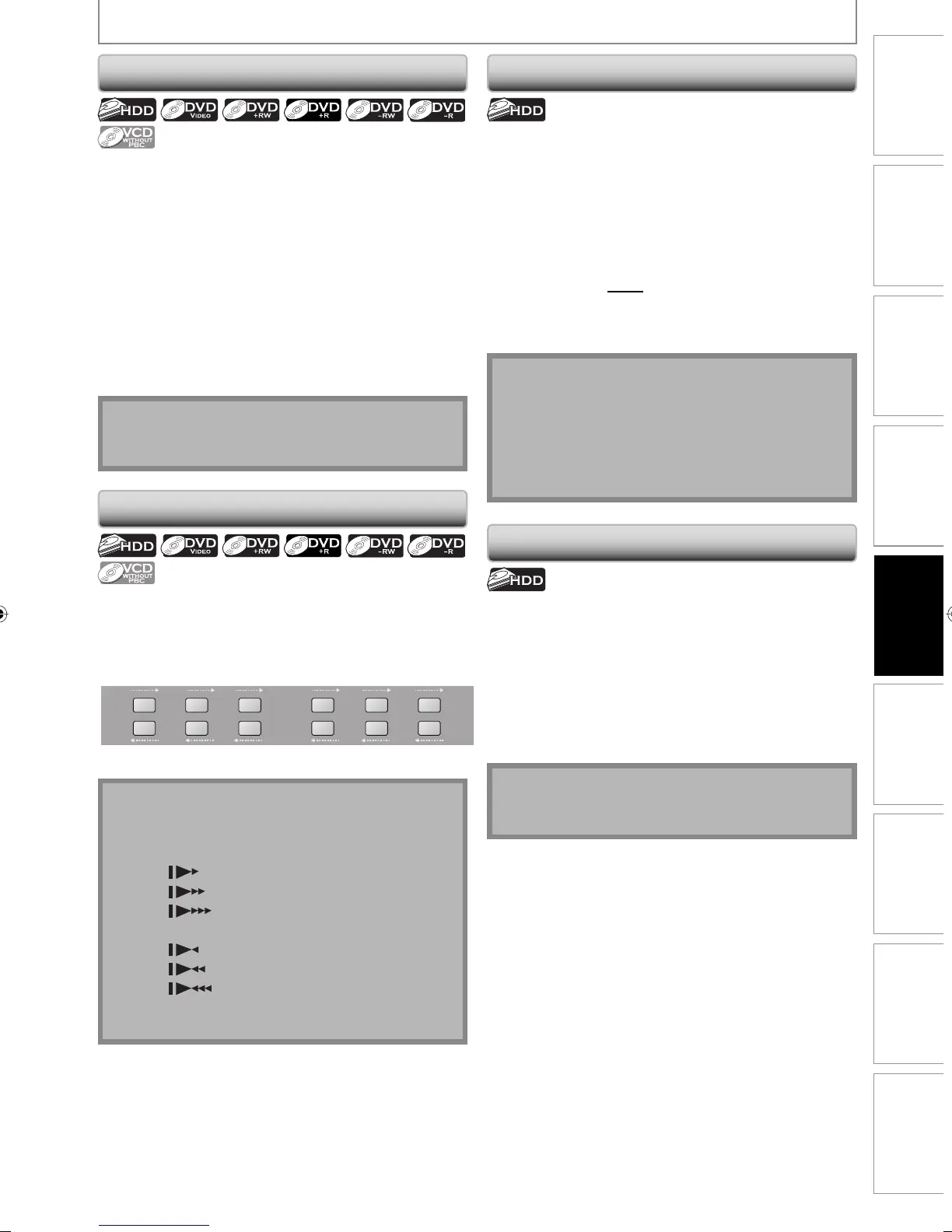
SPECIAL PLAYBACK
Step by Step Playback
1) During playback, press [PAUSE F].
Playback will be paused and sound will be muted.
2) Press [G] repeatedly.
Playback will advance one frame (or step) at a time
when you press [G] with the sound muted.
To play back step by step backward:
Press [H] repeatedly.
Every time you press the button, the playback will go
backward by one frame.
• Press and hold [H] / [G] to reverse / advance
continuously.
3) Press [PLAY B] to return to the normal playback.
Note
• Only step by step forward playback is available for
playing back video CD.
Note
• Forward/reverse speed will be indicated with icons
as follows.
forward (approx. speed)
1/16x:
1/8x:
1/3x:
reverse (approx. speed)
1/16x:
1/8x:
1/4x:
• Only slow forward is available when playing back
video CD.
Slow Forward / Slow Reverse Playback
1) During playback, press [PAUSE F]. Then press
[ D] or [ E].
Every time you press [D] or [E], approximate speed
will be changed as follows. (The sound will remain
muted.)
1/8x
pause
1/16x 1/8x1/16x 1/3x1/4x
g
h
g
h
g
h
g
h
g
h
g
h
2) Press [PLAY B] to return to the normal playback.
You can play back a title being recorded from the
beginning while recording continues.
1) During recording, press [PLAY B].
Playback of the title you are recording will start from
the beginning.
• Elapsed playback time will be displayed in the front
panel display.
2) Press [STOP C] once to stop the playback, .
The front panel display will switch back to show the
elapsed recording time.
If you press [STOP C] twice, it will stop the recording.
Chasing Playback during Recording
With regard to HDD, you can continue recording a
program while playing back another title.
To do so, press [TITLE] during recording and select a title
you like to play back, and then press [PLAY B].
(You can also start the playback from the title list menu.)
To playback a title being recorded while continuing to
record, refer to “Chasing Playback during Recording”
above (available only with HDD).
Simultaneous Playback and Recording
Note
• Video CD, audio CD, MP3/JPEG files recorded on a
disc can also be played back during HDD recording.
Note
• You can also use the special playback functions such
as [E], [D] etc. during chasing playback mode.
• [REC] is invalid during chasing playback.
• You can no longer fast forward the playback when it
comes to a few seconds before the current recording
point.
E2M01UD_H2160MW9_EN.indd 71E2M01UD_H2160MW9_EN.indd 71 2008/04/15 19:58:362008/04/15 19:58:36


 To Next Page
 Loading...