66 EN66 EN
BASIC PLAYBACK
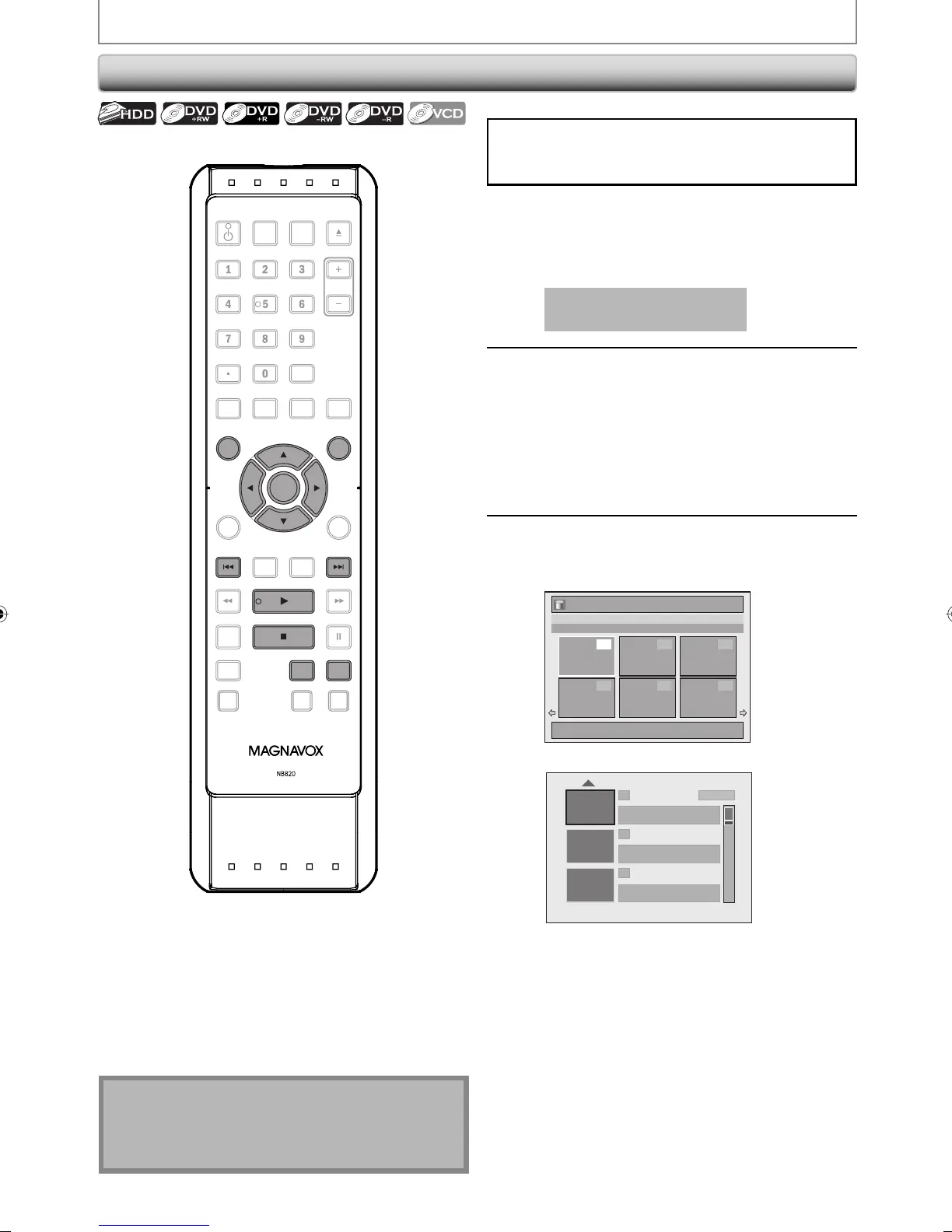
If you are playing back the titles in HDD, press [HDD]
first, then proceed to step 2.
If you are playing back the titles in DVD, press [DVD] first.
1
Insert a disc (refer to page 26 on how
to insert a disc).
* Make sure the disc is compatible with this unit.
(Refer to page 63 for the list of compatible discs.)
It may take a while to load
the disc.
2
For HDD, press [TITLE] to call up the
title list. For DVD, the title list will
automatically appear when you
insert a disc. Otherwise, press [TITLE]
or [DISC MENU].
• To exit the title list, press [STOP C].
• To resume the title list, press [TITLE].
3
Use [K / L // s / B] to select a desired
title, then press [OK].
<HDD title list>
Title List
1 / 6
JAN/ 1/08 12:00AM CH10 SP
12:00AM (1:00:00) JAN/ 1/08
CH10 SP
1
4 5 6
2 3
<DVD title list>
1 SP(2Hr)
2
3
NOV/21/08 11:00
AM
CH12 SP
NOV/21/08 0:20:44
NOV/22/08 11:35
AM
CH13 EP
NOV/22/08 0:10:33
EMPTY TITLE
1:37:52 SP (2Hr)
• For Video CD, when “PBC (Video CD only)” in
“CD playback Mode” menu is set to “ON”, the
video CD main menu will appear when
inserting a disc. In such case, select a
numbered menu with [the Number buttons].
• Press [G] (for HDD) / [B] (for DVD) to display
the next page, and press [H] (for HDD) / [{]
(for DVD ) to display the previous page.
Note
• Some discs may start playback automatically.
• You can also start playback by pressing [PLAY B]
instead of [OK] at step 3.
Playback from the Title List
OPEN/
CLOSE
SOURCE
HDMI
.@/: ABC
GHI
PQRS TUV
SETUP REPEAT
DISPLAY
AUDIO
DISC MENU
RETURN
TITLE
WXYZ
CLEARSPACE
JKL MNO
DEF
OK
DVDHDD
D.DUBBING
V.REPLAY V.SKIP
RAPID PLAY
RECREC MODETIMER
DTV/TVSTANDBY-ON
CHANNEL
OK
DVDHDD
TITLEDISC MENU
E2M01UD_H2160MW9_EN.indd 66E2M01UD_H2160MW9_EN.indd 66 2008/04/15 19:58:272008/04/15 19:58:27


 To Next Page
 Loading...