90 EN90 EN
EDITING
5
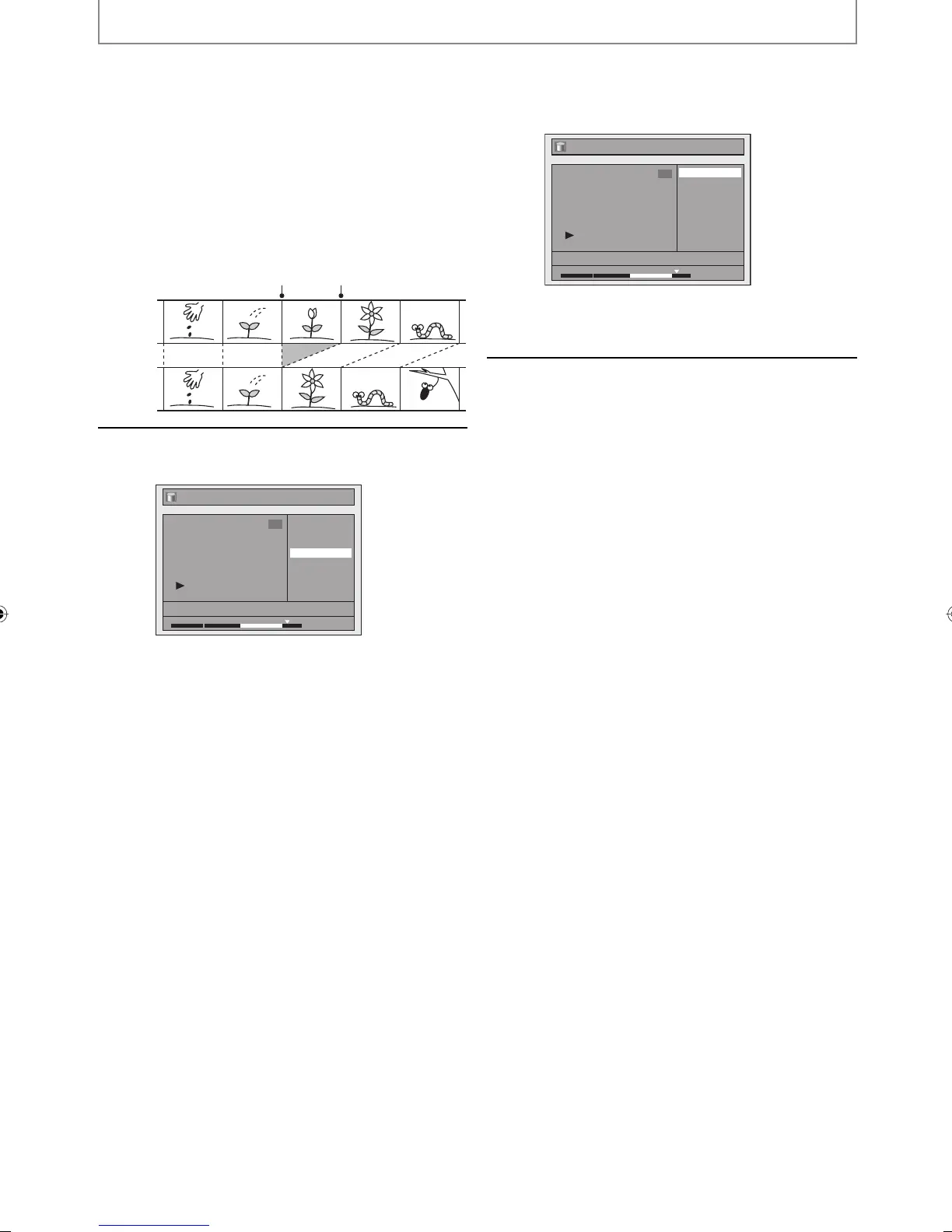
With “Preview” highlighted, press
[OK] to preview the result.
Before and after 5 seconds of the deleted scene
can be previewed every time you press [OK].
• If you are not satisfied with the result, use
[K / L] to go back to “Start” or “End”, and try
setting them again.
• If you are satisfied with the result, proceed to
step 6.
Before
editing
Edited
start point end point
6
Use [K / L] to select “Delete” then
press [OK].
Edit - Scene Delete
Start
End
Preview
Delete
JAN/ 1/08 12:00AM CH10 LP
1
1 : 30 : 00
7
Use [K / L] to select “Yes” then press
[OK].
Edit - Scene Delete
Yes
No
JAN/ 1/08 12:00AM CH10 LP
1
1 : 30 : 00
Final confirmation message will appear. Select
“Yes” using [K / L] and then press [OK].
The selected scene is now deleted.
8
Press [RETURN] once or repeatedly to
go back to the title list.
E2M01UD_H2160MW9_EN.indd 90E2M01UD_H2160MW9_EN.indd 90 2008/04/15 19:59:032008/04/15 19:59:03


 To Next Page
 Loading...