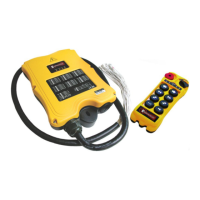
What to do if Magnetek Enrange Flex EX Remote Control outputs don't match the transmitter?
- MMarcus JohnstonAug 7, 2025
If the outputs of your Magnetek Remote Control do not correspond to the transmitter, check the system wiring again.

What to do if Magnetek Enrange Flex EX Remote Control outputs don't match the transmitter?
If the outputs of your Magnetek Remote Control do not correspond to the transmitter, check the system wiring again.
Why is my Magnetek Enrange Flex EX not responding when I press a button?
If your Magnetek Remote Control transmitter push button gives no response, start by checking the transmitter battery level. Also, ensure the red emergency stop button is elevated before turning on the transmitter. Verify that the functions aren't locked by rotating the power key-switch to the START position. Confirm that both the transmitter and receiver have the same RF channel and serial number/ID code. Lastly, make sure you're within 100 meters (300 feet) of the receiver when starting up.
What to do if my Magnetek Enrange Flex EX Remote Control doesn't respond when pressing a button due to damaged hardware?
If your Magnetek Remote Control transmitter push button is pressed but there is no response, check the SQ display on the receiver. If it doesn't light up, the transmitting or receiving module may be defective. Try replacing the transmitting module first. If the SQ display remains unlit, replace the receiving module. If there's still no response, replace the transmitter encoder board. If it still doesn’t work then the decoder module is defective.
How to troubleshoot no AC power to my Magnetek Remote Control receiver?
If your Magnetek Remote Control receiver has no AC power, first ensure the source voltage is set correctly. Then, check for any blown fuses. Finally, verify the input voltage connection.
| Brand | Magnetek |
|---|---|
| Model | Enrange Flex EX |
| Category | Remote Control |
| Language | English |
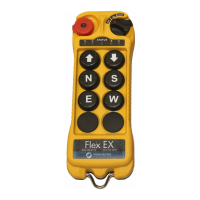
External and internal illustrations of the transmitter handset, detailing components.
External and internal illustrations of the receiver unit, detailing components.
Configuration of transmitter channels, transmitting time, push buttons, security code, and I-CHIP.
Configuration of receiver channels, output relays, and auto-scanning.
Configuration of interlocked functions using dip-switches on the decoder module.
Configuration of non-interlocked functions using dip-switches on the decoder module.
Explains various jumper settings for mainline disconnect, start function, and testing.
Process for transferring system serial number/ID code and information via the I-CHIP port.
Selecting correct voltage settings and understanding power fuse ratings for the system.
Table mapping system channels to frequencies and corresponding dip-switch settings.
Diagram illustrating output relay connections for transmitter push buttons and system functions.
Important precautions to take before installing the receiver unit.
Detailed instructions for physically mounting and installing the receiver unit.
Procedures for testing the receiver's functions, relays, and limit switches.
General procedure for turning on and operating the transmitter.
Operation of A/B selector, 3rd speed, and Pitch & Catch push button functions.
Procedures for automatic channel scanning and changing transmitter batteries.
Interpretation of status light indications and warnings on the transmitter.
Interpretation of status, SQ, power, and COM light indications on the receiver.
Troubleshooting steps for transmitter response issues related to settings or hardware.
Troubleshooting steps for receiver power, wiring, and output correspondence problems.
Detailed technical specifications for frequency, channels, range, power, dimensions, and weight.