EasyManua.ls Logo

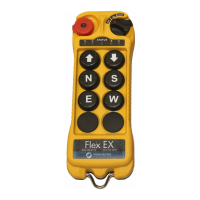
Magnetek flex 8ex - User Manual

Magnetek flex 8ex
66 pages
Print Icon
To Next Page IconTo Next Page
Loading...
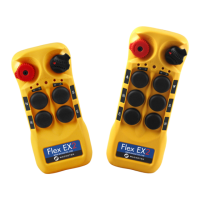
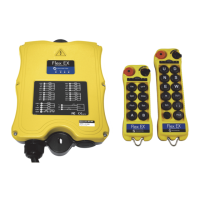
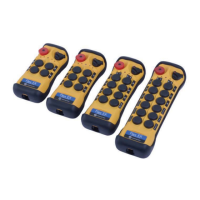
Flex 8EX and 12EX EU Systems
Radio Control Equipment
Instruction Manual
Part Number: 191-90100-3201_R00
March 2018
©Copyright 2018 Magnetek Material Handling

Table of Contents

Questions and Answers

  • L
    Linda DaviesAug 7, 2025
    What to do if Magnetek flex 8ex has no response when the transmitter push-button is pressed?
    • A
      Albert ThorntonAug 7, 2025
      If your Magnetek Remote Control isn't responding when you press the transmitter button, here are a few things to check: * First, check the transmitter battery level. * Ensure the red emergency stop button is elevated before turning on the transmitter. * If you have an 8EX, redo the startup procedure by holding the power key at the START position for up to 2 seconds, then release. * For 12EX, initiate the Start command by rotating the power key switch to the START position. * Verify that the transmitter and receiver have the same RF channel and serial number/ID code. * Make sure you're within 100 meters (300 feet) of the receiver during startup.
  • M
    Michael GibsonAug 12, 2025
    What to do if Magnetek Remote Control has no response when transmitter push-button is pressed due to damaged hardware?
    • S
      shannonmathewsAug 12, 2025
      If your Magnetek Remote Control isn't responding due to potential hardware damage: 1. Check the SQ display on the receiver. If it doesn't light up when you press the button, the transmitting or receiving module might be defective. Start by replacing the transmitting module. If the SQ display remains unlit, replace the receiving module. 2. If there's still no response, replace the transmitter encoder board. If it's still unresponsive, then the decoder module is defective.
  • D
    Derek WhiteAug 17, 2025
    Why is there no AC power to my Magnetek flex 8ex receiver?
    • A
      Alexander HillAug 17, 2025
      If there's no AC power to your Magnetek Remote Control receiver, check the following: * Ensure the source voltage is set correctly. * Check for any blown fuses. * Verify the input voltage connection is correct.
  • D
    Danielle FordAug 27, 2025
    Why is my Magnetek Transmitter not responding to button presses?
    • M
      Matthew CarterAug 27, 2025
      Your Magnetek Transmitter may not respond to button presses due to several reasons: 1. **Low Battery:** The transmitter battery might be low. Check the battery level. 2. **Emergency Stop:** The emergency stop button could be activated. Ensure it's elevated before starting. 3. **Startup Procedure:** An improper startup could be the cause. Redo the procedure by holding the power key at 'START' for up to 2 seconds, then release. 4. **RF Channel Mismatch:** The transmitter and receiver might be on different channels. Ensure they match. 5. **Access Code Mismatch:** The Receiver Access Code might be different on the transmitter and receiver. Ensure they are the same. 6. **Out of Range:** The system may be out of range. Start the procedure within 100 meters (300 feet) of the receiver.
  • P
    Patricia PettySep 1, 2025
    How to troubleshoot a Magnetek Transmitter that is not responding?
    • A
      Anne McculloughSep 1, 2025
      To troubleshoot a non-responsive Magnetek Transmitter: * First, check the transmitter's battery level. * Second, ensure the red emergency stop button is elevated before turning on the transmitter. * Third, redo the startup procedure by holding the power key at the 'START' position for up to 2.0 seconds, then release. * Fourth, verify that the transmitter and receiver unit are on the same channel. * Fifth, confirm that the transmitter and receiver unit have the same Receiver Access Code. * Finally, make sure you are within 100 meters (300 feet) of the receiver when starting the procedure.
  • J
    Joshua WeberNov 21, 2025
    What to do if my Magnetek Transmitter has no response when I press a button?
    • D
      David StevensNov 21, 2025
      If your Magnetek Transmitter isn't responding when you press a button, there are several potential causes: * The transmitter might have low battery power. Check the transmitter battery level. * The emergency stop button may have been activated before startup. Ensure the red emergency stop button is elevated before turning on the transmitter. * The startup procedure might have been done incorrectly. Redo the startup procedure by holding the power key at the 'START' position for up to 2.0 seconds and then release. * The system RF channel could be incorrect. Verify that the transmitter and receiver unit are on the same channel. * The Receiver Access Code might be incorrect. Ensure that both the transmitter and receiver unit have the same Receiver Access Code. * The system may be ...

Summary

Introduction and Safety

Product Manual Safety Information

General safety guidelines for using the product manual.

Warnings and Cautions

Definitions and importance of hazard statements.

Critical Installation Considerations

Essential factors for safe and correct installation.

Operator Safety and Training

Requirements and recommendations for operator safety and training.

Battery Handling and Safety

Proper handling, charging, and disposal of batteries.

Specific System Warnings

Critical operating safety tips for the Flex EX system.

General System Information

Function Settings

Transmitter Handset - System Channel Settings

How to configure the transmitter's operating channel.

Transmitter Pushbutton Configurations

Various configurations for pushbutton functions.

Transmitter Pushbutton Configurations (A;B Selector)

Configurations for A/B selector pushbuttons.

Transmitter Channel Change via Pushbuttons

Procedure for changing channels using transmitter buttons.

Receiver Installation

Installation Precautions and Guide

Important checks and step-by-step instructions for installation.

Operating Procedure

Troubleshooting Common Issues

Provides solutions for common operational problems.

Magnetek flex 8ex Specifications

General IconGeneral
Operating Temperature-20°C to +70°C (-4°F to +158°F)
Power SourceBattery
Enclosure ProtectionIP66
ChannelsUp to 8
Operating RangeUp to 100 meters

Related product manuals