Flex 8EX / 12EX EU System Instruction Manual
March 2018
Page 50 of 66
4.2.6 I-CHIP Programming Port
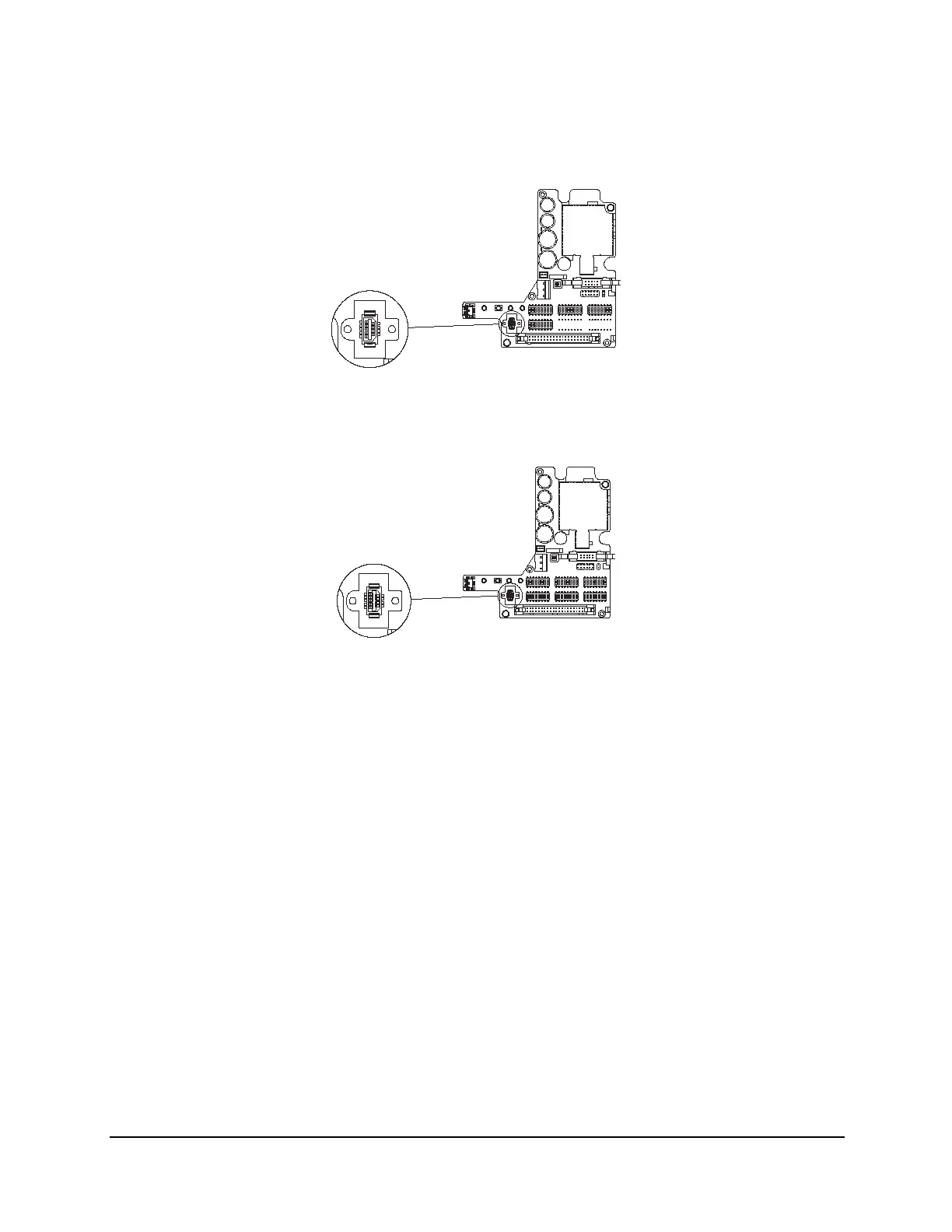
For 8EX:
Fig. 24
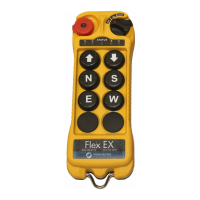
For 12EX:
Fig. 25
The I-CHIP programming port located on the decoder module (see Fig. 24 and Fig. 25)
inside the receiver is designed for the purpose of transferring system serial number/ID
code either from the I-CHIP to the receiver or vice versa. If you wish to transfer system
information from the receiver to the I-CHIP, insert the I-CHIP onto the programming port
(JP6 jumper not inserted), wait until the Status LED on the decoder module turns a solid
green (within 2 seconds), and then take the I-CHIP out of the programming port
(programming completed). At this time the I-CHIP should also possess the same serial
number/ID code as the receiver. If the Status LED on the decoder module displays a
solid red light after inserting the I-CHIP (programming failed), then you must reinsert the
I-CHIP one more time. On the other hand, if you wish to transfer system information
from the I-CHIP to the receiver, then you must first insert JP6 jumper prior to inserting
the I-CHIP, then wait for the green light to appear on the Status LED. At this time the
receiver should also possess the same system information as the I-CHIP. Please note
that the receiver unit must be powered in order to proceed with the programming.



 To Next Page