MHR Radio Controller Instruction Manual
June 2017
Page 25 of 58
3.2 SETUP MODE MENU
To cycle through the list use the
and buttons. To enter a submenu, use the
button. The
button will take the user back to the Setup Mode menu
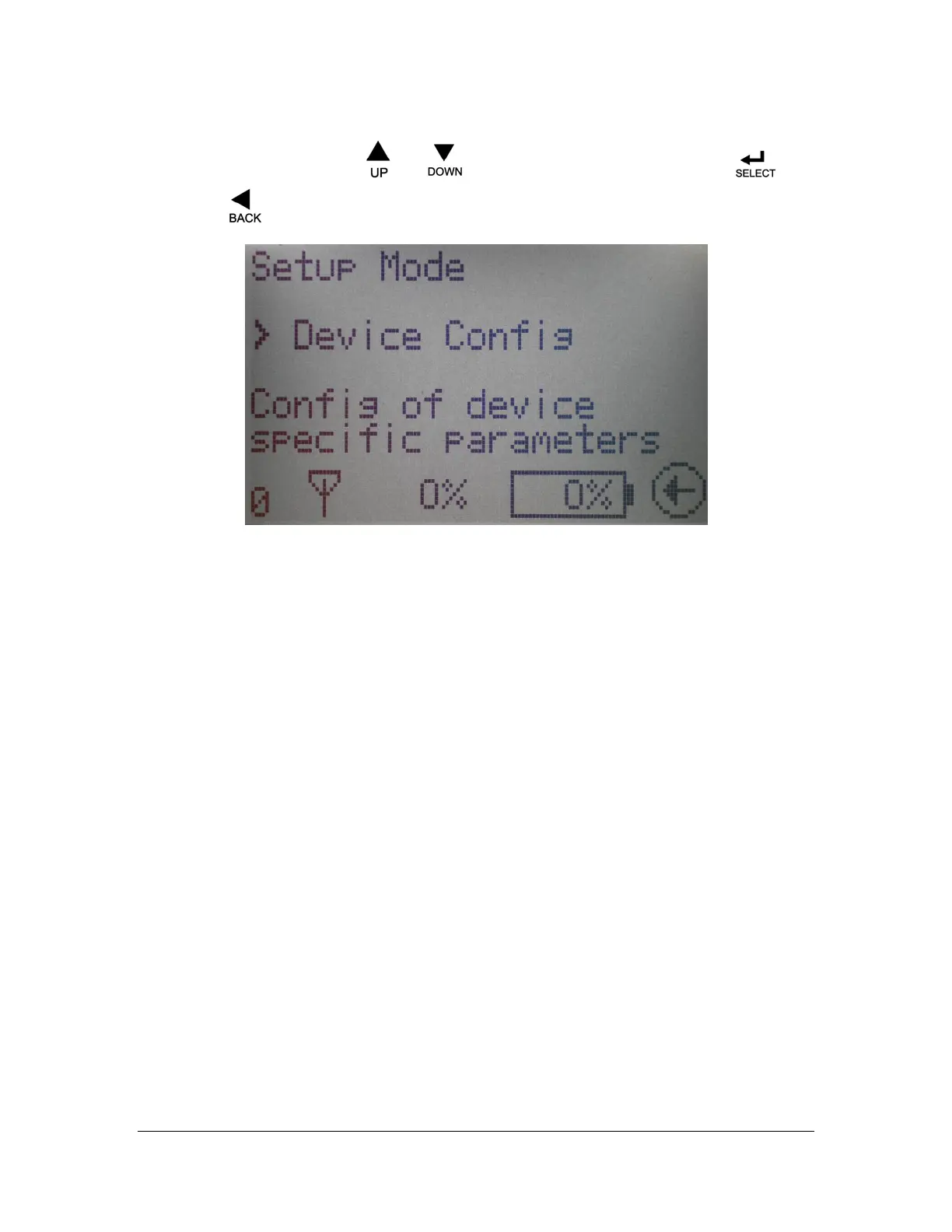
Figure 11: Setup Mode Main Menu
Setup Mode Menu: This screen allows the user to select which Configuration Menu to enter. A
brief description of each menu is also listed. The choices are:
• DEVICE CONFIG
• RF Channel
• Access Code
• Password Enable
• Time/Date
• RF Antenna
• Set Default Values
• IO CONFIG
• I/O type
• Min/Max current
• Ramping
• Min/Max Duty Cycle
• PWM frequency
• CAN CONFIG
• Number
• Baud Rate
• CAN settings
• PROJ SPEC OPTIONS – user adjustable options per customer request
• UNIT STATUS
• Access Code
• TX ID
• Channel
• Time/Date
• Temp
• SOFTWARE VERSIONS – displays installed software version numbers
• SAVE AND EXIT - Save changes and continue to normal operation
• EXIT WITHOUT SAVE – Exit but discard changes


 To Next Page