MHR Radio Controller Instruction Manual
June 2017
Page 33 of 58
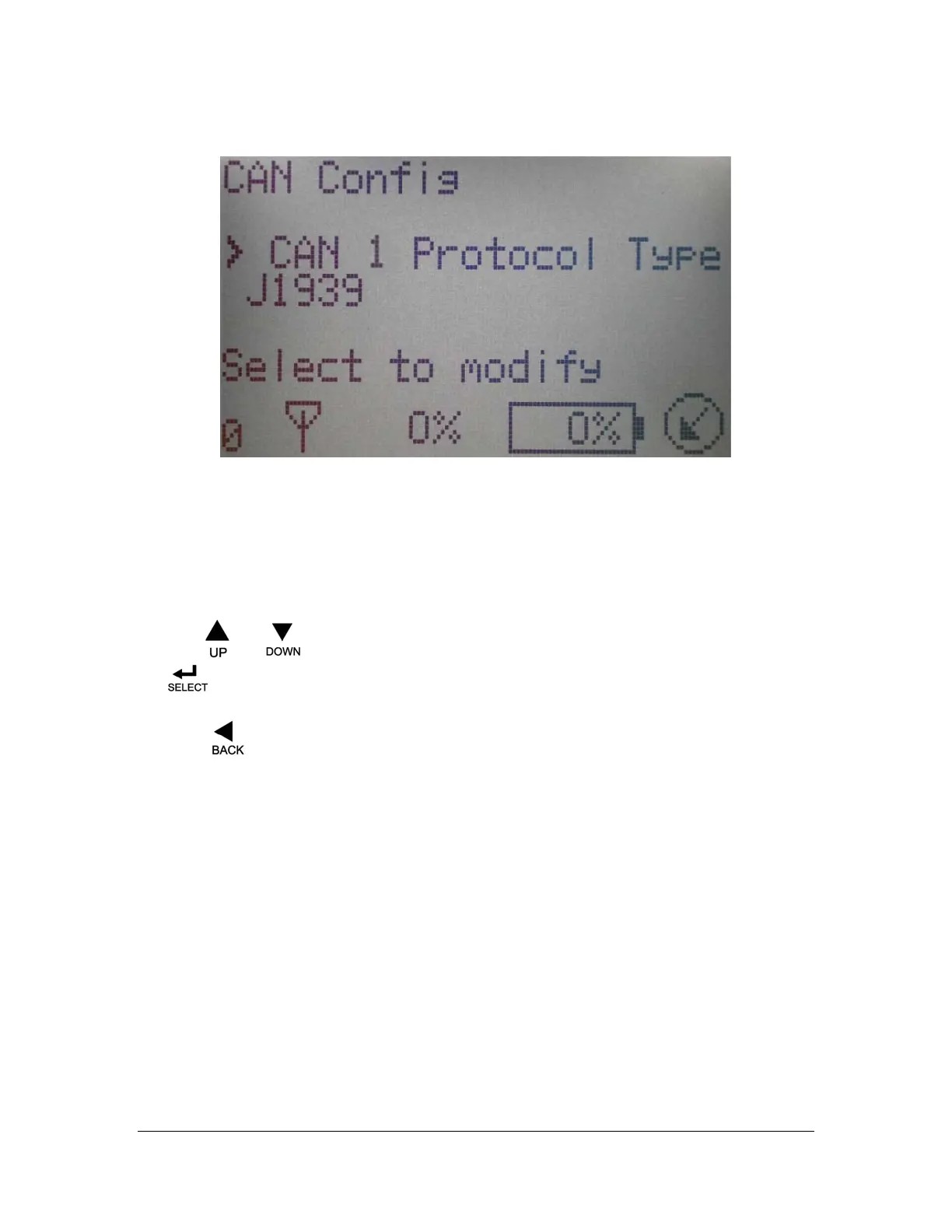
3.5 CAN CONFIGURATION
Figure 15: CAN Configuration
CAN Configuration: This screen allows the user to make changes to the CAN 1 and CAN 2
settings.
The operator can choose between adjusting the settings for CAN 1 and/or CAN 2. The two CAN
networks are independent from each other.
Use the
and buttons to change between the settings for CAN 1 and CAN 2 and press
the
button to enter the setting options selected.
Press the
button to return to the CAN setting option menu.
The following setting options are used to configure the selected CAN-bus for the application being
used.
• CAN1 Protocol – This setting enables the operator to select the protocol for the CAN 1
network.
The available protocols are as follows:
• J1939
• CAN Open
• Parker ICP
• High Country Tek DN
• OEM Controls
• CAN 1 Baud Rate – This setting enables the operator to select the CAN 1 network
communication speed
The available Baud Rate options are:
• 50k
• 125k
• 250k
• 500k


 To Next Page