Operation Manual easyTone
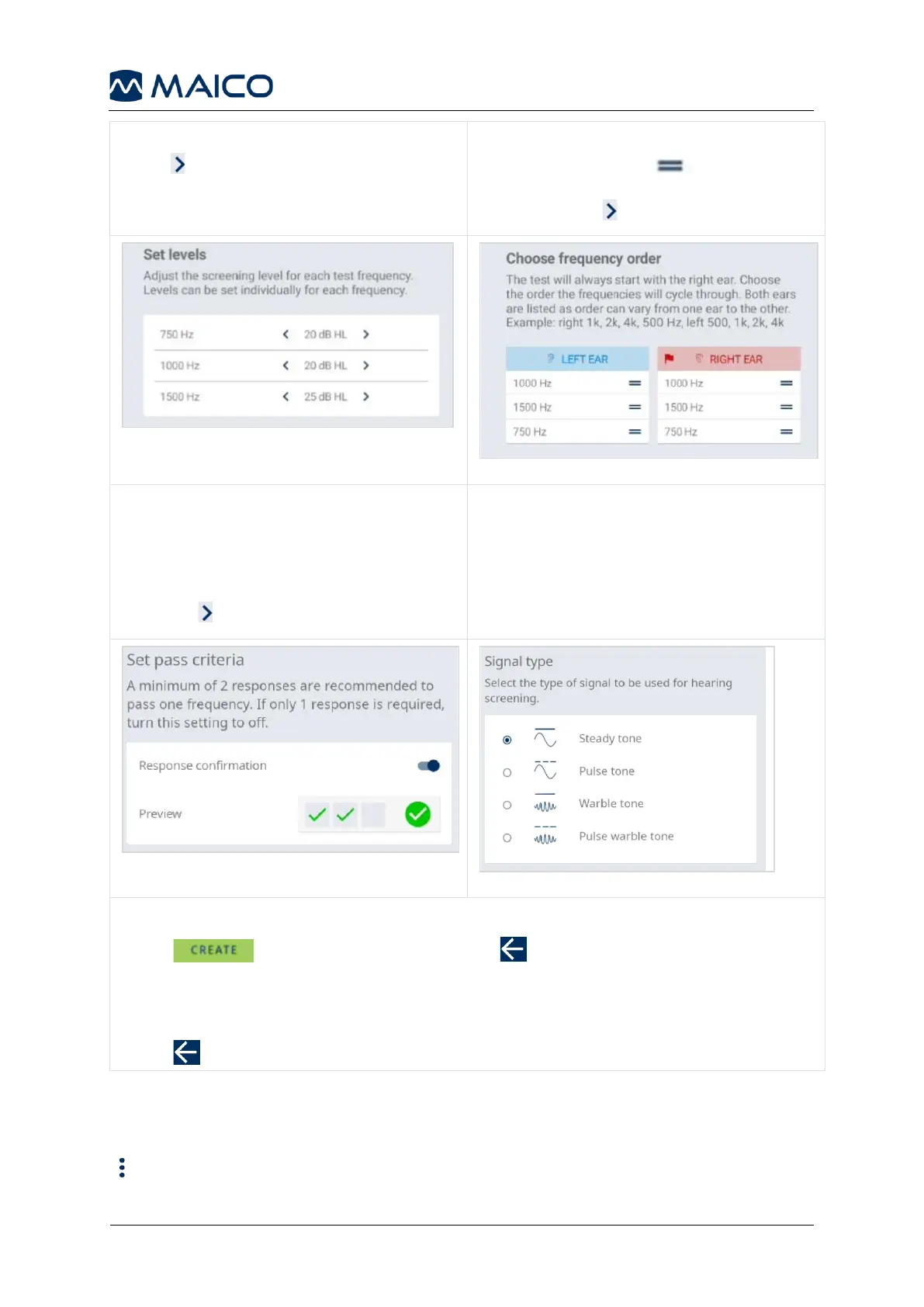
Set the level for each frequency (Figure 11).
Press to proceed.
Choose the frequency order for each ear
(Figure 12). Touch and drag the
window with the frequency to the desired
position. Press to proceed.
To allow a Pass result for each frequency
(Figure 13):
• after 2 responses: activate setting.
• after 1 response: deactivate setting.
• Press to proceed.
Select the signal type (Figure 14).
New Protocol:
Press to save the protocol or press to abort protocol creation after
further confirmation.
Edit Protocol:
Press to save modifications.
5.5.3 Deleting a Protocol
Press:


 To Next Page