Operation Manual easyTone
5.6.5 Testing
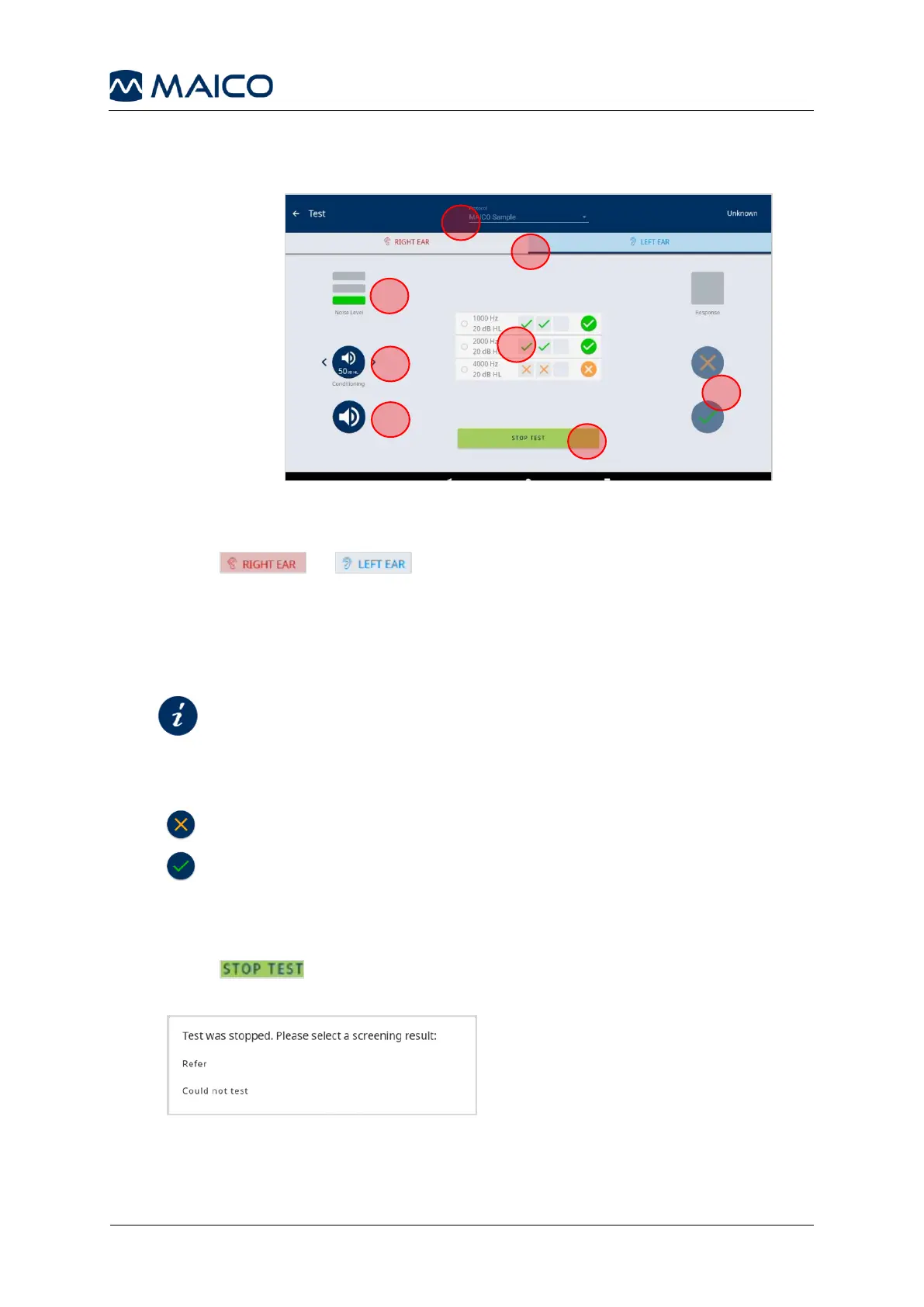
Figure 25 shows the test screen. For testing proceed as follows:
1. Change the selected protocol if needed.
2. Press or to select the ear. The ear changes automatically
once all frequencies have been tested.
3. Check the Noise Level and improve testing conditions if needed (green = ideal,
yellow: okay, red = too loud, testing conditions need to be improved).
4. Condition the subject.
5. Present a tone.
6. Press
if the subject does not respond.
if the subject does respond.
Proceed accordingly for further frequencies and the other ear.
7. Review single results for each frequency per ear.
8. Press to stop the test, if testing is not possible anymore (Could not
test) or you want to save an overall Refer result (Figure 26).
Figure 26


 To Next Page