USB Connection
NOTE: You must establish the USB connection before each transfer.
Make sure to use the USB-C cord delivered by MAICO. Other USB cords might be for
charging only.
When connecting the tablet to your PC or laptop, proceed as follows:
1. Connect the tablet to the PC with the USB cord.
2. Allow access on the tablet.
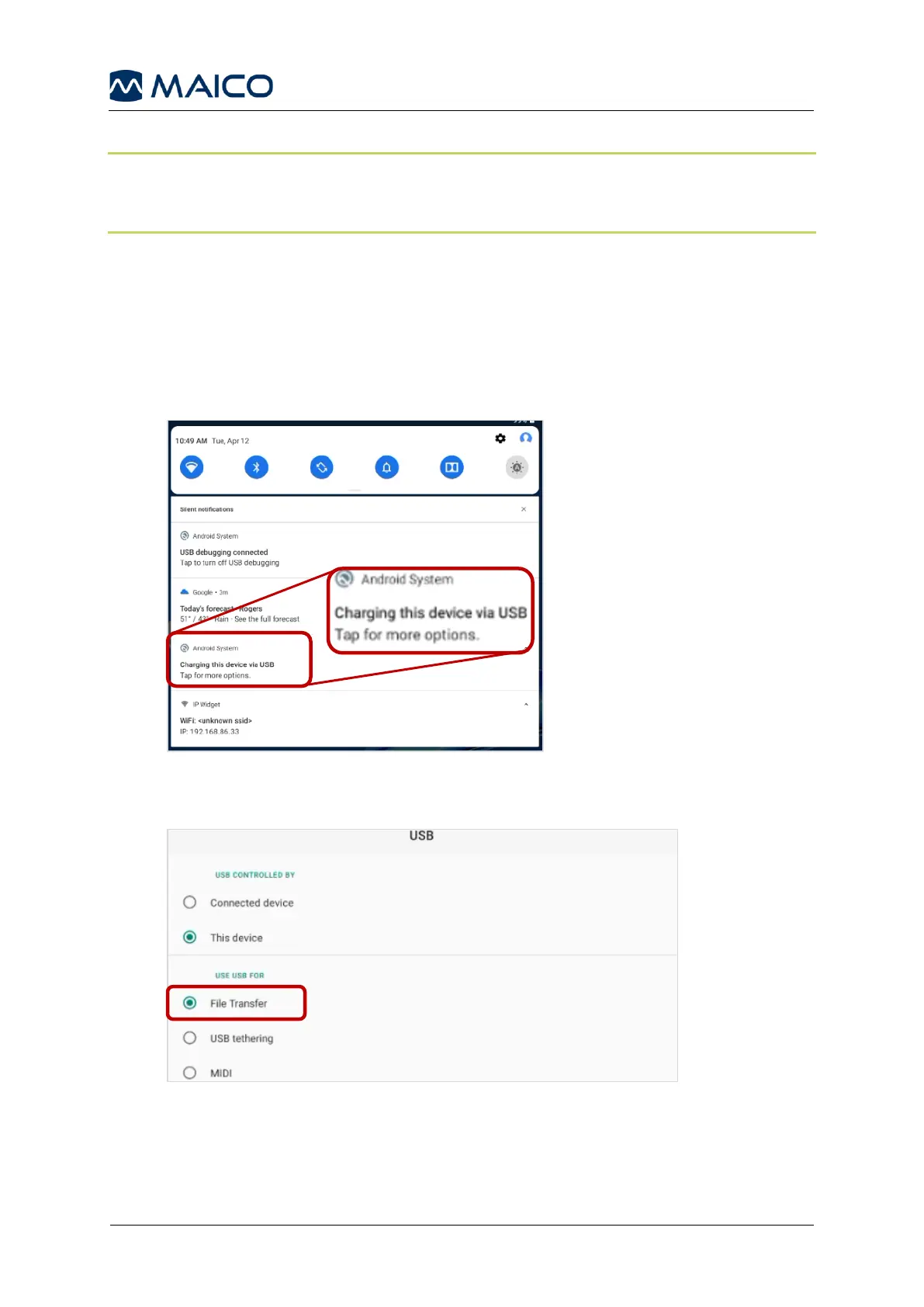
3. Swipe down from the top to display the Silent Notifications and locate the
Android
TM
System notification about USB connection. Tap for other USB options
(Figure 38).
Figure 38
4. Select File Transfer (Figure 39) and leave the USB settings menu.
Figure 39
5. Start the easyTone App on the tablet.
6. Start the easyTone Companion Software on the PC.


 To Next Page