5.9.5 Import Subject to easyTone Companion Software
NOTE: Allowed file formats for Screening Lists: *.XLS, *.XLSX and *.CSV.
This file can be exported from an already utilized database or manually created.
Proceed as follows:
1. Press .
2. Select the file in the directory and press Open.
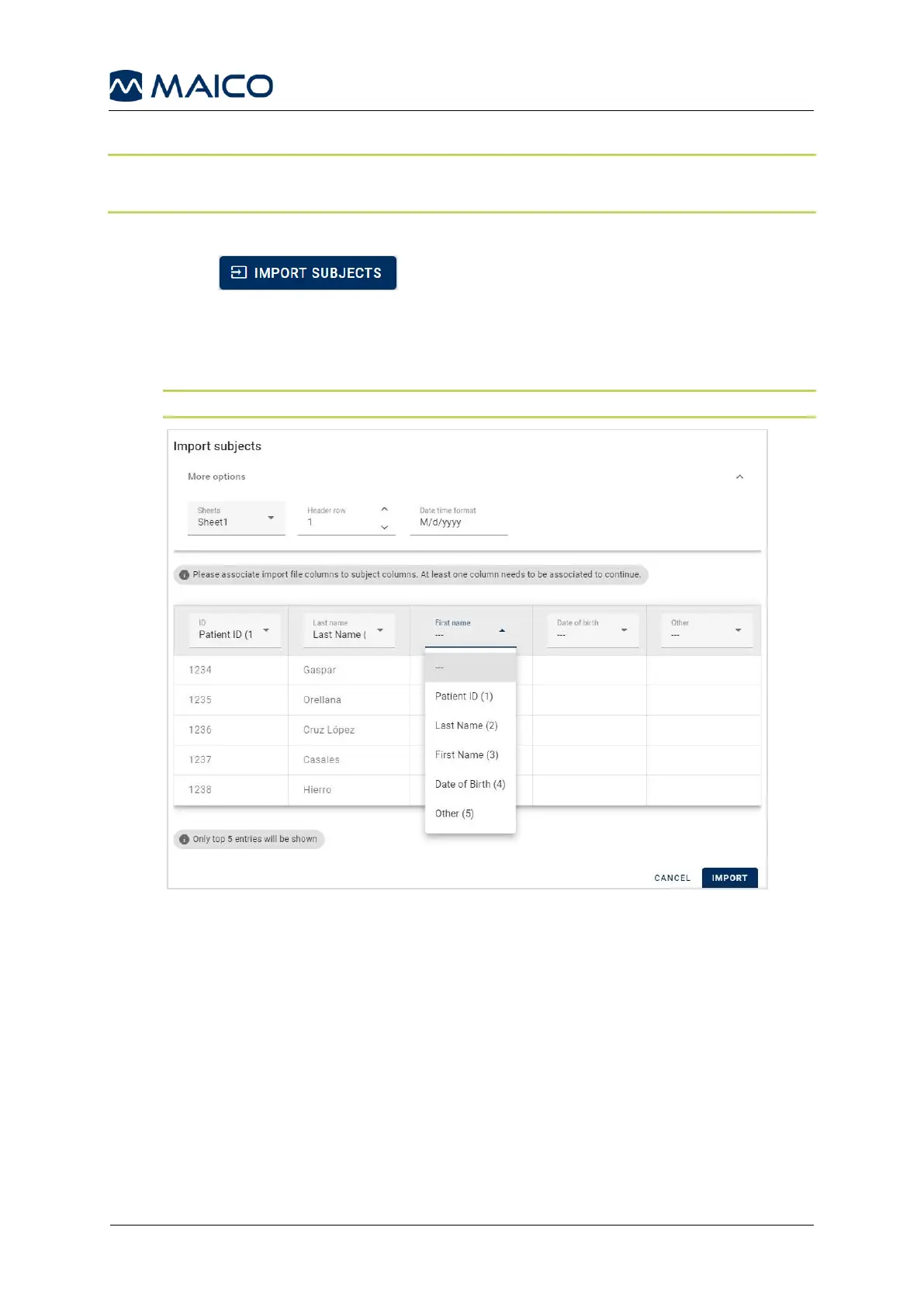
3. Associate import file columns to subject columns in the easyTone Companion
Software by selecting from the drop-down menu and press IMPORT (Figure 43).
NOTE: Columns that are not associated will not be imported.
Figure 43


 To Next Page