6.2 Speech Audiometry
The MA 41 supports speech audiometry. To conduct speech tests using speech
test material you can use a CD player, wave files from the SD memory card, or
a microphone.
Caution: If you are using a CD player powered by electrical current, the player
must meet electrical safety requirements, such as IEC 60601-1 or UL. This is to
avoid electrical shock of either the patient or you. If you are not sure if your
player meets these requirements it is safer to use battery power.
6.2.1 Input Calibration
The MA 41 must be calibrated to the particular speech test to ensure valid test
levels. That means every time you change the speech test CD you must
recalibrate the instrument.
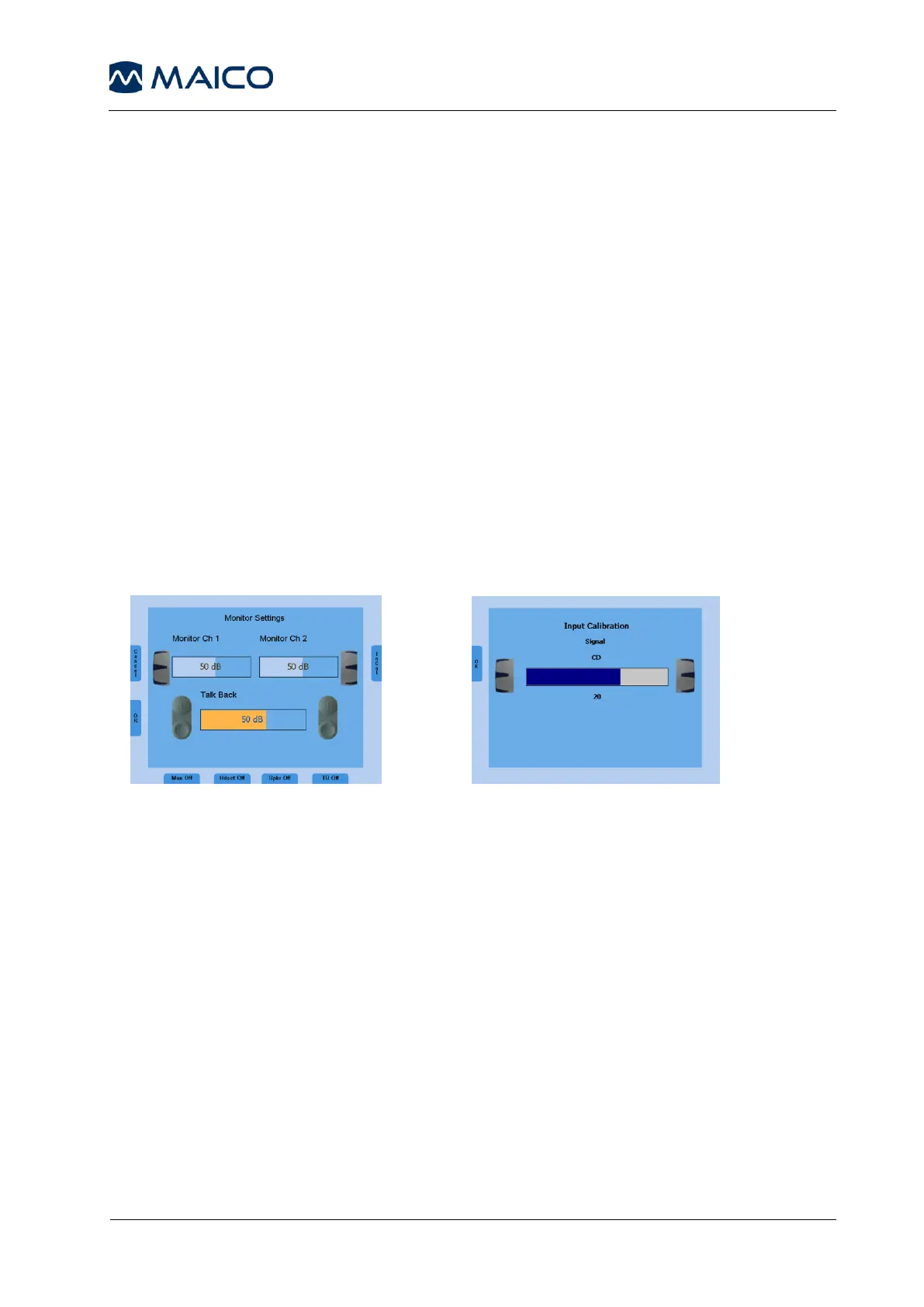
To calibrate the CD speech input, select CD with the signal selector key (11).
Press the Monitor button (6) and then InCal (17) and the calibration screen
appears (see figure 7b).
On every CD with speech test material there is a reference signal, such as a
reference tone or speech simulating noise. Play back the reference signal with
the CD. Use the left or right level control (1) and adjust the levels until the VU-
meter (19) shows all yellow lights and one green light.
If one or more red lights are on, reduce the level using the level control dial (1).
To calibrate the microphone for live voice testing, select MIC with the signal
selector key (11). Press the Monitor button (6) and then InCal (17) and the
calibration screen appears. Use the left or right level control (1) and adjust the
levels until the VU-meter (19) shows all yellow lights and one green light.
Store the calibration and leave the calibration mode by pressing the OK button
on the left side of the display.
The Wave files included with the device have been pre-calibrated and no input
calibration is required.
Figure 7a – Monitor Settings Figure 7b – Input Calibration



 To Next Page