6.3 Monitoring
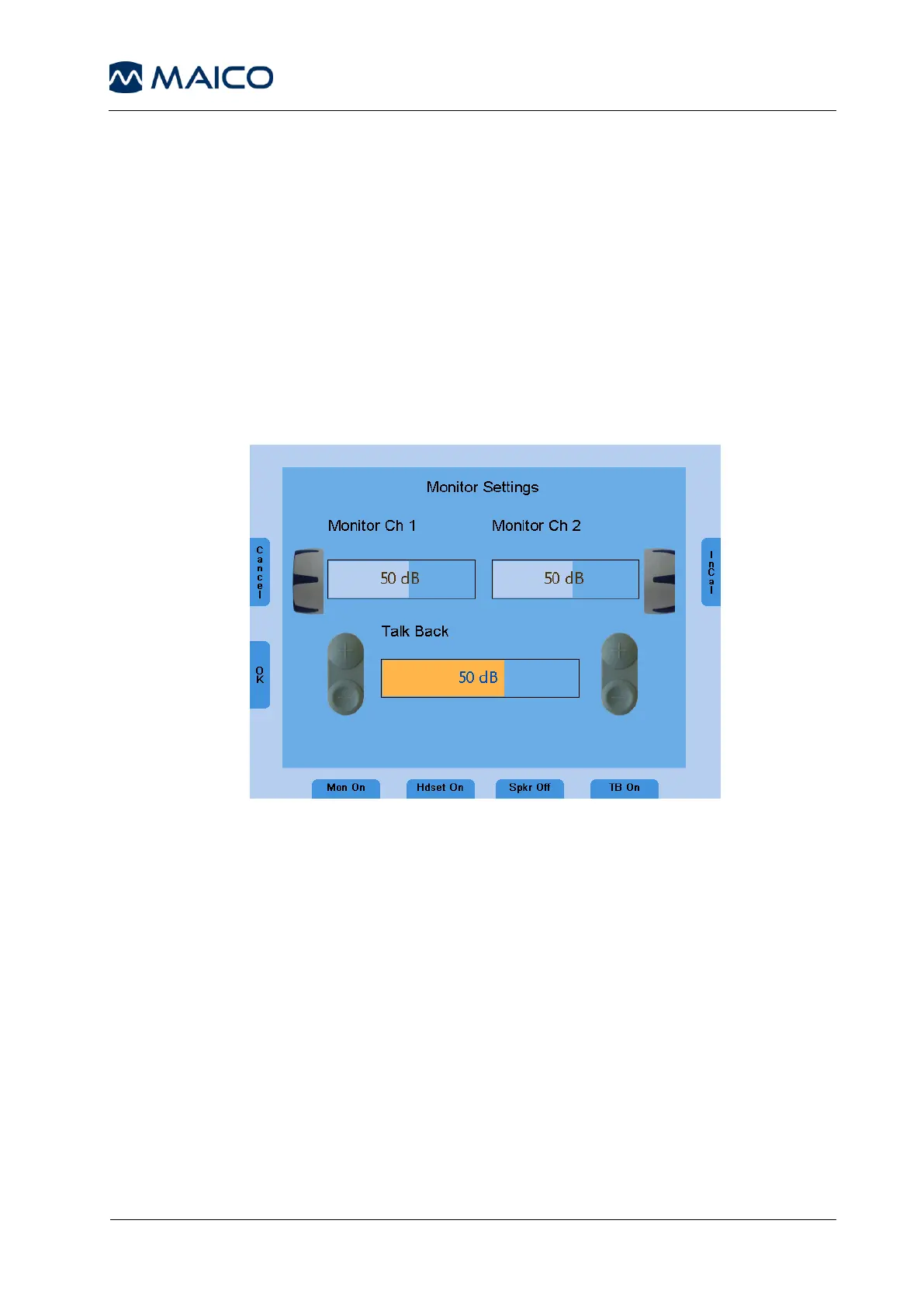
All signals presented to the patient can be monitored by the examiner via a
monitoring headset or the internal speakers. For this purpose, press the Monitor
button (6) and the monitor screen will appear.
Enable monitoring by pressing the function button Monitor On/Off (9).
Monitoring by the integrated speaker is switched on by pressing the button
(13) and the external headset is activated for monitoring via button (11). Then
the monitor level of the left and right channel can be adjusted with the
corresponding level control dial (1). In order to hear the signal given to the
patient, make sure to activate monitoring (9).
Figure 11 - Display Monitor Settings
The talk back microphone is activated by the button (15) and its level adjusted
by the frequency up and down buttons (4), (5).
6.4 Talk Forward
Connect the microphone headset (or optional gooseneck microphone) to the
microphone socket (8) on the rear side of the device. To talk to the patient press
and hold the STIM mode/TALK button and speak into the microphone. Adjust
the level by turning the left or right level control (1) while the STIM mode/TALK
button is pressed and held.



 To Next Page