10 Connection to the PC
Install the included software on your PC. This will allow you to use your device
with NOAH™ and the MAICO Database. The driver for the device will be
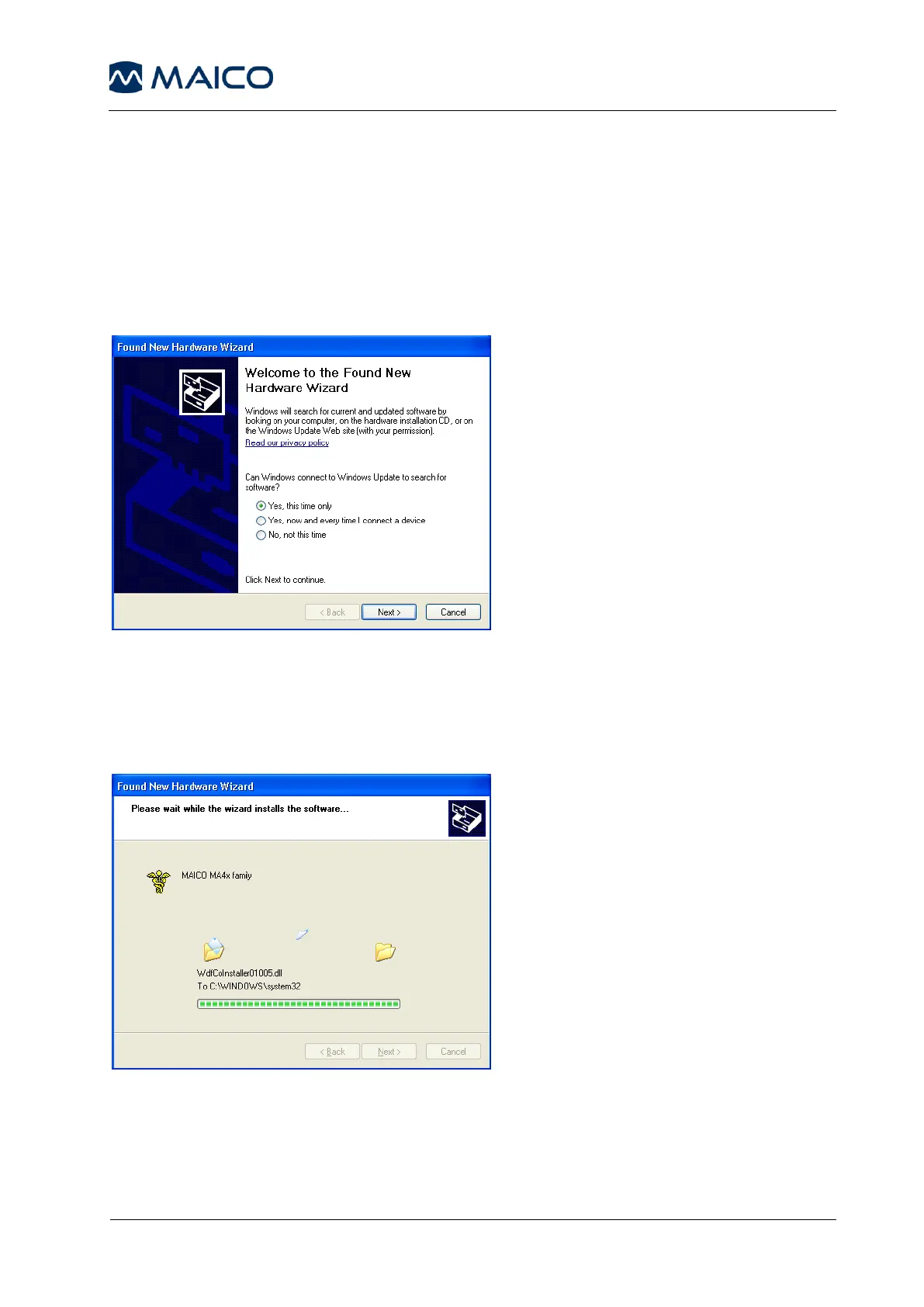
installed automatically. Connect the MA 41 by USB cable to the PC and turn on
the device. The required driver will be installed. Please follow the installation
procedure. When the installation program asks you how to search for software,
choose “Yes, this time only” and click on the Next button.
Figure 17 - Installation Advice
Select automatic installation in the next dialog window and click the Next
button. Wait till the MAICO MA4x family driver is installed and the operating
system updated. Click on the Finish button when the installation of the driver
is completed. The new hardware is now ready to use.
Figure 18 - Software Installation
Once the instrument is linked to the PC audiometry software, you are able to
record the results while performing your audiological assessment. Make sure
that the software is running and that a connection is built up before starting a
new session.



 To Next Page