6.2.6 Speech in Noise Test - QuickSIN
TM
Speech-in-noise test, the QuickSIN
TM
, was developed to provide a quick
estimate of signal-to-noise ratio (SNR) loss. This test is incorporated into the
MA 41, with selection made in the speech testing screen under the Wave file
lists (11) or (15). The complete QuickSIN Speech-in-Noise Test manual, version
1.3 is provided in Appendix B. MA 41 does not incorporate the entire QuickSIN
lists but provides Standard QuickSIN lists 1-12 (i.e. Track 3-14 from the CD
recording). Note: Pre-calibration of the QuickSIN lists was implemented into
the recording and installation of the Wave files on the MA 41. No input
calibration is required.
6.2.7 Master Hearing Aid (MHA)
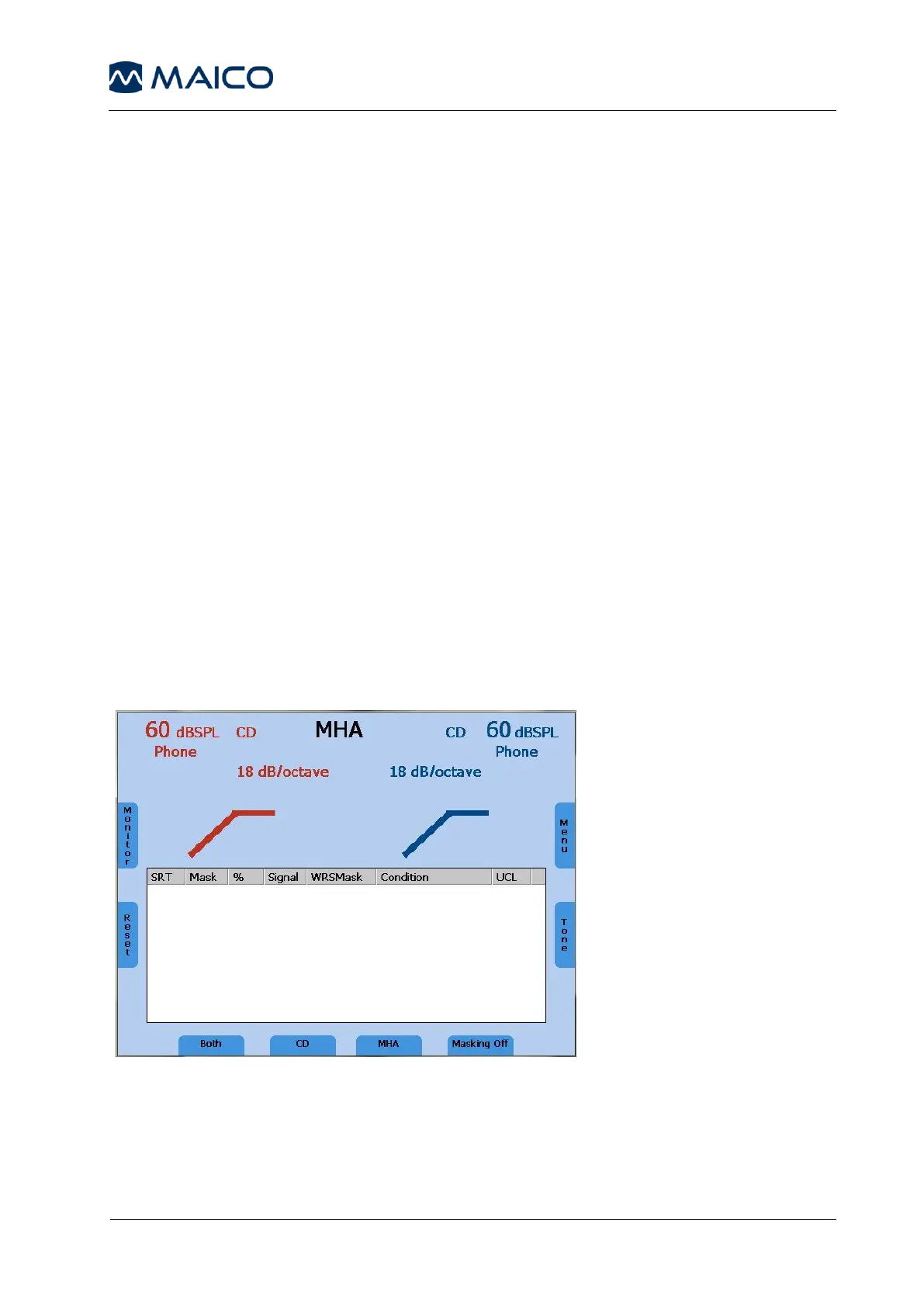
The Master Hearing Aid (MHA) feature utilizes input signals from the Live Voice
(Mic), external CD/MP3 player or with the wave files. These signals are then
filtered by various high pass filters to simulate a hearing aid.
Begin by selecting a signal source in the speech mode with the function button
(11). Start the MHA function by pressing the Test Selection button (13). When
using wave files begin testing by pressing the Play button (7) to play back the
imbedded wave files. Press the stimulus mode (8) indicator to alternate
between signal sources like the microphone or the CD. Change the dB
presentation levels with the level control dials (1), and control the filtering
options by using the frequency Up (4) and Down (5) keys.
Figure 10 - Display Master Hearing Aid



 To Next Page