EasyManua.ls Logo

MAJORITY Robinson 2IR - User Manual

MAJORITY Robinson 2IR
204 pages
Print Icon
To Next Page IconTo Next Page
Loading...
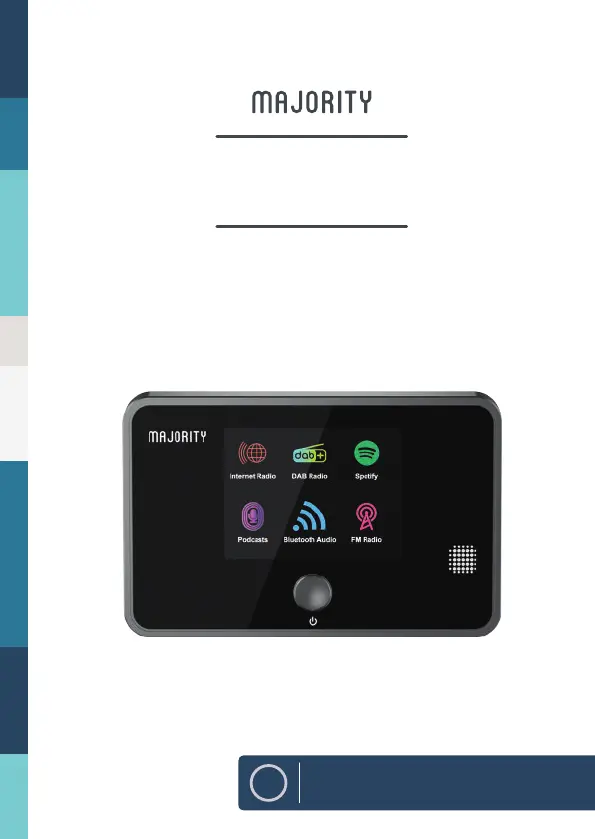
Robinson 2IR
Internet Radio and DAB+ adapter
EN
Instructions Guide

Table of Contents

Questions and Answers

  • B
    Barbara JonesAug 12, 2025
    What to do if my MAJORITY Radio has no sound?
    • J
      Jacob WoodAug 12, 2025
      If there's no sound coming from your MAJORITY Radio, first ensure that the unit isn't muted by pressing the VOLUME+/- buttons. If that doesn't work, try pressing the Standby button to switch the unit to standby mode, and then press it again to switch the unit back on. As a last resort, unplug the unit from the mains socket, plug it back in, and then switch the unit on.
  • M
    melissa07Aug 16, 2025
    How to fix MAJORITY Robinson 2IR when I can't hear the radio station?
    • N
      Nicholas ManningAug 16, 2025
      If you can't hear the radio station on your MAJORITY Radio, check the Wi-Fi connection or move the radio closer to your router, as the Wi-Fi connection might be weak or temporarily lost. Note that some radio stations might not transmit 24 hours a day, so they might not be transmitting at the moment. Also, radio stations transmit at different volume levels, so you may need to increase the volume.
  • K
    kimberly08Aug 19, 2025
    What to do if I can’t hear the music on my MAJORITY Robinson 2IR?
    • M
      Mrs. Jessica OconnorAug 19, 2025
      If you can't hear the music on your MAJORITY Radio, you may need to increase the volume on both the radio and your Bluetooth device.
  • J
    Jason MurphyAug 23, 2025
    How to connect MAJORITY Radio when I cannot find it on my Bluetooth device?
    • R
      Rhonda MartinezAug 23, 2025
      If you cannot find “Majority Robinson 2IR” on your Bluetooth device, make sure that the Bluetooth function is activated on your Bluetooth device. If it still doesn’t appear, try re-pairing the unit with your Bluetooth device.
  • A
    Amanda ChoiAug 27, 2025
    How to troubleshoot MAJORITY Robinson 2IR with no power?
    • K
      Karen FosterAug 27, 2025
      If your MAJORITY Radio has no power, ensure the mains adaptor plug is properly connected. Also, make sure that you have selected the ON mode.
  • M
    Miranda EvansAug 30, 2025
    Why does my MAJORITY Radio have poor radio reception?
    • J
      Julie ShermanAug 31, 2025
      Poor radio reception on your MAJORITY Radio can be caused by a couple of things. First, make sure the DAB/FM aerial is fully extended. Also, electrical interference from appliances in your home, especially those with motors and transformers, can cause poor reception. Try moving the unit away from these devices.
  • M
    Mark Perez DDSSep 3, 2025
    What to do if my MAJORITY Robinson 2IR Radio has no connection?
    • B
      boonematthewSep 3, 2025
      If your MAJORITY Radio is not connecting, ensure that your Wi-Fi router is plugged in and working properly. Try reconnecting the radio to your Wi-Fi router. Also, check that your radio is within 5 meters of your router.
  • M
    Marcus SnyderSep 7, 2025
    What to do if my MAJORITY Robinson 2IR does not respond to buttons?
    • M
      Melissa MurraySep 7, 2025
      If your MAJORITY Radio isn't responding when you press the buttons, the unit may have frozen up. To fix this, switch the unit off and then on again at the mains socket to reset it.

MAJORITY Robinson 2IR Specifications

General IconGeneral
FM Frequency Range87.5 - 108 MHz
MW Frequency Range522-1620kHz
LW Frequency Range153-279kHz
Headphone JackYes
Power SourceMains and Battery
DisplayLCD
Presets20
FeaturesSleep Timer
Battery Type4 x D Cell (not included)

Related product manuals