13
EN
Instructions Guide
1. The display will show : NORMAL > CLASSIC > ROCK > POP > JAZZ > MY EQ
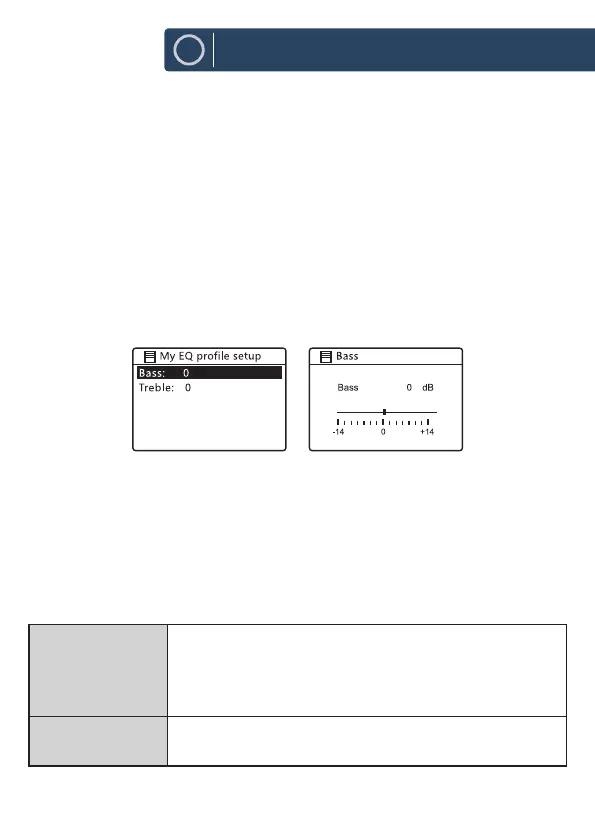
> MY EQ PROFILE SETUP
2. Press the
12
w
/
s
buttons to select and then press the SELECT button to
conrm.
3. For [MY EQ], please go to [My EQ Prole Setup] for custom setting before
selecting this option.
4. While in [My EQ Prole Setup], press
12
w
/
s
to select [Bass/Treble] and
then press SELECT button to conrm. Press
12
w
/
s
to select desired level
and then press SELECT button to conrm.
Press BACK button to exit and then press
7
/
8
buttons to select [YES] and
press SELECT button to conrm. The Display will show Equaliser Saved.
Network
1. While in System Settings mode, press the
12
w
/
s
buttons to select
Network and press the SELECT button to conrm.
2. Press the
12
w
/
s
buttons to select from the following settings, and then
press the SELECT button to conrm.
Network wizard
SSID – select the desire wireless network.
Rescan – Scan for available networks.
Manual cong – select wireless network with DHCP enable/
disable.
PBC Wlan setup
Press the
WPS
button on the modem device that you wish to
connect with. Press
SELECT
button to continue.













 To Next Page