MicroCal iTC
200
Washing Module User Guide 25
C
ell Cleaning Tool
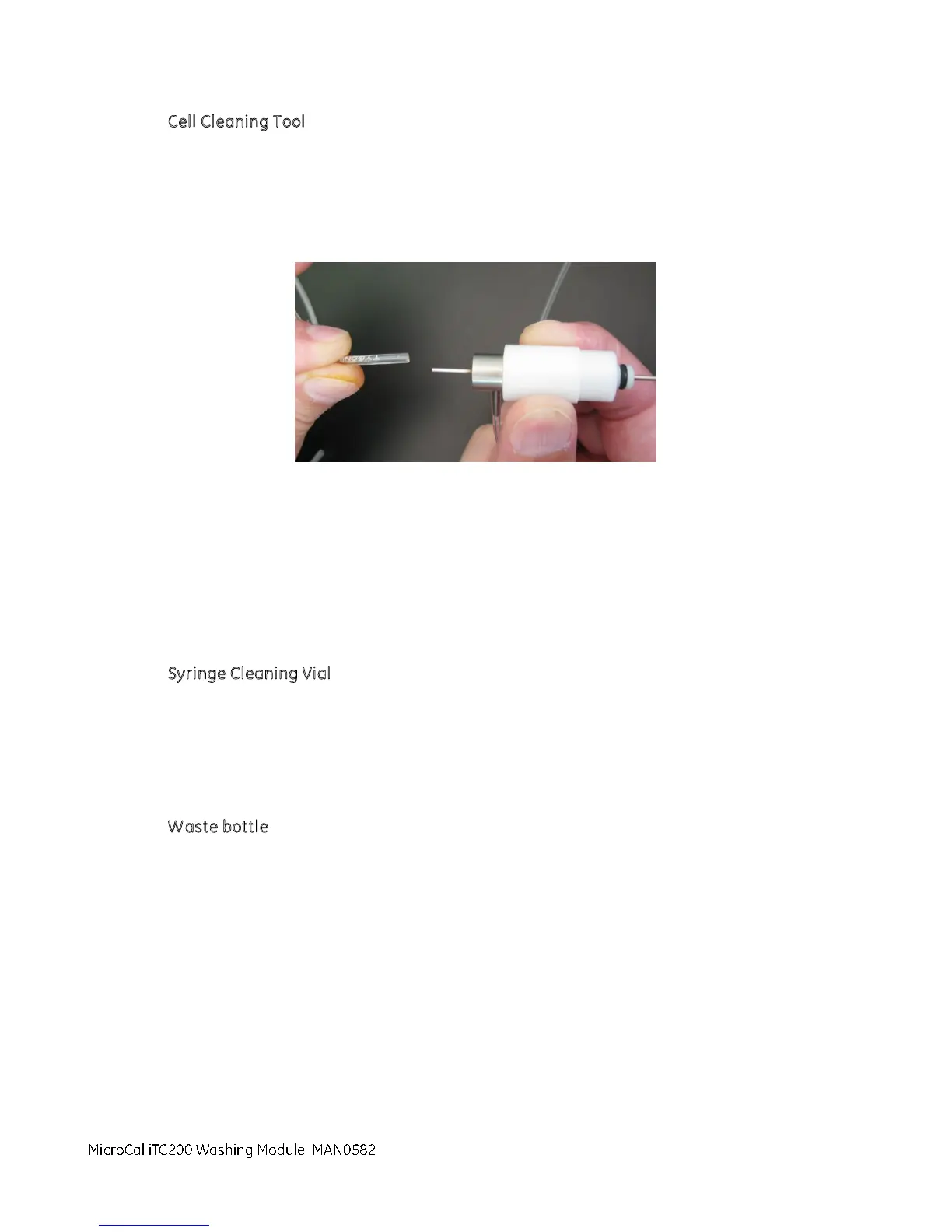
1. Remove the tubing from the Extra Tubing Kit and locate the three equal length pieces.
2. Set one tube aside for the syringe cleaning vial.
3. Remove the tube between the washing module and the top of the Cell Cleaning Tool.
This is the tube that extrudes vertically from the cell cleaning tool.
4. Install the replacement tube between the washing module and the top of the cell cleaning tool.
This replaces the tube you removed in the previous step.
5. Remove the tube between the washing module and the side of the Ccell cleaning tool. This is the
tube that extrudes horizontally from the cell cleaning tool.
6. Install the replacement tube between the washing module and the side of the cell cleaning tool .
This replaces the tube you removed in the previous step.
Syringe Cleaning Vial
1. Locate the tube that was set aside above.
2. Remove the tubing from the syringe cleaning vial barb and washing module.
3. Attach a replacement tube to the syringe cleaning vial barb and washing module.
Waste bottle
1. Locate one of the two pieces of tubing with the hard plastic end. Select the one with the desired
length.
2. Remove the old tube from the waste bottle and washing module.
3. Attach the replacement tubing to the waste bottle and washing module.
MicroCal iTC200 Washing Module



 To Next Page