25
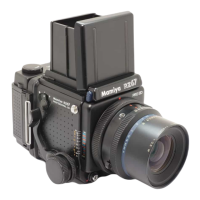
Lens Mount Adapter Ring
When using Mamiya Sekor C interchange-
able lenses with the RB67 Pro-SD, the lens
mount adapter ring must be used. It should be
attached to the rear lens mount. (When using
Mamiya KL lenses with the RB Pro-S and
RB67.
remove the lens mount adapter ring.)
. The lens mount adapter ring comes with
Sekor C lenses.
For KL lenses it is attached to the rear lens
mount.
.
Both the 75mm shift and APO 500mm lenses
are L lenses.
l Make sure to securely tighten the lens
mount adapter ring onto the lens mount.
I
Sekor
C
KL
L
RB67 Pro-SD
The lens mount
adapter ring should
be attached.
RB67
Pro-S
The lens mount
adapter ring should
be detached.
37



 To Next Page