2 - 26
10 - DIFFERENTIAL LOCK PEDAL
The differential lock enables the drive wheels to turn at the same speed
irrespective of the state of the ground.
- Press the pedal and hold it in that position for the time during which locking
is required.
- To release the differential lock simply release the pedal, which should
automatically return to its initial position.
When the differential lock is on, the truck should always be driven in a
straight line and at low speed.
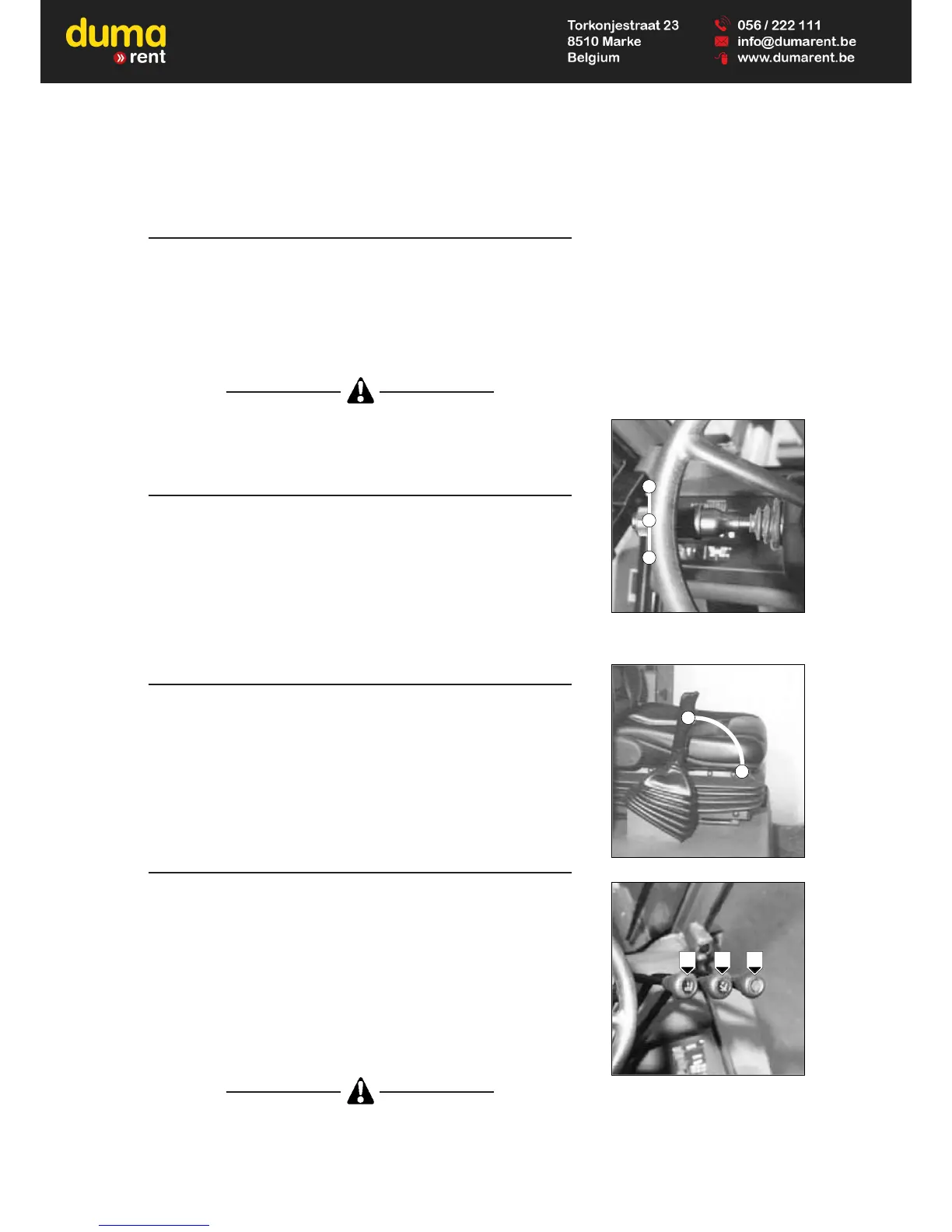
11 - FORWARD/REVERSE LEVER
When operating this control the truck should be travelling at slow speed and
not accelerating.
FORWARD : Push the lever forwards (Position A).
REVERSE : Pull the lever backwards (Position B).
NEUTRAL : To start the truck, the lever must be in neutral
(Position C).
12 - PARKING BRAKE LEVER
The parking brake acts on the two front wheels.
- To tighten the parking brake, pull the lever backwards (Position A).
- To untighten the parking brake, push the lever forwards (Position B).
13 - HYDRAULIC CONTROL DISTRIBUTOR LEVERS
LEVER A : Single acting section, controle the raising and lowering of the mast.
- Pull the lever backwards when raising of the mast.
- Push the lever forwards when lowering of the mast.
NOTE : The engine r.p.m. automatically increases when lifting the load.
LEVER B : Double acting section, controle the tilting of the mast.
- Pull the lever backwards when reverse tilt of the mast.
- Push the lever forwards when forward tilt of the mast.
LEVER C : Double acting section, intented for the control of additional
equipment.
Do not attempt to alter the hydraulic system pressure by interfering with the
pressure regulating valve. In the event of suspected malfunction, contact
your dealer.
ANY ALTERATION MAY RENDER THE WARRANTY NULL AND VOID.
A B C
C
A
B
A
B



 To Next Page