35
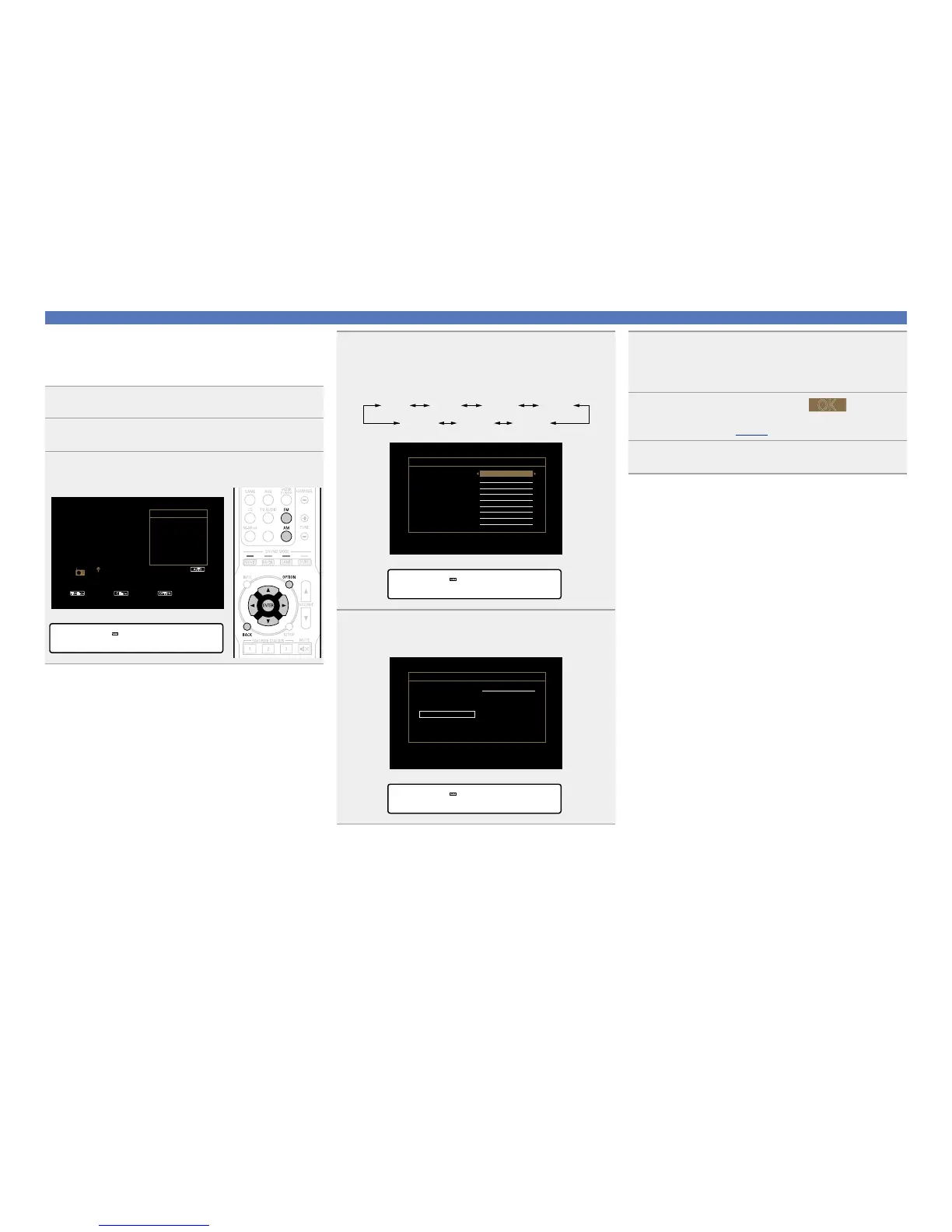
n Specify a name for the preset broadcast station
(Preset Name)
You can set the name to the preset broadcast station or change it.
Up to eight characters can be input.
1
Press FM or AM to switch the input source.
2
Press OPTION.
The option menu screen is displayed.
3
Use ui to select “Preset Name”, then press ENTER.
The Preset Name screen is displayed.
GTV ScreenH
TUNE+/- OPTION
AUTO
CH+/-
TUNER
CH 1
FM 87.50MHz
Tune Preset Option
Direct Tune
Option
Preset Memory
Tune Mode
Auto Preset
Preset Name
Preset Skip
GDisplay of this unitH
Preset Name
Listening to FM/AM broadcasts
4
Use o p to select the group of the broadcast station
you want to name, then press ENTER.
The screen that lets you edit the preset name is displayed.
•Each time
o p is pressed, the setting is changed as shown below.
1 – 8 9 – 16 25 – 3217 – 24
41 – 4849 – 56 33 – 40
GTV ScreenH
CH 3 FM 98.10 MHz
CH 2 FM 89.10 MHz
CH 1 FM 87.50 MHz
Preset Group
CH 6 FM 90.10 MHz
CH 5 FM 90.10 MHz
CH 8 FM 90.10 MHz
CH 7 FM 90.10 MHz
CH 4 FM107.90 MHz
Preset Name
1-8
GDisplay of this unitH
Group :• 1- 8–
5
Use ui to select the broadcast station you want to
name, then press ENTER.
GTV ScreenH
Preset Name
CH 1 FM 87.50 MHz
Set Defaults
GDisplay of this unitH
1 FM 87.50MHz
6
Use ui to select a name label, then press ENTER.
The screen that lets you edit the preset name is displayed.
•If you select “Set Defaults”, then the unit returns to displaying the
frequency.
7
Enter the characters, then press



 To Next Page