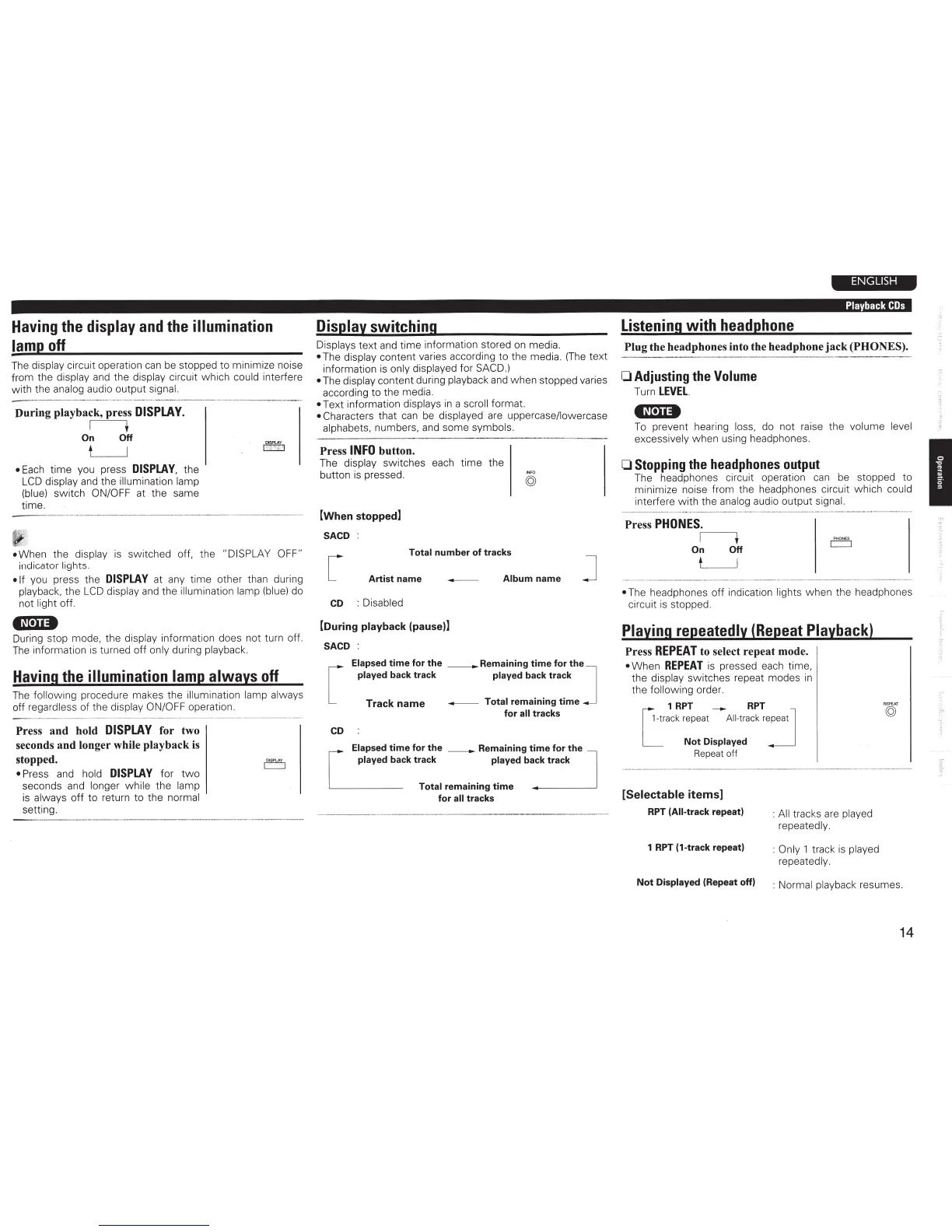
Having the
display
and
the
illumination
lamp
off
The
display
circuit operation
can
be
stopped to minimize noise
from the
display
and
the
display
ci
rcuit which could interfere
with the
analog
audio output
signal.
--
-----
--
--
-
During playback, press
DISPLAY.
I +
On
Off
t
I
•
Each
time you press
DISPLAY,
the
LCD
display
and
the
illumination lamp
(blue)
switch
ON/OFF at the same
time.
•When
t
he
display
is
switched off, the
"DISPLAY OFF"
indicator
lights.
•If
you press the
DISPLAY
at any time other than during
playback,
the
LCD
displ
ay
and
the
illumination lamp
(b
l
ue
)
do
not light
off
.
•N•Ii•
During stop mode, the display
information does not turn off.
The
information
is
turned off
only
during playback.
Having the
illumination lamp always
off
The
following procedure makes the
il
lumination lamp always
off regardless of the
display ON/OFF operation.
Press
and
hold
DISPLAY
for two
seconds
and
longer while playback
is
stopped.
• Press
and
hold
DISPLAY
for
two
seconds
and
longer while
the
lamp
is
always
off
to return to the
normal
setting.
Display switching
Displays text
and
time information stored
on
media.
•
The
display
content varies according to the media.
(The
text
information
is
only
displayed for SACD.)
•
The
display
content during playback
and
when stopped varies
according to the media.
•Text
information displays
in
a
scroll
format.
• Characters
that
can
be
displayed
are
uppercase/lowercase
alphabets,
numbers,
and
some symbols.
Press
INFO
button.
The
display
switches each time the
button
is
pressed.
[When
stopped]
SACD
Total
number
of
tracks
I
NF
O
©
Artist
name
-
Album
name
CD
:Disabled
[During
playback
(pause)]
SACD
:
Elapsed
time
for
the
_Remaining
time
for
the
]
played back
track
played back
track
Track
name
- Total
remaining
time
for
all
tracks
CD
"'"'""
tim•
fo•
tho _ Romo;n;ng
t~mo
fo.,ho
J
ck track
played back
track
Total
remaining
time
for
all
tracks
ENGLISH
Playback
COs
Listening
with
headphone
Plug
the headphones into the headphone
jack
(PHONES).
0 Adjusting
the
Volume
Turn
LEVEL.
4N•U•
To
prevent hearing
loss,
do not raise the
volume level
excessively when using headphones.
0
Stopping
the
headphones
output
The headphones circuit operation
can
be
stopped to
minimize noise from the headphones circuit which
could
interfere with the
analog
audio output
signal.
--------------
--
Press
PHONES.
It
On
Off
t
I
----------------·--··---
•
The headphones off indication
lights
when the headphones
circuit
is
stopped.
Playing
repeatedly (Repeat
Playback)
Press
REPEAT
to select repeat mode.
•
When
REPEAT
is
pressed
each
time,
the
display
switches repeat modes
in
the following
order.
1
RPT
-
RPT
r;
~
tmck
"'"'
Alltmck
"~"'
]
L
Not
Displayed
Repeat
off
[Selectable items]
RPT
(All-track repeat)
:
All
tracks
are
played
repeatedly.
1
RPT
(1-track repeat) :
Only
1
track
is
played
repeatedly.
Not
Displayed
(Repeat
off) : Normal
playback resumes.
14
I



 To Next Page