EasyManua.ls Logo

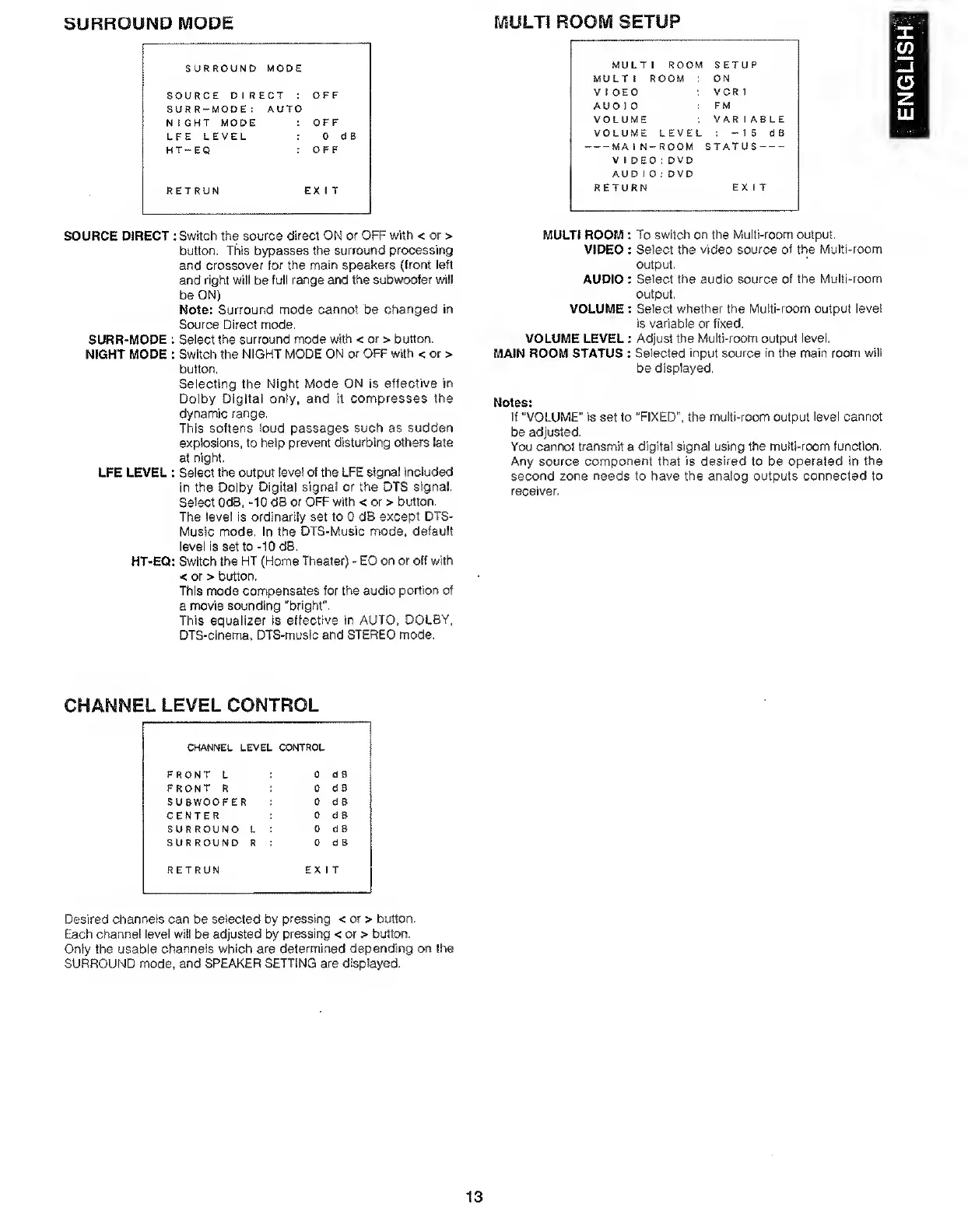
Marantz SR7000 - Surround Mode; Channel Level Control; Multi Room Setup

Marantz SR7000
40 pages
Print Icon
To Next Page IconTo Next Page
To Previous Page IconTo Previous Page
Loading...
SURROUND
MODE
SURROUND
MODE
SOURCE
DIRECT
:
OFF
SURR-MODE
:
AUTO
NIGHT
MODE
:
OFF
LFE
LEVEL
:
0
HT-EQ
:
OF
F
RETRUN
EXIT
MULTI
ROOM
SETUP
MULTI
ROOM
SETUP
MULTI
ROOM
ON
VIDEO
VCR
1
AUD
I
0
FM
VOLUME
VAR
1
ABLE
VOLUME
LEVEL
:
-
1
5
d
B
-MAIN-ROOM
STATUS-
V
I
DEO:
DVD
AUD
I
0:
DVD
RETURN
EXIT
SOURCE
DIRECT
:
Switch
the
source
direct
ON
or
OFF
with
<
or
>
button.
This
bypasses
the
surround
processing
and
crossover
for
the
main
speakers
(front
left
and
right
will
be
full
range
and
the
subwoofer
will
be
ON)
Note:
Surround
mode
cannot
be
changed
in
Source
Direct
mode.
SURR-MODE
:
Select
the
surround
mode
with
<
or
>
button.
NIGHT
MODE
:
Switch
the
NIGHT
MODE
ON
or
OFF
with
<
or
>
button.
Selecting
the
Night
Mode
ON
is
effective
in
Dolby
Digital
only,
and
it
compresses
the
dynamic
range.
This
softens
loud
passages
such
as
sudden
explosions,
to
help
prevent
disturbing
others
late
at
night.
LFE
LEVEL
:
Select
the
output
level
of
the
LFE
signal
included
in
the
Dolby
Digital
signal
or
the
DTS
signal.
Select
OdB,
-10
dB
or
OFF
with
<
or
>
button.
The
level
is
ordinarily
set
to
0
dB
except
DTS-
Music
mode.
In
the
DTS-Music
mode,
default
level
is
set
to
-10
dB,
HT-EQ:
Switch
the
HT
(Home
Theater)
-
EQ
on
or
off
with
<
or
>
button,
This
mode
compensates
for
the
audio
portion
of
a
movie
sounding
"bright”.
This
equalizer
Is
effective
in
AUTO.
DOLBY,
DTS-cinema,
DTS-music
and
STEREO
mode.
MULTI
ROOM
:
To
switch
on
the
Multi-room
output,
VIDEO
:
Select
the
video
source
of
the
Multi-room
output.
AUDIO
:
Select
the
audio
source
of
the
Multi-room
output.
VOLUME
:
Select
whether
the
Multi-room
output
level
is
variable
or
fixed,
VOLUME
LEVEL
:
Adjust
the
Multi-room
output
level,
MAIN
ROOM
STATUS
:
Selected
input
source
in
the
main
room
will
be
displayed.
Notes:
If
“VOLUME"
is
set
to
“FIXED",
the
multi-room
output
level
cannot
be
adjusted.
You
cannot
transmit
a
digital
signal
using
the
multi-room
function.
Any
source
component
that
is
desired
to
be
operated
in
the
second
zone
needs
to
have
the
analog
outputs
connected
to
receiver.
CHANNEL
LEVEL
CONTROL
CHANNEL
LEVEL
FRONT
L
CONTROL
0
d
B
FRONT
R
0
dB
SUBWOOFER
0
d
B
CENTER
0
dB
SURROUND
L
0
d
B
SURROUND
R
0
dB
RETRUN
EX
T
Desired
channels
can
be
selected
by
pressing
<
or
>
button.
Each
channel
level
will
be
adjusted
by
pressing
<
or
>
button.
Only
the
usable
channels
which
are
determined
depending
on
the
SURROUND
mode,
and
SPEAKER
SETTING
are
displayed.
13
ENGLISH

Other manuals for Marantz SR7000

Related product manuals