EasyManua.ls Logo

Marantz SR7000 - Other Functions: Remote Control Features; Luminous Buttons Feature; Setup Mode Operations; Switching Destination Version (VER)

Marantz SR7000
40 pages
Print Icon
To Next Page IconTo Next Page
To Previous Page IconTo Previous Page
Loading...
ENGLISH
OTHER
FUNCTBONS
LUMINOUS
BUTTONS
The
buttons
on
this
remote
controller
are
designed
to
remain
luminous
in
dim
lighting
conditions.
It
the
buttons
are
no
longer
luminous
when
the
remote
controller
is
used
in
low
light,
recharge
them
by
placing
it
near
a
fluorescent
or
other
light
source
for
a
sufficient
amount
of
time.
This
should
return
the
buttons
to
their
luminous
condition.
BATTERY
LIFE
New
batteries
will
last
about
6
months
assuming
an
average
of
30
uses
per
day.
Note:
The
batteries
shipped
with
the
remote
controller
are
for
the
purpose
of
checking
function
and
may
not
last
as
long
as
new
batteries.
The
Setup
mode
includes
the
following
items,
which
may
be
accessed
using
the
*
and
v
Cursor
buttons
ES.
Switch
destination
(version)
(VER)
Adjust
time
interval
between
transmissions
of
macro
operations
(MACRO)
SETUP
Switch
the
RC-5
destination
or
adjust
the
time
interval
between
transmissions
of
macro
operations
as
follows:
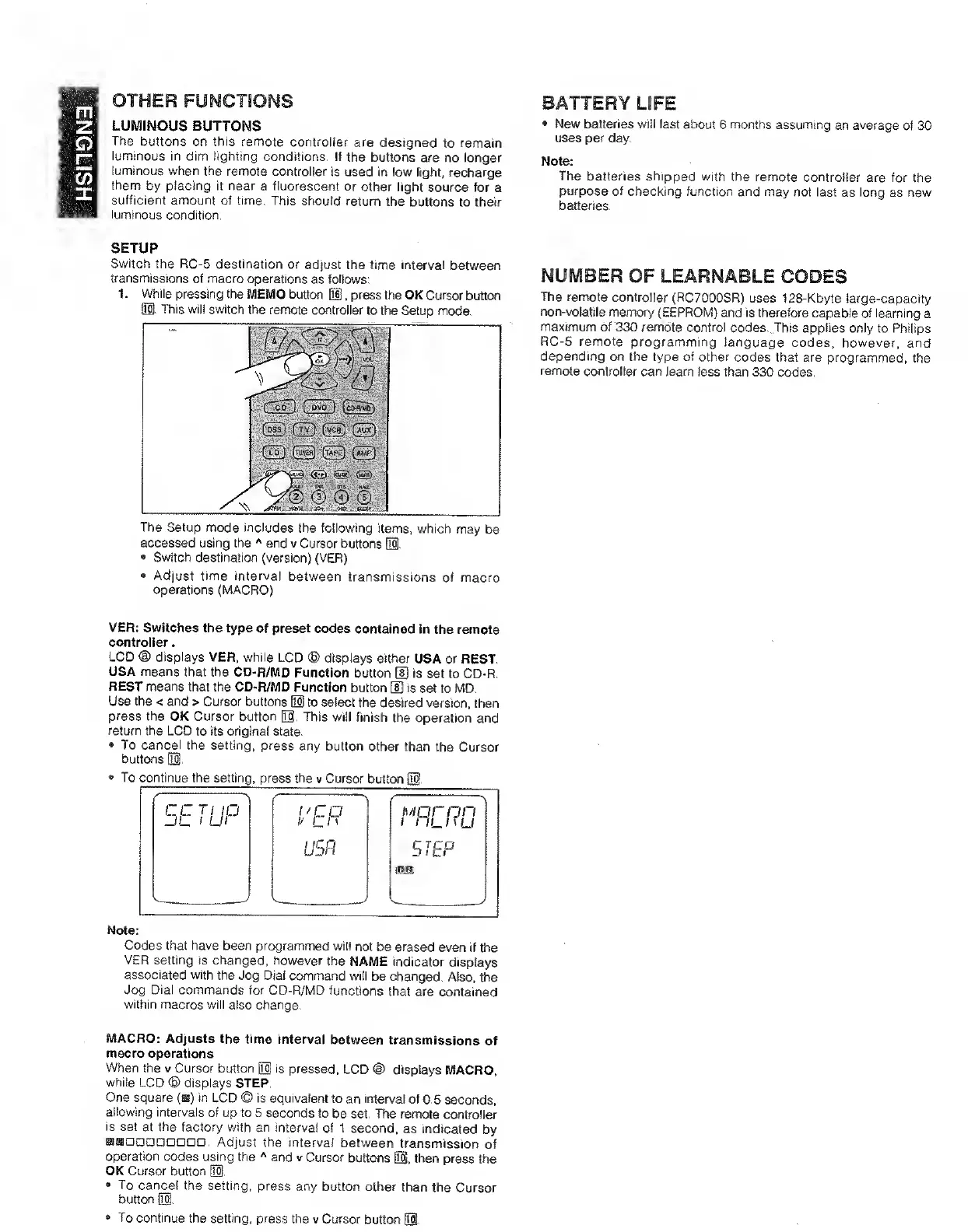
1.
While
pressing
the
MEMO
button
H.
press
the
OK
Cursor
buttcxi
El,
This
will
switch
the
remote
controller
to
the
Setup
mode.
The
remote
controller
(RC7000SR)
uses
128-Kbyte
large-capacity
non-volatile
memory
(EEPROM)
and
is
therefore
capable
of
learning
a
maximum
of
330
remote
control
codes..
This
applies
only
to
Philips
RC-5
remote
programming
language
codes,
however,
and
depending
on
the
type
of
other
codes
that
are
programmed,
the
remote
controller
can
learn
less
than
330
codes.
VER:
Switches
the
type
of
preset
codes
contained
in
the
remote
controller.
LCD
<D
displays
VER,
while
LCD
®
displays
either
USA
or
REST,
USA
means
that
the
CD-R/MD
Function
button
[I)
is
set
to
CD-R.
REST
means
that
the
CD-R/MD
Function
button
[fj
is
set
to
MD,
Use
the
<
and
>
Cursor
buttons
ED
to
select
the
desired
version,
then
press
the
OK
Cursor
button
El.
This
will
finish
the
operation
and
return
the
LCD
to
its
original
state.
To
cancel
the
setting,
press
any
button
other
than
the
Cursor
buttons
01.
To
continue
the
setting,
press
the
v
Cursor
button
E§.
Codes
that
have
been
programmed
will
not
be
erased
even
if
the
VER
setting
is
changed,
however
the
NAME
indicator
displays
associated
with
the
Jog
Dial
command
will
be
changed.
Also,
the
Jog
Dial
commands
for
CD-R/MD
functions
that
are
contained
within
macros
will
also
change.
MACRO:
Adjusts
the
time
interval
between
transmissions
of
macro
operations
When
the
v
Cursor
button
M
is
pressed,
LCD
@
displays
MACRO,
while
LCD
®
displays
STEP,
One
square
(b)
in
LCD
©
is
equivalent
to
an
interval
of
0.5
seconds,
allowing
intervals
of
up
to
5
seconds
to
be
set.
TTie
remote
ccwitroller
is
set
at
the
factory
with
an
interval
of
1
second,
as
indicated
by
ffiaDaoDDoan,
Adjust
the
interval
between
transmission
of
operation
codes
using
the
and
v
Cursor
buttons
El.
then
press
the
OK
Cursor
button
0,
®
To
cancel
the
setting,
press
any
button
other
than
the
Cursor
button
0,
®
To
continue
the
setting,
press
the
v
Cursor
button
0.

Other manuals for Marantz SR7000

Related product manuals