EasyManua.ls Logo

Marantz SR7000 - Listening to the Tuner; Setting the Sleep Timer (Only Remote Control Unit); Tv Auto On;Off Function

Marantz SR7000
40 pages
Print Icon
To Next Page IconTo Next Page
To Previous Page IconTo Previous Page
Loading...
iv/nivift.
I
iiK-vwi
The
station
name
preset
function
allows
the
name
of
each
preset
channel
to
be
entered
using
alphanumeric
characters.
The
Station
Name
button
is
valid
only
in
the
tuner
mode.
Before
station
name
preset
operation,
store
stations
with
the
preset
memory
operation.
1.
Press
the
MEMORY
button
O*
on
the
front
panel
or
MEMO
button
01
on
the
remote
for
more
than
3
seconds,
2.
The
left
most
column
of
the
station
name
indicator
flashes,
indicating
the
character
entry
ready
status.
[Operation
(Using
the
SR7000)3
3.
When
you
press
the
TUNING/PRESET
A
or
Tbuttons
©
is
turned,
alphabetic
and
numeric
characters
will
be
displayed
in
the
following
order:
A
->
B
->
C
...Z
1
2
->
3.....
0
(Blank)
A
UP
^
DOWN
4.
After
selecting
the
first
character
to
be
entered,
press
the
MEMORY
button
The
entry
in
this
coiumn
is
fixed
and
the
r^xt
column
starts
to
flash.
Fill
the
next
column
and
press
the
MEMORY
button
(Q)
tor
more
than
1
second
to
confirm
the
entry.
[Operation
(Using
the
remote
unit)]
First,
press
the
TUNER
button
on
the
remote
control
unit.
(This
operation
is
not
necessary
if
the
remote
control
unit
has
already
been
operated
in
the
TUNER
mode.)
3.
Enter
the
character
using
the
ten
keypad
0.
For
example,
to
enter
"A":
1)
Press
the
1"
button,
"A"
appears
on
the
display
coiumn.
2)
Every
time
the
1
button
is
pressed,
the
displayed
character
changes
in
the
order:
A
B
-4
C
->
1
A...
Pressing
buttons
other
than
the
"1"
button
cause
different
characters
to
be
displayed
in
a
similar
way.
so
that
other
alphanumeric
characters
can
be
entered.
To
enter
a
blank
or
space,
press
the
‘'9"
button.
4.
When
the
desired
character
is
displayed,
press
the
MEMO
button
m
to
confirm
the
entry
in
this
column
and
move
to
the
next
column.
After
having
filled
ail
of
the
8
columns,
press
the
MEMO
button
Si,
for
more
than
1
second
to
confirm
the
entry.
NORMAL
PLAYBACK
1.
Press
the
POWER
ON
button
on
the
remote.
2.
Press
the
FUNCTION
SELECTOR
button
(D
on
the
front
panel
or
press
the
FUNCTION
button
(S
on
the
remote
unit
to
select
an
input
source,
3.
Turn
the
SURROUND
MODE
SELECTOR
knob
(D
on
the
front
panel
or
Surround
mode
buttons
23
in
the
AMP
MODE
on
the
remote
unit
to
select
the
desired
surround
mode.
4.
Adjust
the
volume
level
using
the
VOLUME
knob
®
on
the
front
panel
or
press
the
VOL
A
/
T
button
(U
on
the
remote.
If
necessary,
adjust
the
tone,
select
the
TRB+.
TRB-and
BAS+.
BAS-
by
the
Jog
Dial
d]
and
press
ENT
button
ID
in
the
AMP
MODE
on
the
remote
unit.
Note:
In
case
of
remote
control
operation,
press
one
of
the
function
buttons
twice
within
2
seconds
to
select
the
function.
LISTENING
TO
A
DIFFERENT
AUDIO
SOURCE
WHILE
WATCHING
A
VIDEO
SOURCE
(Using
the
remote
control
unit)
1.
Select
one
of
the
following
video
sources
TV.
LD,
DVD,
VCR1,
DSS/VCR2
or
AUX.
2.
Next,
select
one
of
the
following
audio
sources
FM,
AM,
CD,
TAPE,
or
CDR/MD,
u
I
ncn
ruiMU
i
sui^o
SETTING
THE
SLEEP
TIMER
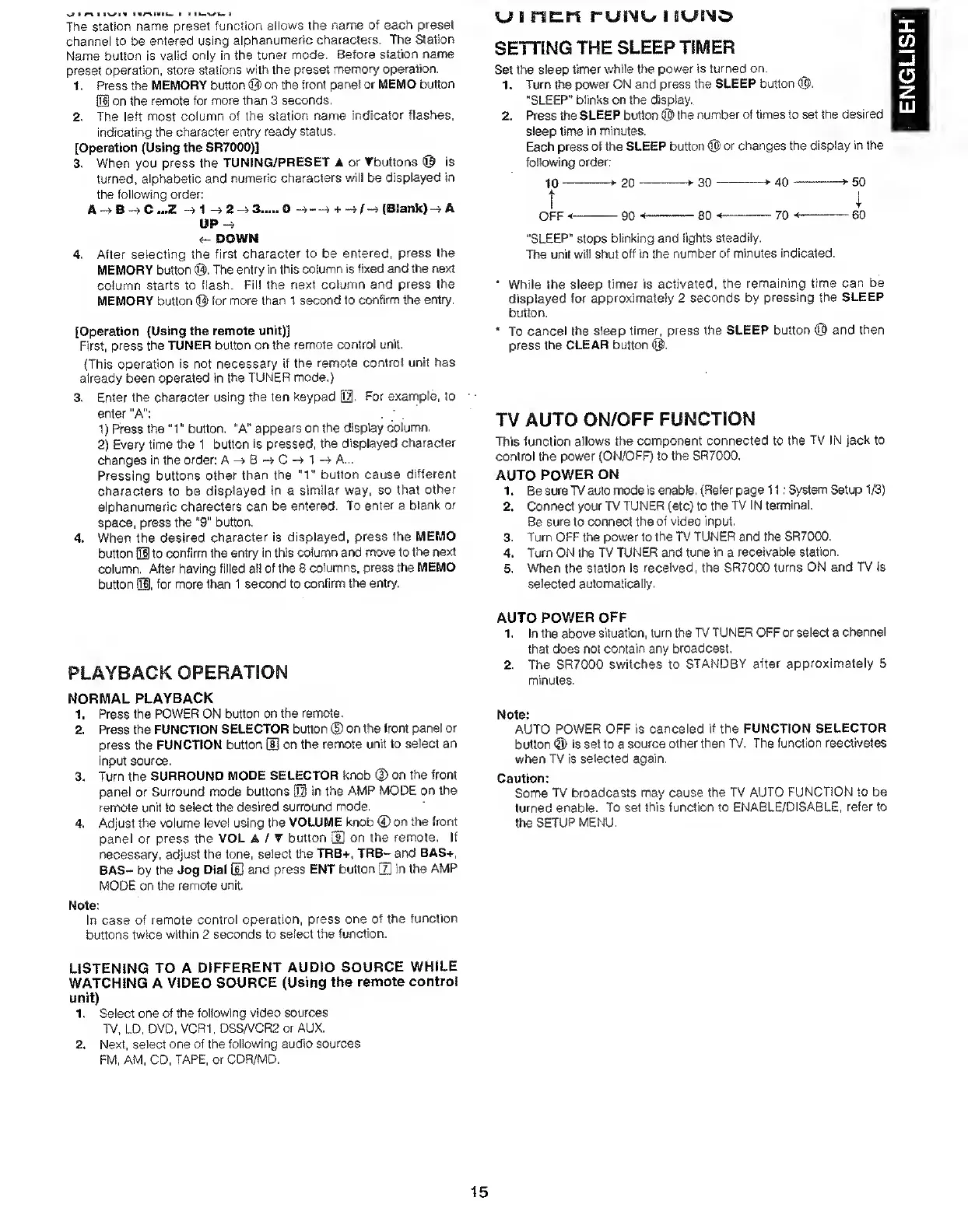
Set
the
sleep
timer
while
the
power
Is
turned
on.
1.
Turn
tt^e
power
ON
and
press
the
SLEEP
button
®.
"SLEEP"
blinks
on
the
display.
2.
Press
the
SLEEP
button
@
the
number
of
times
to
set
the
desired
sleep
time
in
minutes.
Each
press
of
the
SLEEP
button
®
or
changes
the
display
in
the
following
order;
10-
—^20-
-
3
0-
->-40-
-fSO
t
OFF<-
-90
<-
-80
••-
-70
<
-
-60
"SLEEP"
stops
blinking
and
lights
steadily.
TTie
unit
will
shut
off
in
the
number
of
minutes
indicated.
*
While
the
sleep
timer
is
activated,
the
remaining
time
can
be
displayed
for
approximately
2
seconds
by
pressing
the
SLEEP
button.
*
To
cancel
the
sleep
timer,
press
the
SLEEP
button
@
and
then
press
the
CLEAR
button
®.
TV
AUTO
ON/OFF
FUNCTION
This
function
allows
the
component
connected
to
the
TV
IN
jack
to
control
the
power
(ON/OFF)
to
the
SR7000.
AUTO
POWER
ON
1.
Be
sure
TV
auto
mode
is
enable.
(Refer
page
11;
System
Setup
1/3)
2.
Connect
your
TV
TUNER
(etc)
to
the
TV
IN
terminal,
Be
sure
to
connect
the
of
video
input.
3.
Turn
OFF
the
power
to
the
TV
TUNER
and
the
SR7000,
4.
Turn
ON
the
TV
TUNER
and
tune
in
a
receivable
station.
5.
When
the
station
is
received,
the
SR7000
turns
ON
and
TV
is
selected
automatically.
AUTO
POWER
OFF
1.
In
the
above
situation,
turn
the
TV
TUNER
OFF
or
select
a
channel
that
does
not
contain
suny
broadcast,
2.
The
SR7000
switches
to
STANDBY
after
approximately
5
minutes-
Note:
AUTO
POWER
OFF
is
canceled
if
the
FUNCTION
SELECTOR
button
©
is
set
to
a
source
other
than
TV,
The
function
reactivates
when
TV
is
selected
again.
Caution;
Some
TV
broadcasts
may
cause
the
TV
AUTO
FUNCTION
to
be
turned
enable.
To
set
this
function
to
ENABLE/DISABLE,
refer
to
the
SETUP
MENU.
15
ENGLISH

Other manuals for Marantz SR7000

Related product manuals