40
Mode 1: Update/Download MAIN CPU's software to
internal Flash-ROM
Update/Download software for MAIN CPU (Mode 1)
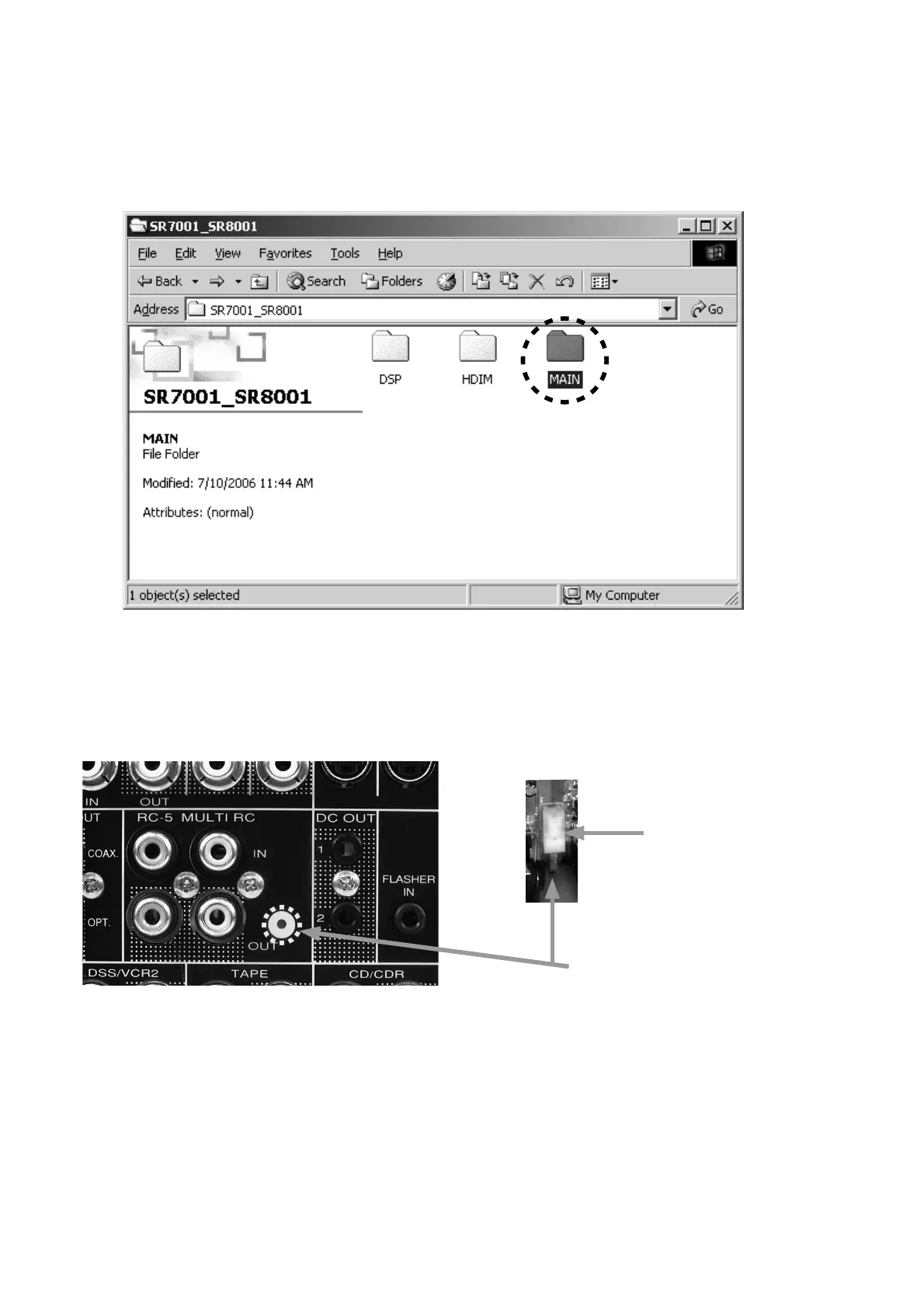
1. Put the "MAIN" folder into anywhere on your PC's hard
disc.
2. Connect RS-232C on the rear panel of the unit and
Serial Port of windows PC with RS-232C cable.
3. Insert a thin rot to the hole near the MULTI RC OUT
terminal and push the switch (SW10) inside to turn on
the switch.
4. Connect the mains cord into the unit. And press the
POWER ON/STANDBY button for turn on the unit.
(Except U1B)
NOTE : When the unit is into boot mode, STANDBY LED is
lights at green.
Mode 1: Update/Download MAIN CPU's software
to internal Flash-ROM
Update/Download software for MAIN CPU (Mode 1)
1. "MAIN"
フォルダをPCの任意のフォルダにコピーします。
2.
本機のリアパネルにあるRS-232CコネクタとWindows
PC
のSerialポートをRS-232Cケーブルで接続します。
3. 細い棒を使い本機のMULTI RC OUT端子の右となりにあ
る穴から内部スイッチ
(SW10)を押して書き込みモードに
します。
4. 本機に電源ケーブルを差し、POWER ON/STANDBYボタ
ンを押して電源を入れます。
注意:本機が書き込みモードになると
STANDBY LEDが緑色に
点灯します。
Push switch (SW10)
Hole of rear panel


 To Next Page