Note:
• After you complete this portion of the setup, move
cursor to “RETURN” with the , , and
cursor buttons and press the OK/ENTER button.
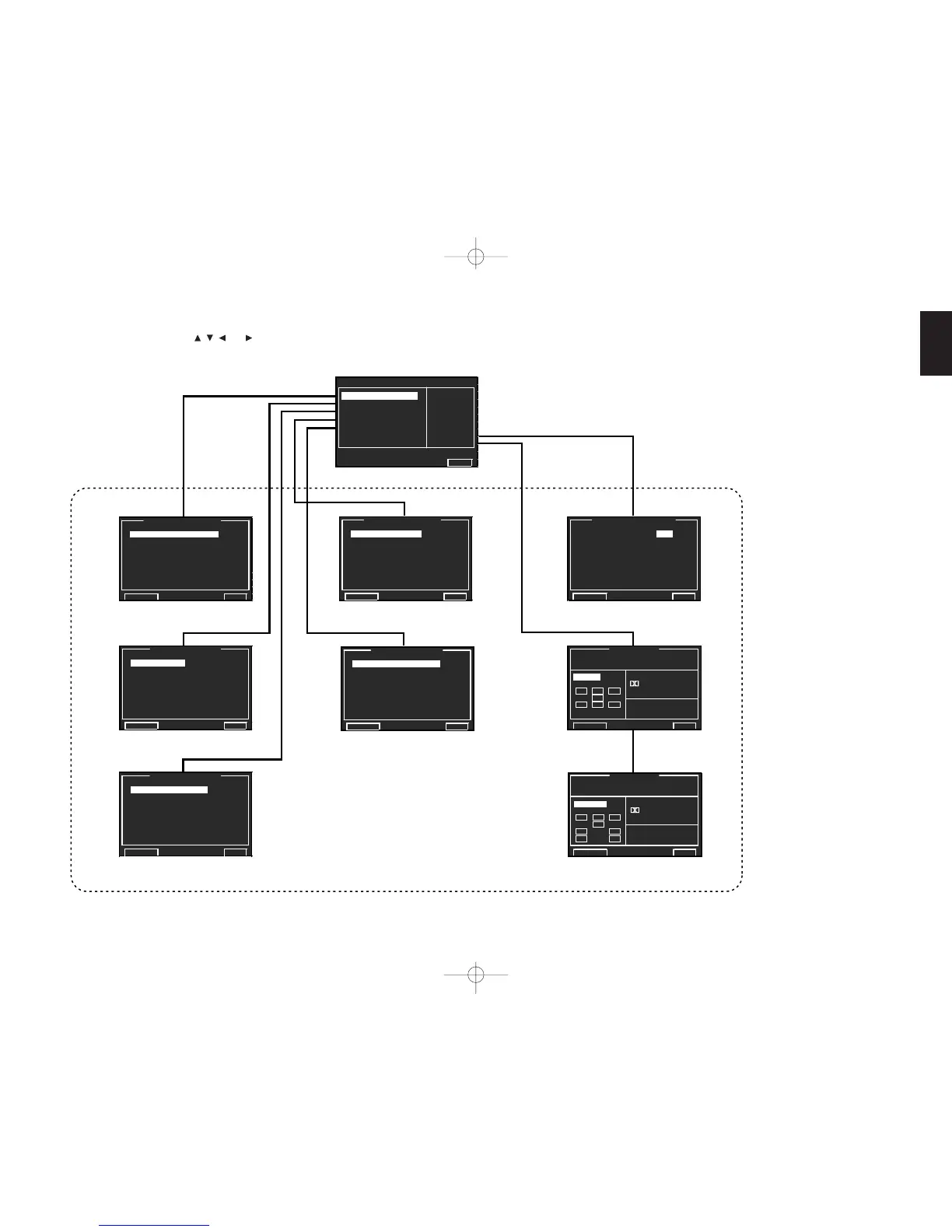
See “1. INPUT SETUP” (
☞
p.32)
MAIN MENU
See “2. SPKR SETUP” (
☞
p.35)
See “3. SURR SETUP” (
☞
p.41)
See “4. VIDEO SETUP” (
☞
p.43)
See “5. PREFERENCE” (
☞
p.44)
See “6. ACOUSTIC EQ” (
☞
p.46)
See “7. AUDIO STATUS”
(
☞
p.47)
SUB MENU
SR9600UDFU01ENG34 05.4.27, 5:40 PMPage 31 AdobePageMaker6.5J/PPC


 To Next Page