1.
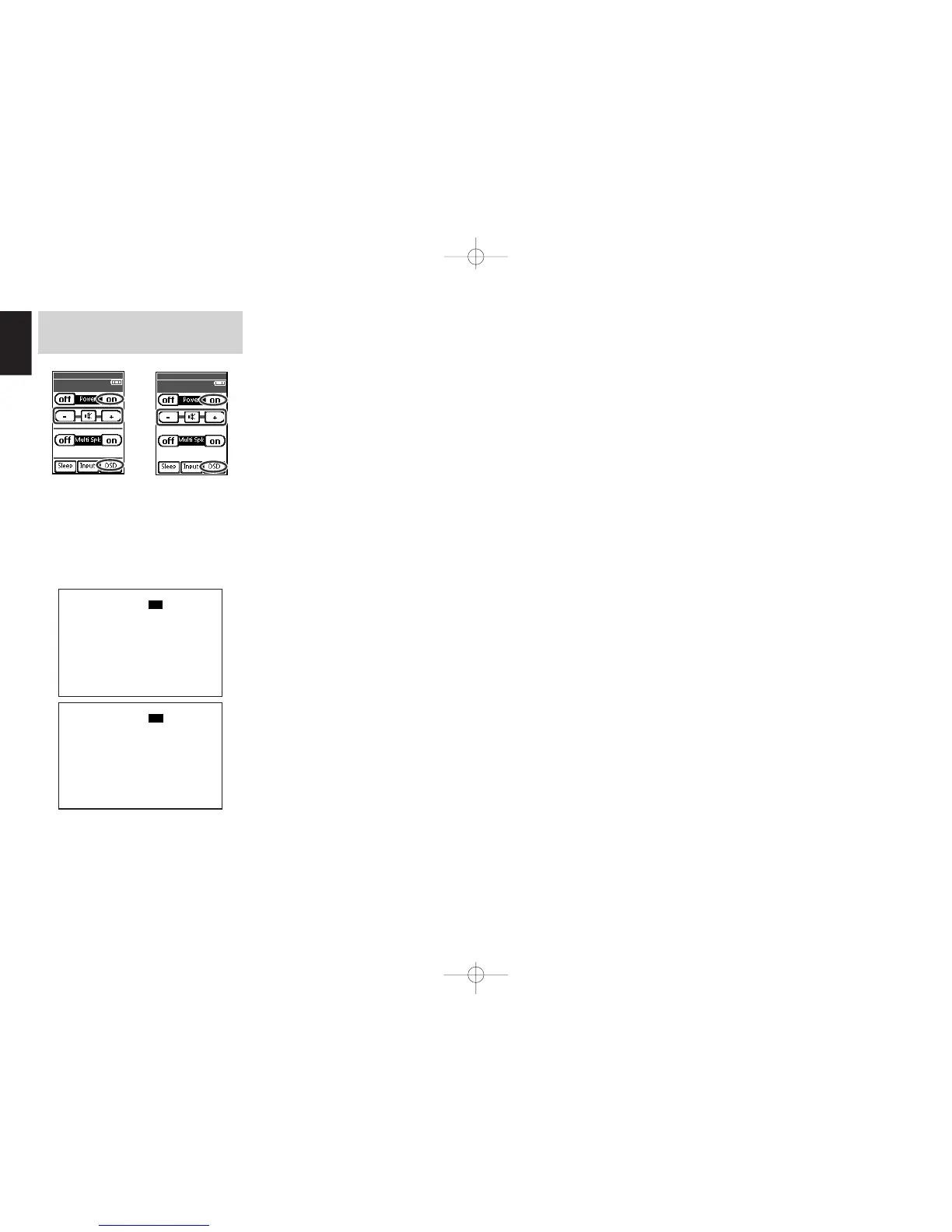
Press MULTI on the multi room remote control
from the multiroom.
Tap the Multi room A (or Multi room B) on
the Home screen on the remote control unit.
Tap the Power on on page 1/6.
The multiroom video output will show OSD
information for the MULTIROOM A(B) setup.
2.
Tap the VOL + or VOL – on the multiroom A or
B remote control to set the desired volume.
3.
In Multiroom mode, the multiroom remote
control can be used in the multiroom to
operate the following functions.
General:
Controlling volume level, sleep timer and muting.
Selecting input audio and video source.
Tuner 1 or 2:
Selecting the band, changing preset channel up
and down, tuning up and down, direct frequency
call, T-MODE and preset Scan.
4.
To view OSD information, tap the OSD on
page 1/6.
Notes for the Multiroom System
• The MULTI ROOM OUT (MULTI OUT/MULTI
SPEAKER) terminals have analog outputs.
Digital input signals are not supported.
• If the Tuner 1 (AM or FM) is active in the main
room, you can not control any function of Tuner 1
from multiroom A or B. However, Tuner 2 can be
controlled.
In this case, you must listen to the same station as
in the main room.
• OSD information cannot be displayed
simultaneously in both Multirooms A and B.
• When the component with RC-5 bus is connected
to the MULTI RC IN jack (see page 27),
Multiroom A can be operated using the RC codes
for the main room. The remote control units of
other Marantz products can also be used to control
multiroom A.
SR9600UDFU01ENG44 05.4.27, 5:49 PMPage 62 AdobePageMaker6.5J/PPC


 To Next Page