6 ACOUSTIC EQ
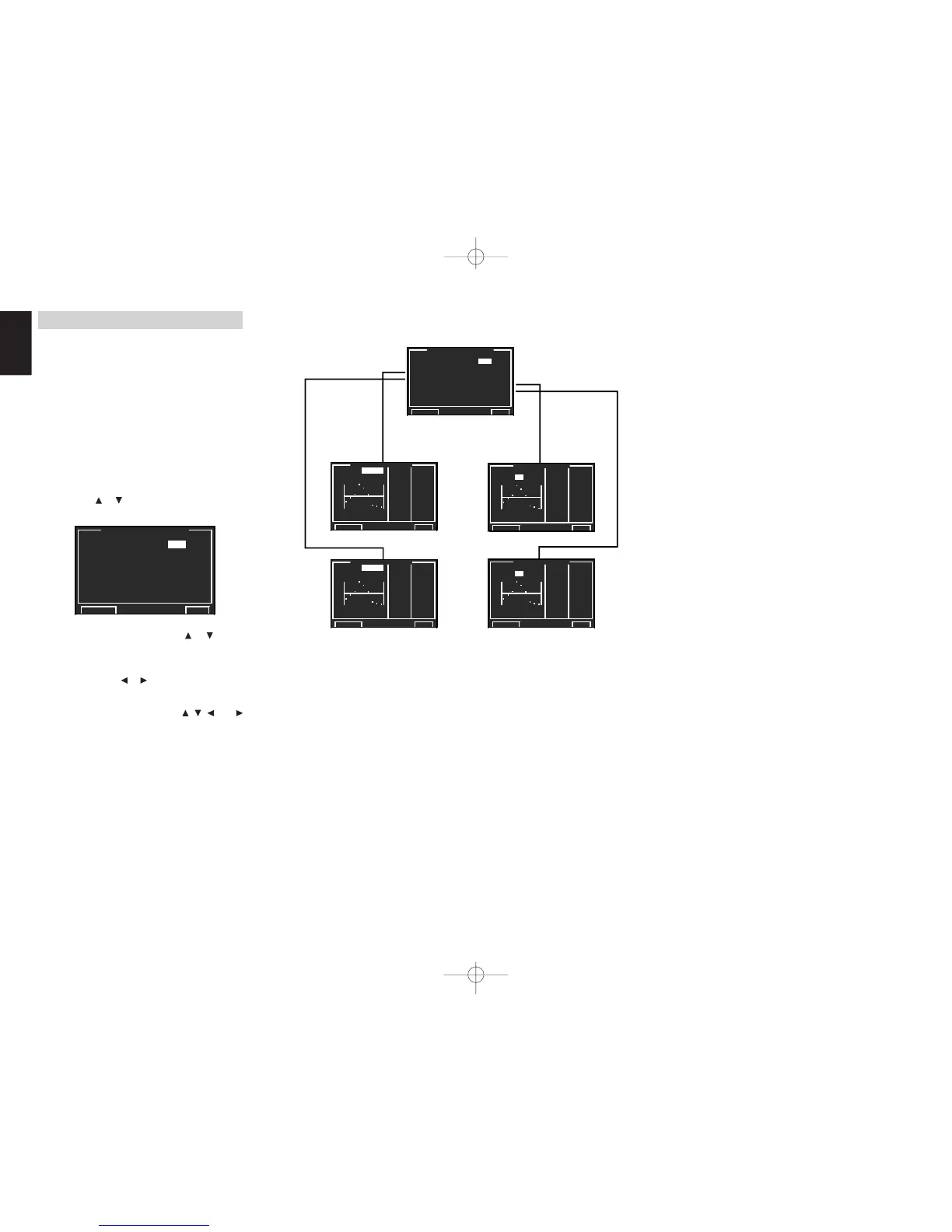
This display is for setting up the equalizer and
changing the Equalizer mode.
•
PRESET G. EQ 1 & 2 ADJ :
“6-1 PRESET G. EQ 1 & 2 ADJ”
(see page 47)
•
CHECK AUTO 1 & 2 :
“6-2 CHECK AUTO 1 & 2”
(see page 47)
EQ MODE:
Set to one of the 4 equalizer modes, either from the
manual modes (PRESET G. EQ 1/2) or the auto
modes set by the MRAC mode (AUTO 1/2). Set to
“OFF” if not using the equalizer.
1.
Select “6. ACOUSTIC EQ” from MAIN MENU
with the
or cursor buttons and press the
OK/ENTER button.
2.
Select “EQ. MODE” with the or cursor
buttons.
3.
Select “EQ1”, “EQ2”, “AUTO1”, “AUTO2” or
“OFF” with the
or cursor buttons.
After you complete this portion of the setup, move
the cursor to “RETURN” with the , , and
cursor buttons and press the OK/
ENTER
button.
Note:
• The equalizer is not available in the Source Direct,
Pure Direct, Dolby Headphone and 192kHz PCM
modes.
☞
p.47
☞
p.47
☞
p.47
☞
p.47


 To Next Page