Clears a partial keypad entry and reverts the calibrator out-
put or parameter to its last known value.
Prepares for selection of a secondary function via the
numeric keypad according to the text above each key.
The display changes to SHIFT ENABLED until a numeric
key is pressed. To cancel the selection press
again.
4 Cursor controls Press or to position the cursor under the digit in
an output value that is to be incremented or decrement-
ed.Press to increment the digit in the output value
where the cursor is positioned.
Press to decrement the digit in the output value
where the cursor is positioned.
The and keys are also used to adjust LCD
Contrast level, LCD Backlight level, and Remote Interface
Configuration selections as described in section 8.
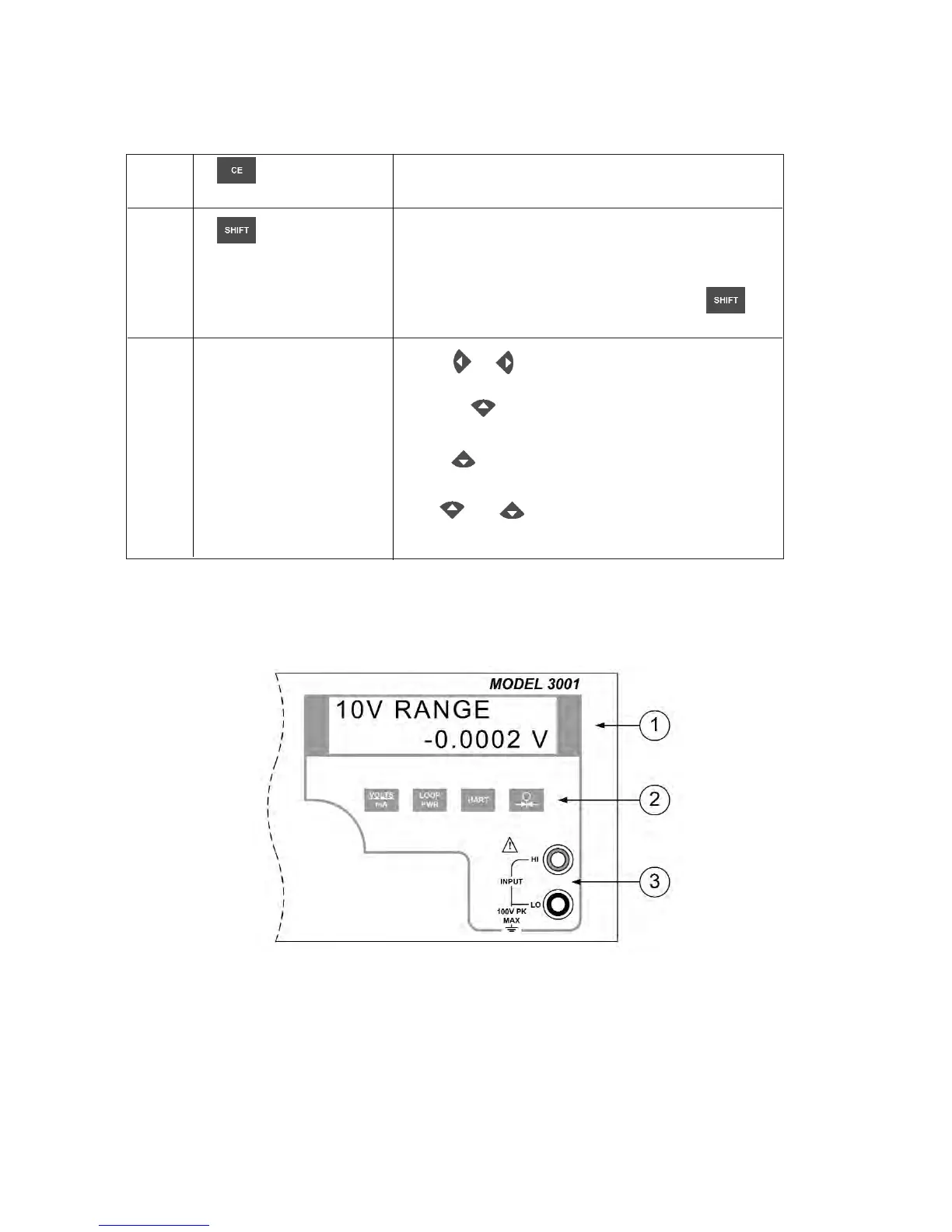
2.4 Isolated Input Display, Controls, and Terminals
Figure 4 describes the isolated input display, controls, and terminals in detail.
Figure 4 - Isolated Input Display, Controls, and Terminals
8


 To Next Page