Martin maxium & maxium Beamer Operating Instructions
V 2.0
18
4.1 Front Connectors
Depending on the market situation, the Martin maxium can be delivered with one of three different
connecting socket modules – the “m” version, “i” version or “e” version.
4.1.1 Monopolar Connectors
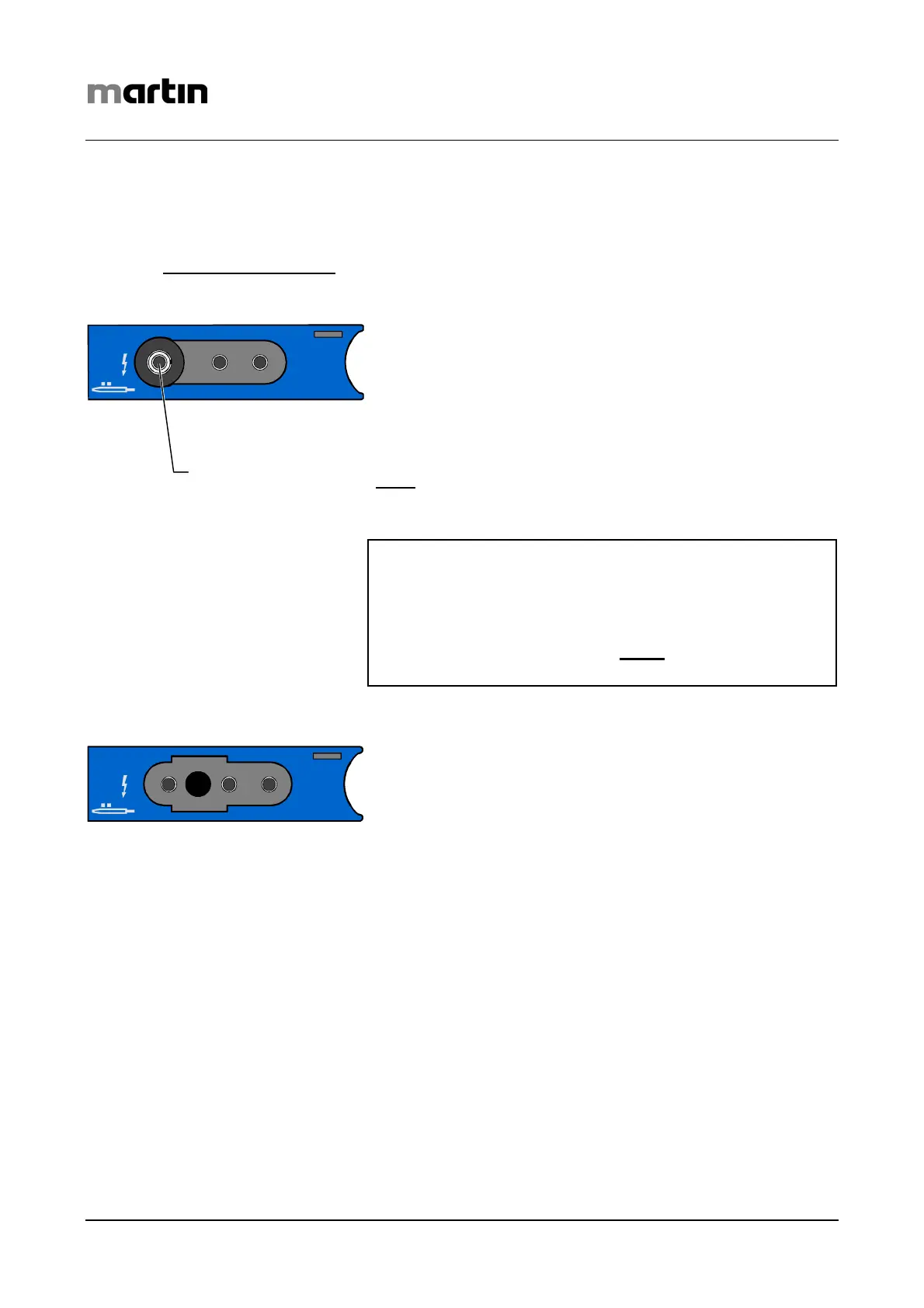
In the case of the “m” socket module (maxium 80-042-
00), the M1 (1) and M2 (4) jacks are intended for use with
Martin standard instruments. They allow connection of ca-
bles featuring either the Martin circular plug or a US 3-pin
plug. Basically, it is also possible to connect cables equipped
with plain 4-mm plugs, but in this case, the user must take
care to insert the plug into the inner conductor (marked
white
) of the socket for the Martin circular connector. Insert-
ing it into one of the neighboring control contacts would
cause malfunction!
Warning
Some connecting cables for bipolar accessories avail-
able on the market can also be inserted into the Martin
standard sockets M1 or M2. Such use must be pre-
vented for safety reasons. So never
connect such ca-
bles to the maxium’s monopolar outputs!
The “i” socket module (maxium 80-042-02), in contrast,
provides M1 and M2 sockets (pos. 1 and 4) according to the
international standard. This means that 8-mm "Bovie“ plugs
or US 3-pin plugs can be connected. Here again, it is basi-
cally possible to connect cables equipped with plain 4-mm
connectors as well. In this case, however, the user must take
care to insert such plugs into the left (outer) socket. Inserting
them into one of the neighboring control contacts would lead
to malfunction!
monopolar
M1
Inner conducto
monopolar
M1



 To Next Page