Martin VDO Atomic Dot user guide 29
DMX protocol
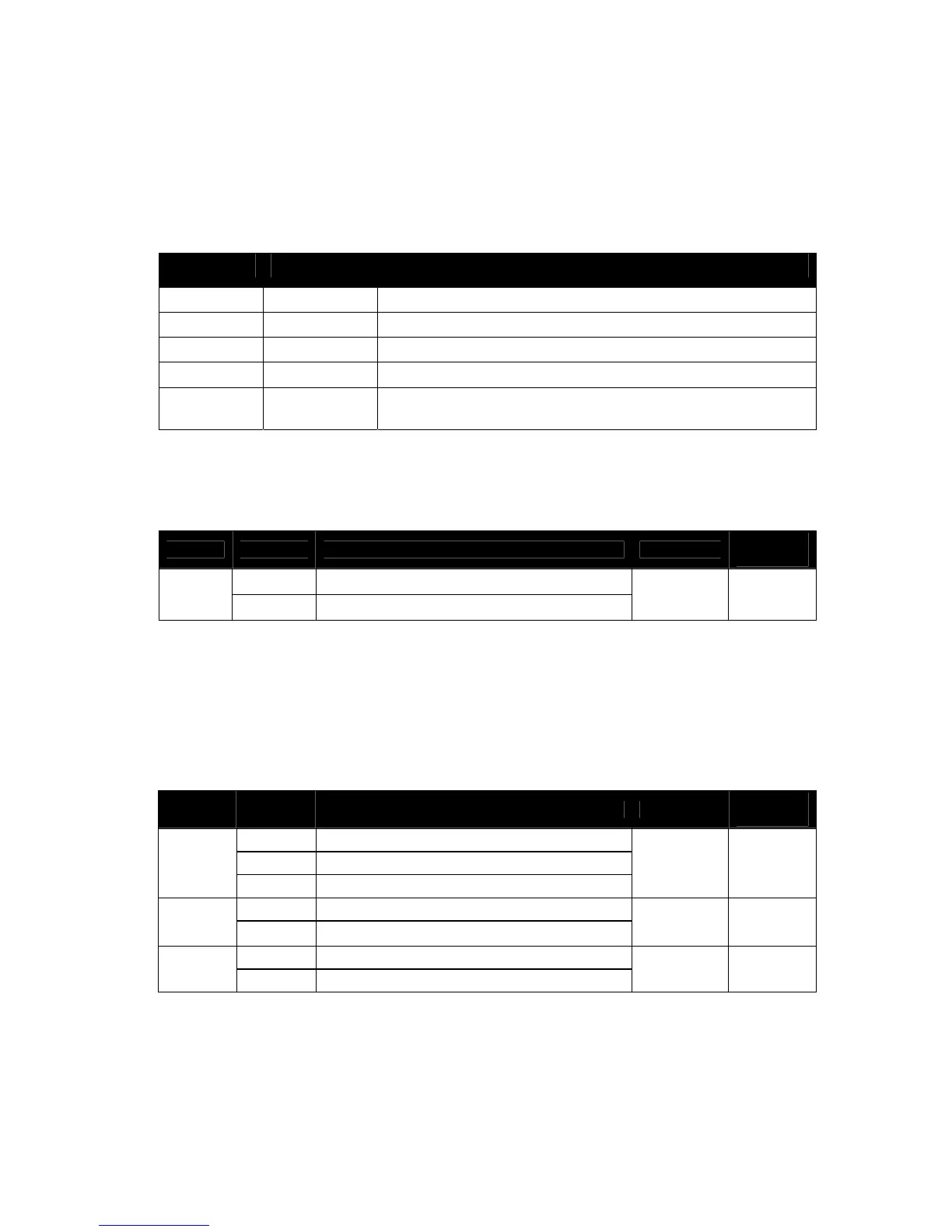
The VDO Atomic Dot has five possible DMX modes
DMX Mode DMX channels Functions
1 channel 1 Single channel “blinder” with automatic tungsten effect
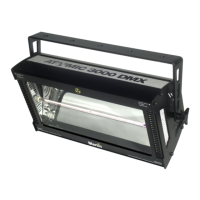
3 channel 3 As Atomic 3000 DMX/LED (no backlight)
4 channel 4 As Atomic 3000 DMX/LED (no backlight)
Basic 19 Including Aura backlight control and P3 mode control
Extended 64 As Basic mode, but including individual control over 16 Aura
backlight pixels
x While in Basic mode the DMX control of the Aura backlight does not offer individual pixel
control, the pixels can still be driven individually using the P3 System Controller pixels.
DMX mode 1 channel
Channel Value Function Fade Status
Default
Value
Dimmer
1
0 - 255
Close → Open
Fade 0
Notes:
x Fixture will automatically reduce intensity to control temperature when running at high
power for too long
x Aura Backlight will be driven automatically to emulate tungsten effect
DMX mode 3 channel
Channel Value Function Fade Status
Default
Value
Beam Flash Intensity
0
Blackout
1
1 - 255 Minimum • Maximum Intensity
Snap 0
Beam Flash Duration
2
0 - 255 7 • 650 ms
Snap 0
Beam Flash Rate
3
0 - 255 0.289 • 16.67 Hz
Snap 0
Notes:
x Fixture will automatically reduce intensity to control temperature when running at high
power for too long
x Aura Backlight is not used in this mode
x As Atomic 3000 DMX/LED 3-Channel Mode












 To Next Page