EasyManua.ls Logo

Martin MAC Viper Performance - User Manual

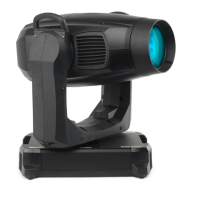
Martin MAC Viper Performance
36 pages
Print Icon
To Next Page IconTo Next Page
Loading...
MAC Viper Performance™
USER GUIDE

Other manuals for Martin MAC Viper Performance

Questions and Answers

  • M
    Mary LynchJul 31, 2025
    Why does my Martin MAC Viper Performance show a lamp error?
    • M
      Megan MortonJul 31, 2025
      If your Martin Lighting Equipment displays a lamp error message and there is no light, the lamp may be blown, not installed, or the lamp access door safety switch might be open. Disconnect the fixture from power and replace or install the lamp. Check that the lamp access door is fully seated and locked in place.
  • F
    fitzgeraldjeremyAug 5, 2025
    What to do if the lamp cuts out intermittently on Martin MAC Viper Performance?
    • A
      Ashley BennettAug 5, 2025
      If the lamp in your Martin Lighting Equipment cuts out intermittently, the fixture may be too hot. Allow the fixture to cool down, clean it, and reduce the ambient temperature.
  • M
    Matthew HahnAug 10, 2025
    What causes timeout error after Martin MAC Viper Performance reset?
    • C
      Christina NolanAug 10, 2025
      If you get a timeout error after resetting your Martin Lighting Equipment, it may be that the effect requires mechanical adjustment. Contact Martin™ Service or an authorized Martin™ service partner.
  • T
    teresawilliamsAug 15, 2025
    What to do if Martin MAC Viper Performance fixtures respond erratically?
    • R
      rosekimAug 15, 2025
      If Martin Lighting Equipment fixtures reset correctly but respond erratically, it might be due to a bad data link. Inspect connections and cables, correct poor connections, and repair or replace damaged cables. It could also be that the data link isn't terminated, so insert a DMX termination plug in the data output socket of the last fixture on the data link. Check the fixture address and protocol settings. If one of the fixtures is defective and disturbing data transmission, unplug the XLR in and out connectors and connect them directly together to bypass one fixture at a time until normal operation is regained. Have the fixture serviced by a qualified technician.
  • M
    murraymonicaAug 20, 2025
    How to troubleshoot completely dead Martin MAC Viper Performance Lighting Equipment?
    • N
      Nicholas SimmonsAug 20, 2025
      If one or more Martin Lighting Equipment fixtures are completely dead, first check that power is switched on and the cables are plugged in. If the issue persists, it may be due to a blown fuse or an internal fault. In this case, contact Martin™ Service or an authorized service partner for assistance.
  • P
    Patricia TrujilloAug 25, 2025
    Why does the mechanical effect lose position on Martin MAC Viper Performance Lighting Equipment?
    • E
      elizabeth33Aug 26, 2025
      If the mechanical effect loses position on your Martin Lighting Equipment, it could be that the mechanical train requires cleaning, adjustment, or lubrication. Contact Martin™ Service or an authorized Martin™ service partner.

Summary

Introduction

Introduction Overview

Overview of the User Guide and its relation to the Safety Manual.

Effects

Shutter, Dimming, and Color

Shutter, strobe, dimming, and CMY/CTO color mixing adjustments.

Wheels and Gobos

Color wheel with filters and rotating gobos with indexing and shake features.

Beam Shaping and Effects

Animation wheel, framing module, prism, iris, and frost filter controls.

Focus, Zoom, and Movement

Focus, zoom lens range, zoom/focus linking, and pan/tilt movement.

Optical Configuration

Prism and Color Wheel

Details the interchangeable four-facet prism and the seven-color wheel.

Gobos and Animation Wheel

Details rotating gobos and the animation wheel for effects.

Control Panel Operations

Interface Navigation and Status

Using control panel buttons, jog wheel, and understanding the status LED.

Settings and Modes

Stored settings, service mode, DMX address, and DMX modes configuration.

Fixture ID and Personality

Setting fixture ID and optimizing performance via personality settings.

Display and Error Management

Display settings and ERROR MODE configuration.

DMX Signal Monitoring and Testing

Monitoring DMX signal and running test sequences.

Adjusting Settings via DMX

Resetting and Lamp Control

Resetting effects/fixture, and controlling lamp on/off via DMX.

Display and Setting Overrides

Illuminating the display and overriding onboard menu settings via DMX.

Changing Calibration Offsets via DMX

Calibrating effects by changing factory default offsets using DMX commands.

RDM

RDM ID and Communication

Understanding RDM UID for identification and RDM PIDs for parameter queries.

Software Service Functions

Service Utilities

Accessing error lists, feedback settings, adjustment, calibration, and USB updates.

Calibration Procedures

Calibrating pan/tilt sensors and effects for optimal performance.

Firmware Installation

Procedures for installing firmware using USB memory or a PC interface.

DMX Protocol

Basic Fixture Control Channels

DMX control for shutter, strobe, dimmer, CMY, CTO, and color wheel.

Gobo and Animation Wheel Channels

DMX control for gobo selection, indexing, shake, animation wheel, and rotation.

Advanced Effect Channels

DMX control for framing, prism, iris, zoom, focus, pan, and tilt.

Fixture Control;Settings Commands

DMX commands for fixture control, resets, lamp, and calibration management.

Control Panel Menus

Basic Configuration Menus

DMX ADDRESS, CONTROL MODE, FIXTURE ID, PAN/TILT, SPEED, DIMMER CURVE.

Advanced Personality Settings

FOCUS TRACKING, AUTO LAMP ON, DMX LAMP OFF settings.

System and Error Management Menus

DMX RESET, EFFECT SHORTCUT, AUTO BLACKOUT, DISPLAY, ERROR MODE.

Information Access

Loading FACTORY DEFAULT settings and accessing INFORMATION menus.

Live Monitoring and Test Functions

DMX LIVE for signal monitoring and TEST functions for sequence testing.

Manual Control and Service Access

Manual focus, pan, tilt control; SERVICE access for errors, adjustment, calibration, firmware.

Service and Display Messages

Warning Messages

Lists and explains potential warnings indicating future problems or requiring attention.

Error Messages

Lists and explains serious error messages indicating problems requiring intervention.

Martin MAC Viper Performance Specifications

General IconGeneral
Color Temperature6000K
FocusMotorized
IrisMotorized
Animation WheelYes
Pan Range540°
Tilt Range270°
Control ProtocolsDMX512, RDM
TypeMoving Head
Gobo Wheels2 rotating gobo wheels
Color Wheels2 color wheels
FrostYes
Strobe EffectYes
DimmerElectronic
Framing Shutters4 rotating framing shutters with 360° rotation
Weight34 kg (75 lbs)

Related product manuals