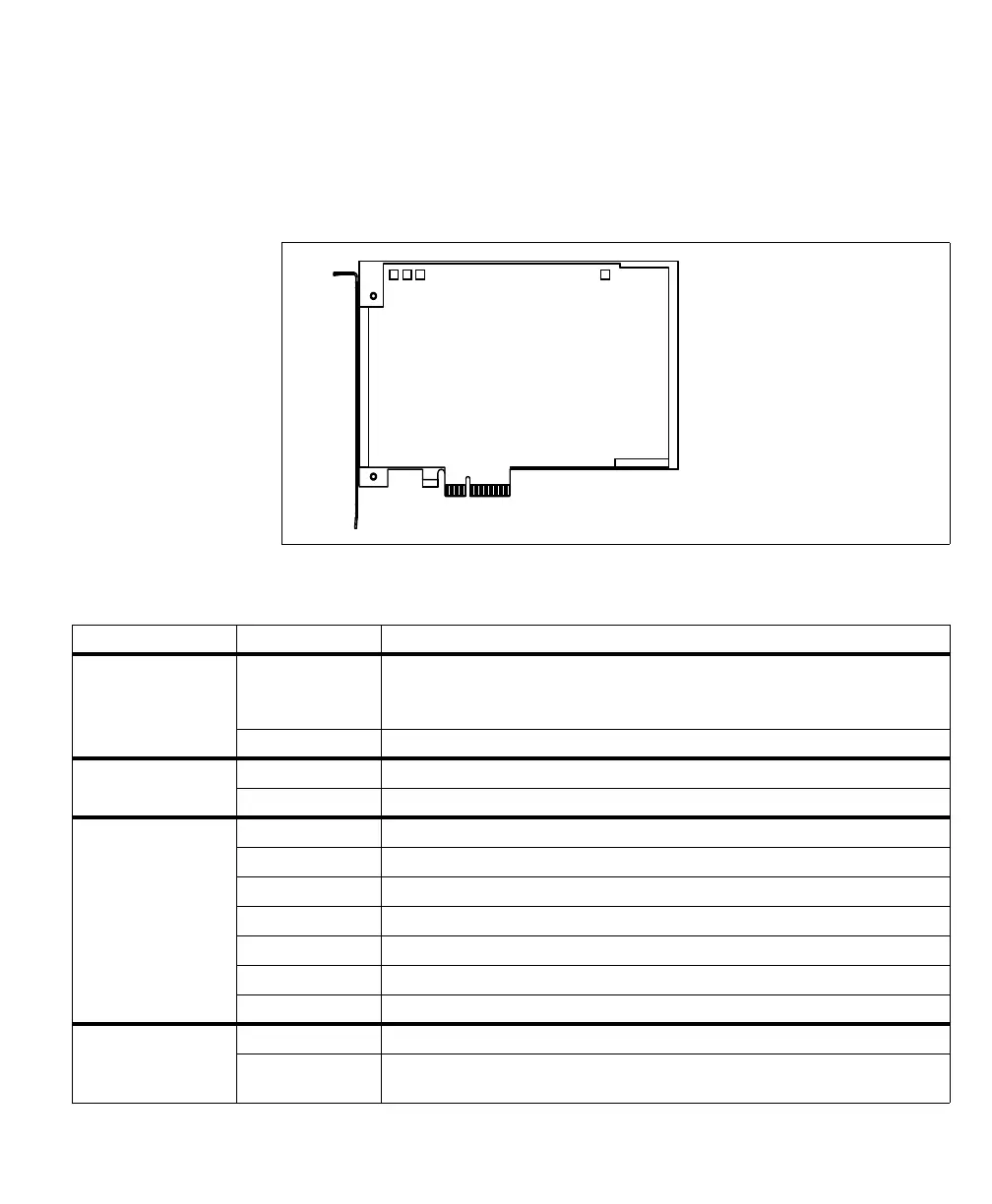
Status LEDs on Matrox Rapixo CXP 67
Board status LEDs
Matrox Rapixo CXP has four board status LEDs to indicate the status of the board:
board-power good, board configuration, PCIe speed/#lanes, and fallback board
configuration.
The table below outlines the possible colors for each LED and their definitions.
Board-p goodower
Board configuration
PCIe speed/# lanes
Fallback board configuration
LEDs
1
4
3
2
1
2
3
4
LED LED color and state Description
1. Board-power good Off/Red One or more of the on-board voltage regulators did not start.
If your computer is on and this LED state occurs, there is an issue with the voltage regulators
on your Matrox Rapixo CXP. Contact Matrox technical support.
Green All of the on-board voltage regulators are working properly.
2. Board configuration Red The board is not configured.
Green The board is configured.
3. PCIe speed/# lanes Off The type of slot cannot be established. The PCIe link is down.
Blinking red Slot is PCIe 1.x, less than x8
Blinking orange Slot is PCIe 2.x, less than x8
Blinking green Slot is PCIe 3.x, less than x8
Solid red Slot is PCIe 1.x, x8
Solid orange Slot is PCIe 2.x, x8
Solid green Slot is PCIe 3.x, x8
4. fallback board
configuration
Off The normal board configuration is being used.
On The normal board configuration was corrupt. The fallback (golden) board configuration is
being used.


 To Next Page