59
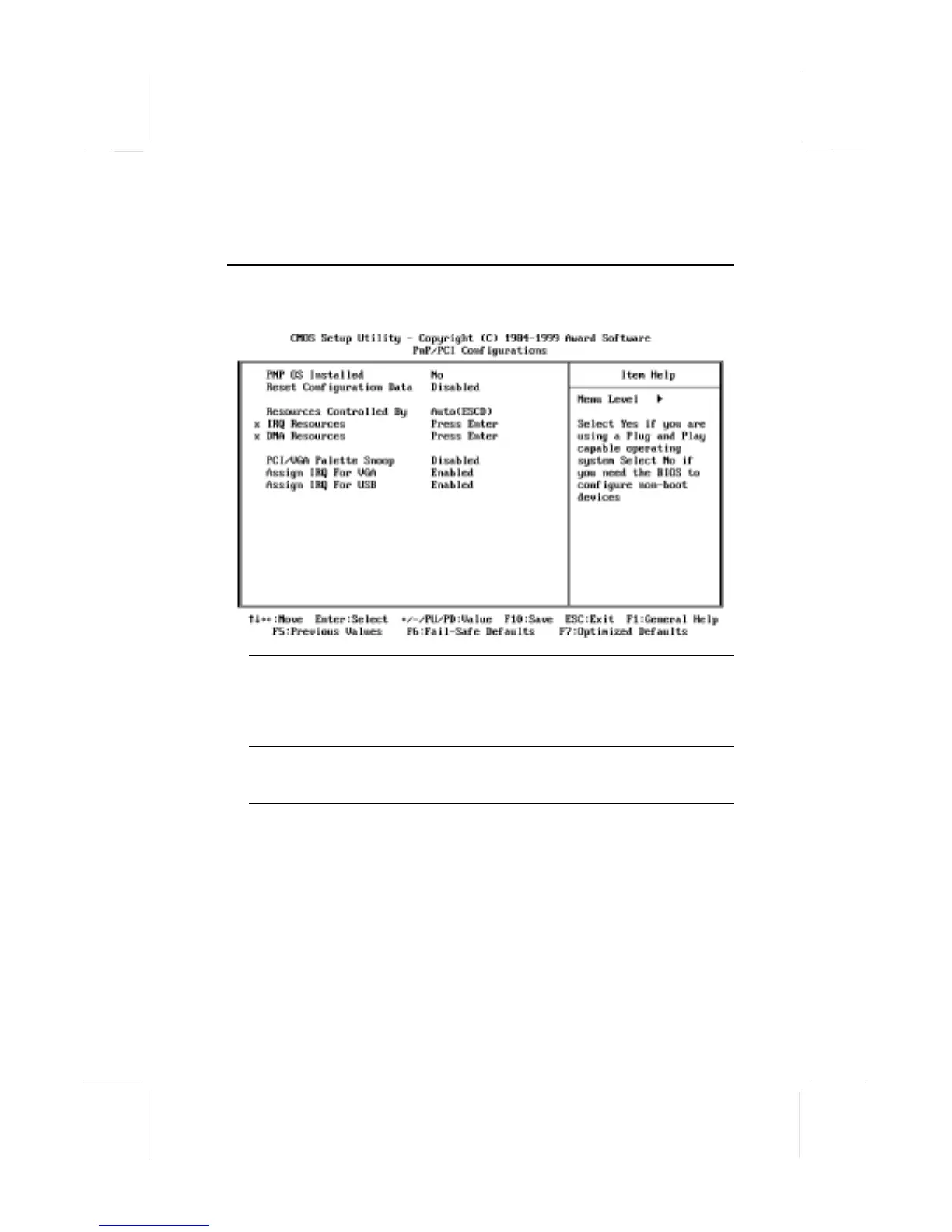
PNP/PCI Configuration Option
This option displays a table of items that configures how PNP (Plug and
Play) and PCI expansion cards operate in your system.
PNP OS Installed Default: No
If you have installed a Plug and Play operating system, such as Windows 95 or
98, you can change this item to Yes. When the item is enabled, you can use the
Device Manager utility in the operating system to make changes to the
configuration of expansion cards.
Reset Configuration Data Default: Disabled
If you enable this item and restart the system, any PNP configuration data stored
in the BIOS setup is cleared from memory. New updated data is created.
Resources Controlled By Default: Auto (ESCD)
You should set this item at Auto (ESCD). Under this setting, the system
dynamically allocates resources to plug and play devices as they are required. If
you cannot get a legacy ISA (Industry Standard Architecture) expansion card to
work properly, you might be able to solve the problem by changing this item to
Manual, and then opening up the IRQ Resources sub-menu.
In the IRQ/DMA Resources sub-menus, if you change any of the assignations to
Legacy ISA, then that Interrupt Request Line/DMA address is reserved for a
legacy ISA expansion card. Press
Esc
to close the IRQ/DMA Resources sub-
menus.















 To Next Page