61
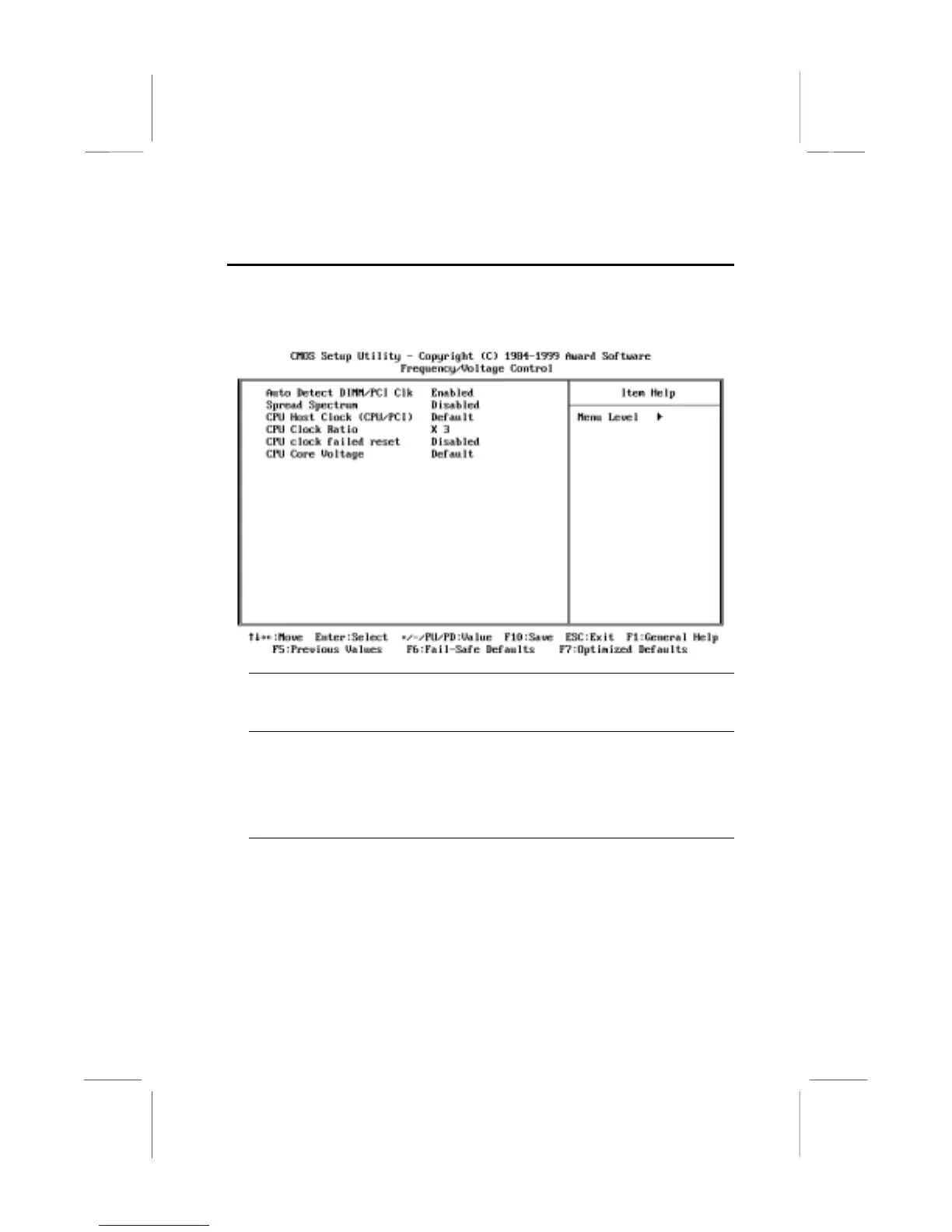
Frequency / Voltage Control Option
This item allows you to set the clock speed and system bus for your
system. The clock speed and system bus are determined by the kind of
processor you have installed in your system.
Auto Detect DIMM/PCI Clk Default: Enabled
When this item is enabled, the BIOS will disable the clock generator signal for
unused DIMM and PCI slots, in order to reduce EMI (electromagnetic intererence)
Spread Spectrum Default: Disabled
When this item is enabled, it can significantly reduce the EMI (electromagnetic
interference) that your system generates by modulating the extreme values of
the clock generator pulses. Enabling this item might cause problems with timing-
critical devices such as SCSI adapters. We recommend that you leave this item
at the default value disabled.
CPU Host Clock (CPU/PCI) Default: Default
CPU Clock Ratio Default: X 3
Use the CPU Host/PCI Clock to set the system bus frequency for the installed
processor (usually 100 MHz or 66 MHz). Then use CPU Clock Ratio to set a
multiple. The multiple times the system bus must equal the core speed of the
installed processor e.g.
3.5 (multiple) x 100 MHz (system bus) = 350 MHz
(installed processor clock speed)
.















 To Next Page