10
STAPLING ON THE CORNER
STAPLING ON THE CORNER
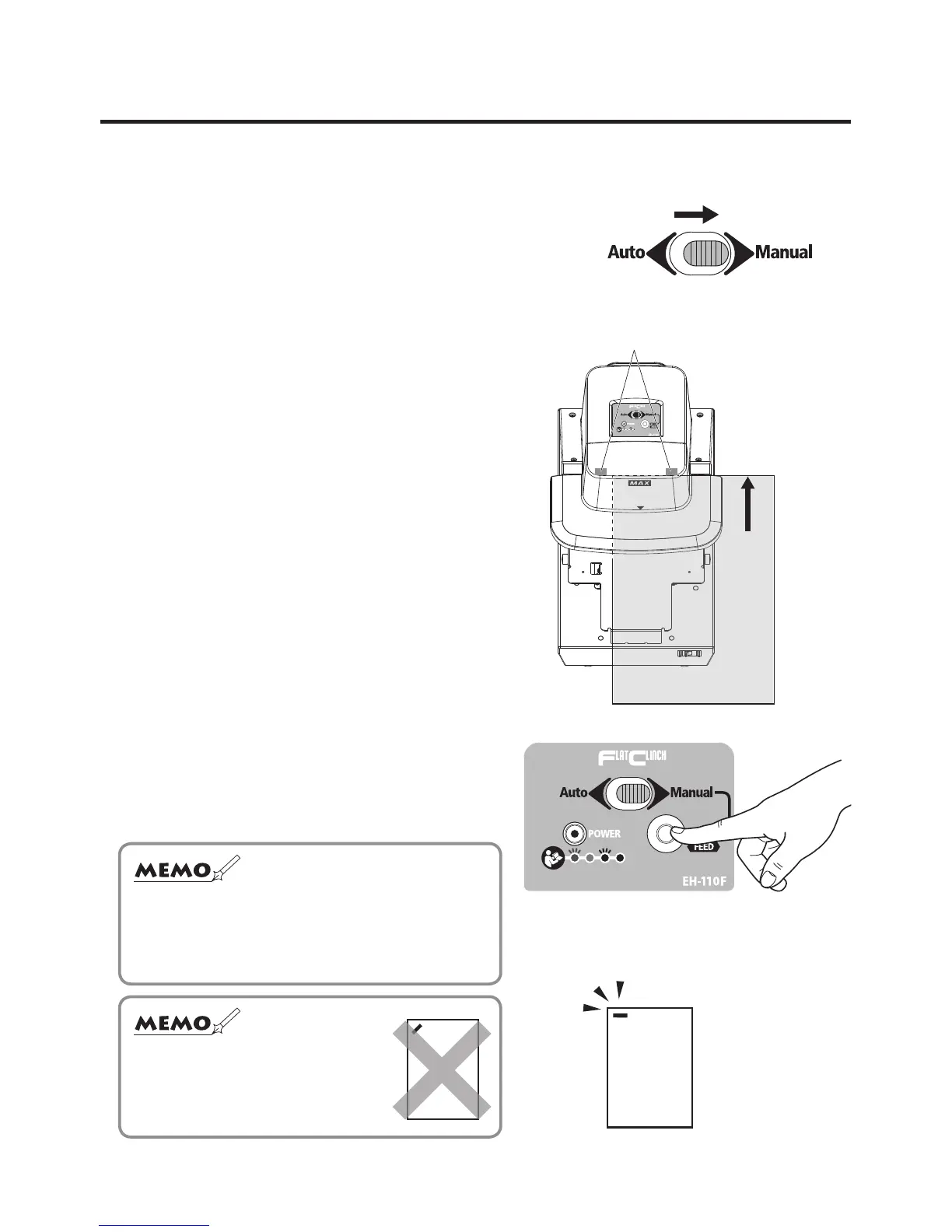
To staple on the corner, align the edge of the paper with the ▼ mark position.
1
Slide the selector switch to the “Manual”,
which is located on top of the main body.
2
Insert the paper slowly until it comes into
contact with either the right or left stapling
position sensor.
3
Press the START button.
Now, you are nished with stapling on
the corner.
Stapling position sensor
Insert as far as
either the right
or left stapling
position sensor.
☆
The machine is not activated by pressing the
START button, unless the paper is in contact with
either the right or left stapling position sensor.
☆ The paper cannot be
obliquely stapled.


 To Next Page