9
STAPLING MANUALLY
STAPLING MANUALLY
Press the START button to staple. When you do not want to staple automatically (always
want to press the button to staple), use the manual button.
CAUTION
Do not press the manual button when there is no paper at the ▼ mark position.
It could damage the machine or cause a staple jam.
1
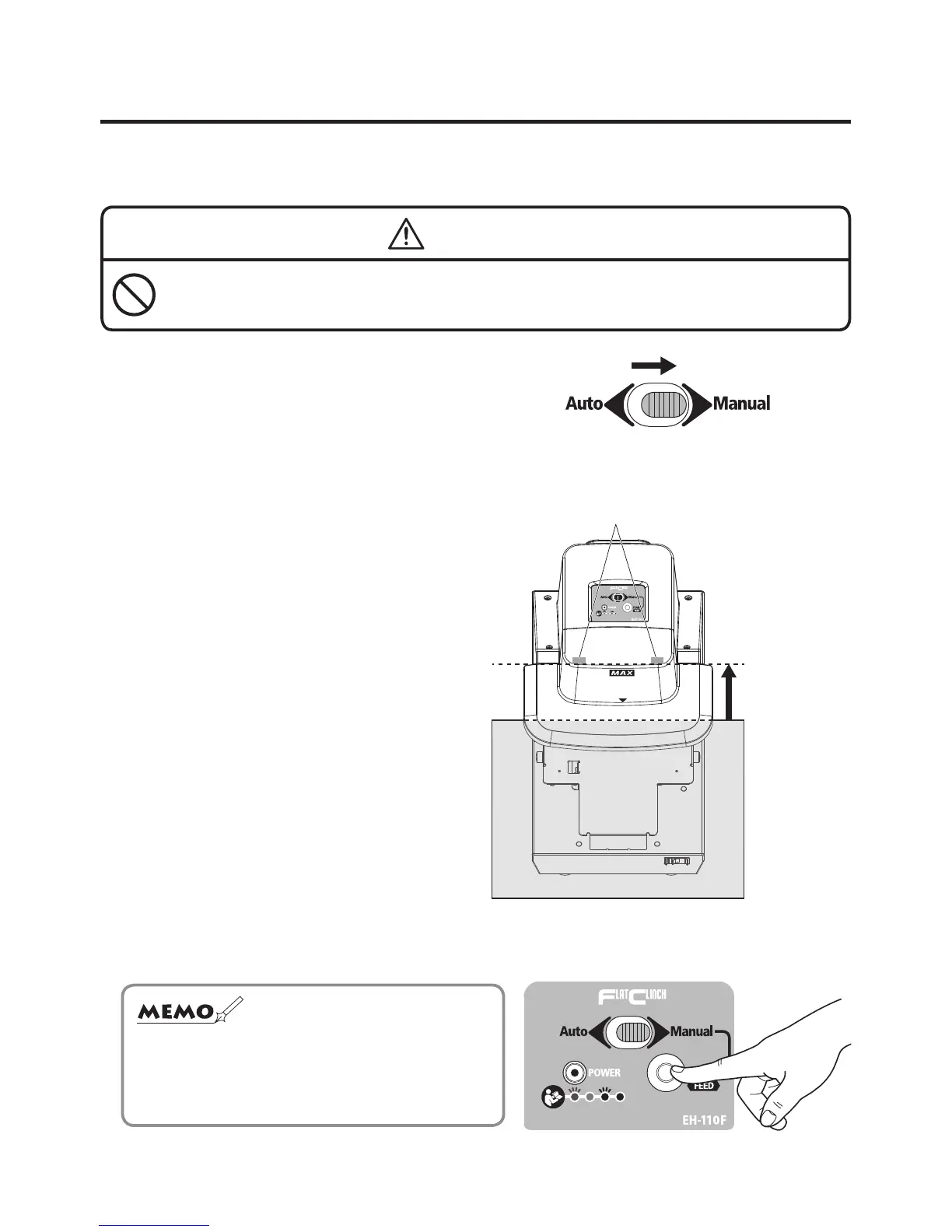
Slide the selector switch to the “Manual”,
which is located on top of the main body.
2
Insert the paper slowly until it comes
into contact with the stapling position
sensor.
3
Press the START button.
The paper is stapled.
Stapling position sensor
Insert as far as
sensor.
☆
The machine is not activated by pressing the
START button, unless the paper is in contact with
either the right or left stapling position sensor.


 To Next Page