CLEARING JAMMED STAPLES
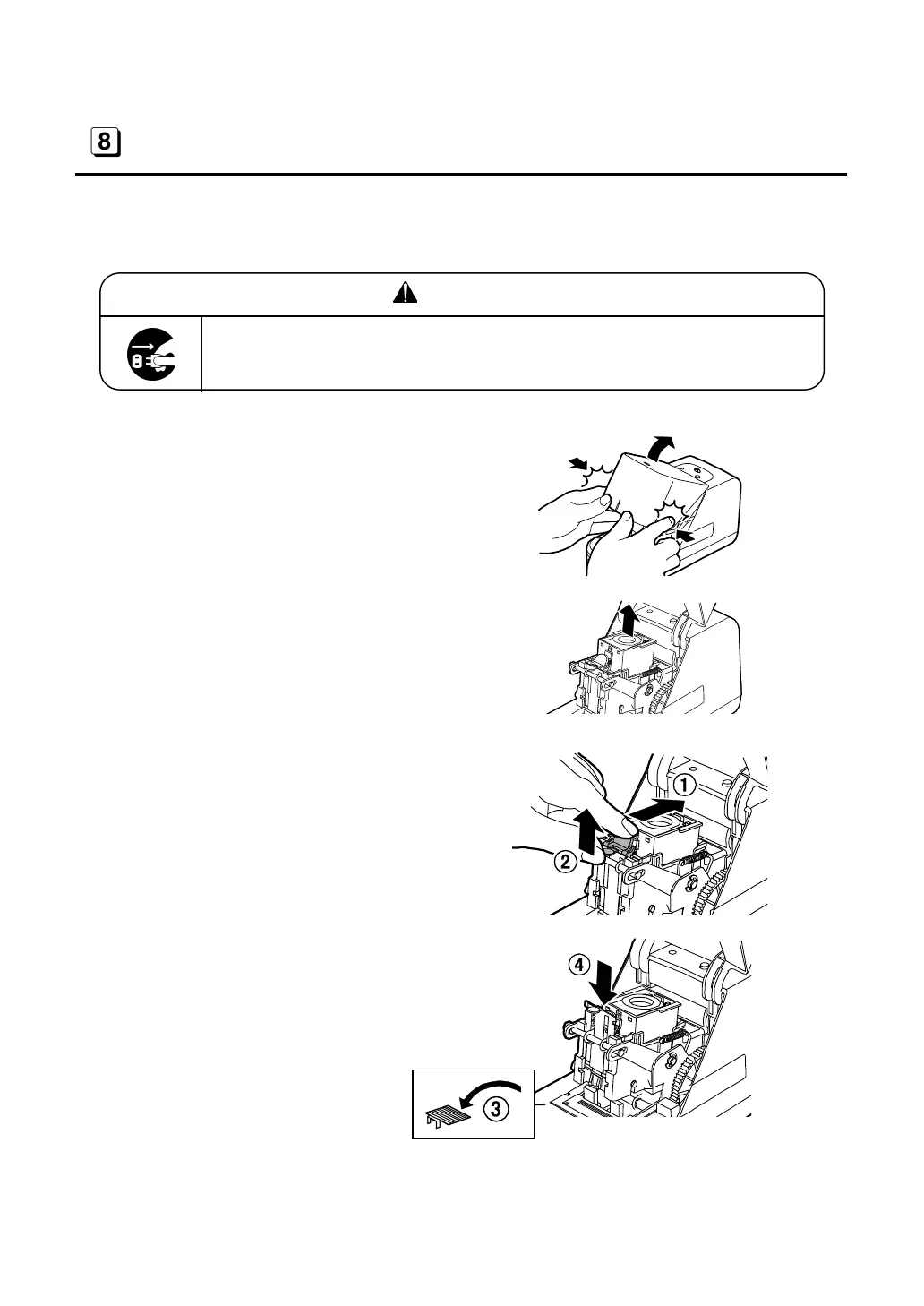
If the staples jam, eliminate them as follows:
WARNING
Disconnect the power cord when clearing jammed staples. It could
cause an injury when the stapler is abruptly activated.
(1) Disconnect the power cord from a
plug socket.
(2) Open the case cap.
(3) Hold the cartridge and pull it upward
to detach it.
(4) Pushing inside the green lever
located on the front of the main body,
pull up the opener handle.
(5) Remove the jamming staples.
And then, push down the opener
handle to its original position.
14



 To Next Page