- 13 -
SETTING LINE SHIFT TIME, IN/OUT AND DAYLIGHT SAVING
TIME (MODE 3)
Operation
A Insert the “Key-Card”. The symbol appears on the display to indicate the setting mode is
on.
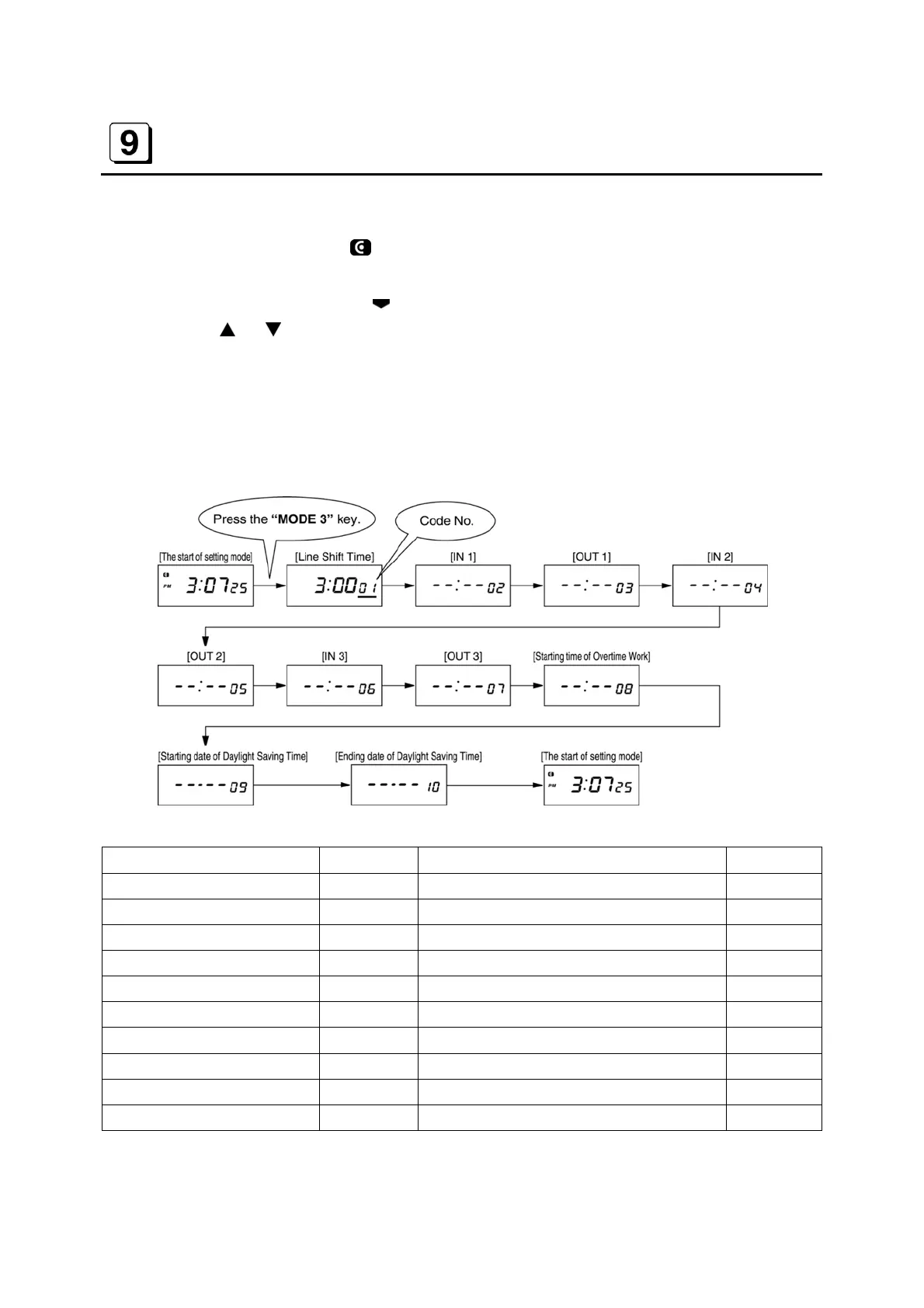
B Press the “MODE 3 key. The
symbol appears at “MODE 3 on the display.
C Press the
or key to set each item.
D Press the “SET” key after changing each item. The display will moves to next item in the
order of Machine Number, Machine Mode and Pay Closing Date. When the “SET” key is
pressed at the end, the buzzer beeps twice and the display returns to the start of the setting
mode.
NOTE : The time is displayed in only 24-Hour Format.
Items (MODE 3) Initial data Contents of setting Code No.
LST 3 : 00 Line Shift Time (Day change time) 01
IN 1 - - : - - Working start time (IN 1) 02
OUT 1 - - : - - Working end time (OUT 1) 03
IN 2 - - : - - Working start time (IN 2) 04
OUT 2 - - : - - Working end time (OUT 2) 05
IN 3 - - : - - Working start time (IN 3) 06
OUT 3 - - : - - Working end time (OUT 3) 07
OST - - : - - Starting time of Overtime Work 08
Daylight Saving Time Start - - : - - Starting date of daylight saving time 09
Daylight Saving Time End - - : - - Ending date of daylight saving time 10


 To Next Page