- 16 -
LATE-IN, EARLY-OUT, OVERTIME WORKING AND NEXT DAY
OVERTIME SYMBOLS
ER-2200PC can automatically print the symbols Late-In (
), Early-Out ( ), Over Time
Working (
) at the right position, in accordance with the set time of IN1 ~ OUT3 (Code No. 2
~ 07) and the start time of Overtime Working (Code No. 8).
Also, when leaving work over the Line Shift Time during or after a midnight shift, ER-2200PC can
print the time on the same line of the day by pressing the key.
( → See
on page 7)
[Example of setting MODE 3]
Items (MODE 3) Initial data Code No.
LST 04 : 00 01
IN 1 09 : 00 02
OUT 1 12 : 00 03
IN 2 13 : 00 04
OUT 2 17 : 00 05
IN 3 - - : - - 06
OUT 3 - - : - - 07
OST 17 : 30 08
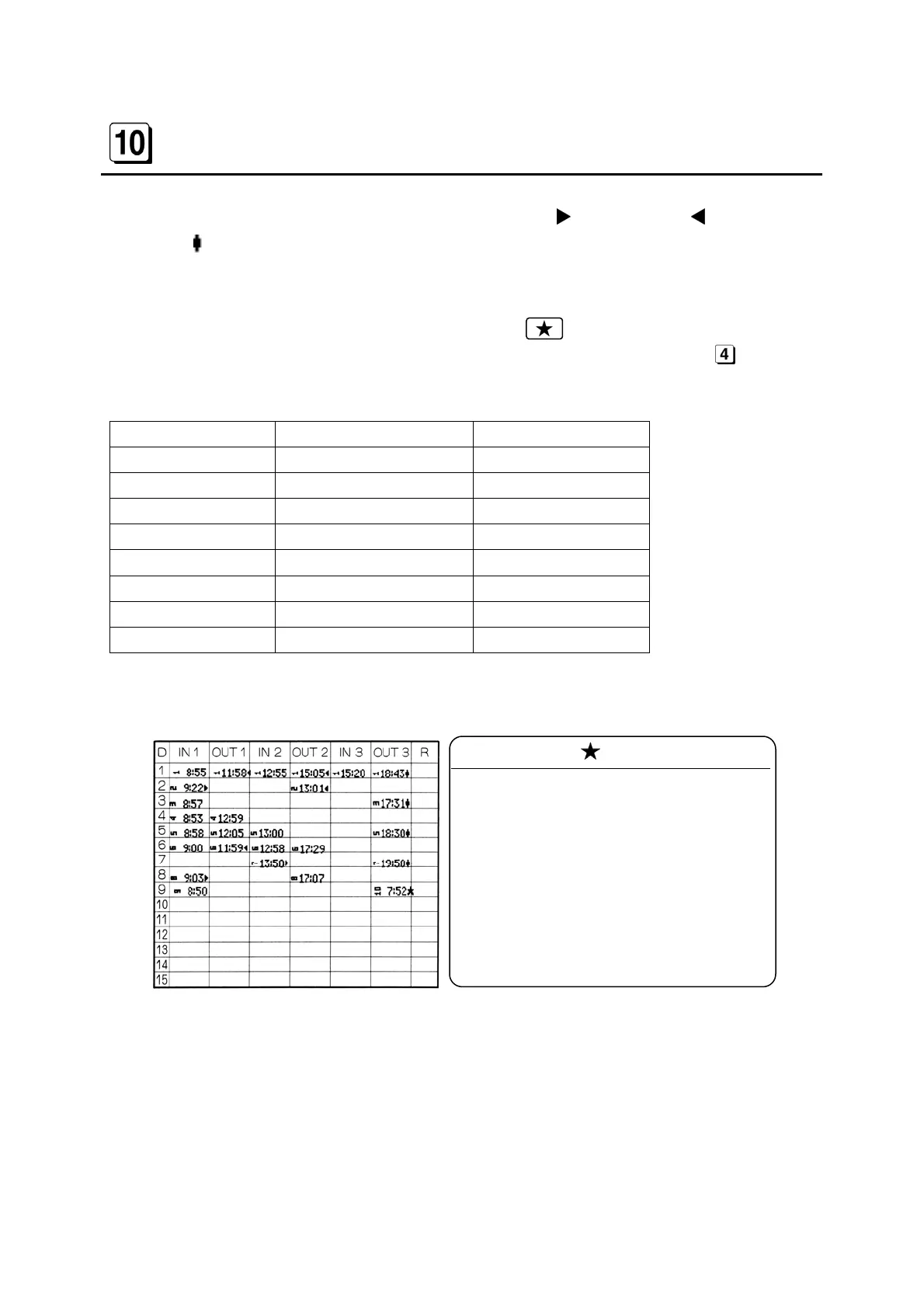
[Printing examples by fully automatic operation]
Note
(1) Second printing is made in the fourth
column (OUT2) because 13:01 is af-
ter the IN2 set data, 13:00.
(2) Second printing is made in the second
column (OUT1) because 12:59 is be-
fore the IN2 set data, 13:00.
(3) First printing should is in the third
column (IN2) because 13:50 is after
the IN2 set data, 13:00.
(Note 1)
(Note 2)
(Note 3)


 To Next Page